RADACAD Blog

Latest Power BI and AI articles from RADACAD team

Linked Services: Azure Data Factory Basic Sample

23

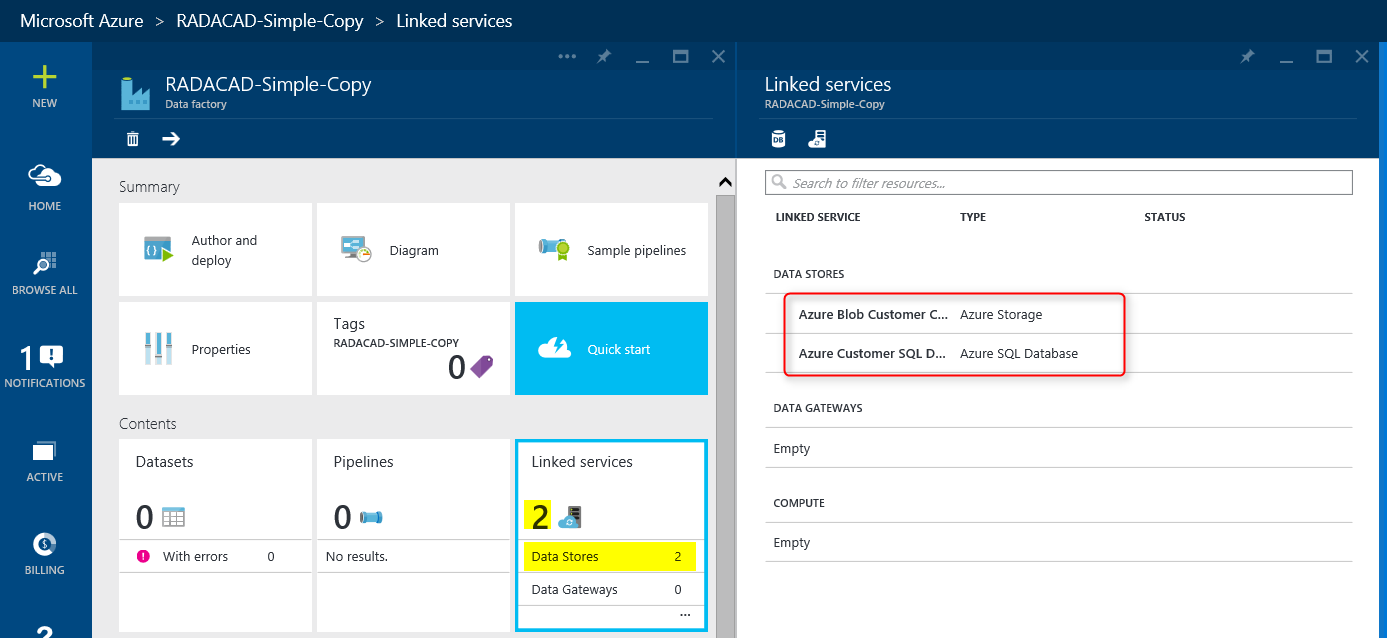
In previous post you’ve seen how to create Azure Data Factory. In this post we want to take the first step in building components of Azure Data Factory. Usually the very first step is creating Linked Services. Linked Services are connection to data sources and destinations. Data Source or destination may be on Azure (such as Azure Blob Storage, Azure SQL Database) or on premises (such as on-premises SQL Server, or on-premises Oracle). Linked Services need to work with Data Management Gateway if the data source/destination is on-premises.

In this example we follow the previous post solution; We want to copy data from some CSV files exists on Azure Blob Storage and load it into Azure SQL database. So we need two Linked Services for this example; one for Azure Blob Storage, and the other one for Azure SQL Database. Creating Linked Services might not be so hard once you have the environment ready for it. However in this example as we want to do everything from the scratch I’ll explain you how to create an Azure Blob Storage and upload CSV files there to be the source of our operation. I’ll also explain how to create the destination table in Azure SQL Database.

[…]

Building The First Azure Data Factory

logo

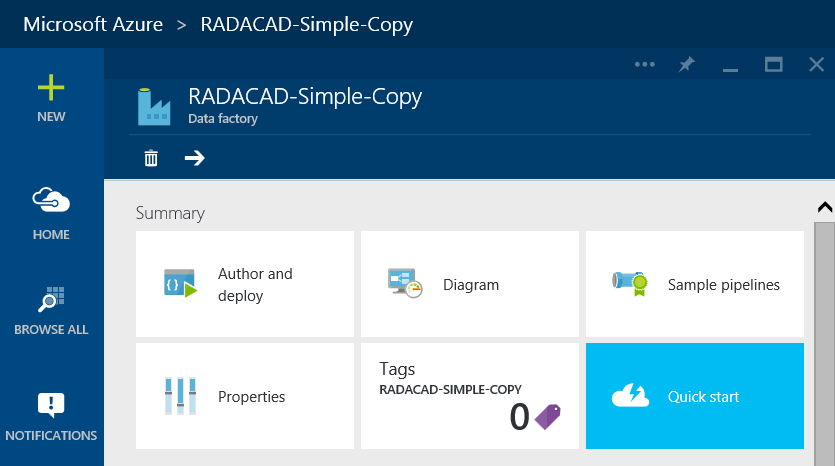
Previously in another post I explained what is Azure Data Factory alongside tools and requirements for this service. In this post I want to go through a simple demo of Data Factory, so you get an idea of how Data Factory project builds, develops and schedules to run. You may see some components of Azure Data Factory in this post that you don’t fully understand, but don’t worry, I’ll go through them later on in future posts.

An overview from previous section; Azure Data Factory is a Microsoft Azure service to ingest data from data sources and apply compute operations on the data and load it into the destination. The main purpose of Data Factory is data ingestion, and that is the big difference of this service with ETL tools such as SSIS (I’ll go through difference of Data Factory and SSIS in separate blog post). With Azure Data Factory you can;

  • Access to data sources such as SQL Server On premises, SQL Azure, and Azure Blob storage
  • Apply Data transformation through Hive, Pig, and C#.
  • Monitor the pipeline of data, validation and execution of scheduled jobs
  • Load it into desired Destinations such as SQL Server On premises, SQL Azure, and Azure Blob storage
  • And on last but not least; This is Cloud based service.

[…]

Self Service BI- Power Query-Section 1: Search for Data

In this Video I tried to gather some information about Dog Breeds from different 3 websites : http://www.mans-best-friend.org.uk/dog-breeds-alphabetical-list.htm http://www.dogbreedslist.info/ https://en.wikipedia.org/wiki/List_of_dog_breeds I have explained how to get data from these websites even they don’t provide any API.    

I’ll Speak in SQL PASS Summit 2015; 3 Years in a row

It is a honor for me that I’ve been selected to speak in SQL PASS Summit 2015. SQL PASS Summit is the largest SQL Server conference and event in the world. Last year about 6ooo people from more than 55 countries attended this great event. I’ve been honored previously to speak in this great conference Read more about I’ll Speak in SQL PASS Summit 2015; 3 Years in a row[…]

SSIS Demos in Action: Tutorial Videos

podcast

SQL Server Integration Services is not a new technology, this technology is a mature data transfer and data consolidation tool which has been in the market since 2005. Prior than that SSIS had another name; DTS. However SSIS nowadays is capable of doing far more than what DTS had to offer.

You can transfer data from any source to any destination, you can upload or download files, you can set priority on execution of tasks, you can call third party applications or command lines, you can get part of the data from Web Service, you can zip or unzip result set, change structure of the result set and load it wherever you want.

[…]

What’s New in MDS of SQL Server 2016

0 heading

SQL Server 2016 CTP 2 released almost a day ago, and I’ve had a chance to install it and play with Master Data Services to see what changes has been made in this product. Master Data Services is a service of SQL Server first released in SQL Server 2008R2, and enhanced in SQL Server 2012. There was no changes in MDS of SQL Server 2014. But fortunately MDS wheels are spinning now, there are some changes in 2016. Changes are not major though they  are evidence of Microsoft investing on this services nowadays.

[…]

DMX with .Net-Part 1

pad-black-and-white

Predictions always matter; it is always nice to find a pattern in existing data. It will help to have a more accurate decision-making. These days, I am busy with designing and implementing a prototype for tourist recommendation system. I need to use variety of data mining algorithm such as “clustering” “Decision Tree”, “Regression”, “Neural Network”. All of these algorithms accept inputs with different data types. These inputs are the main factors that will affect the predictions.

[…]

Incremental Load: Change Data Capture in SSIS

15

Incremental Load is always a big challenge in Data Warehouse and ETL implementation. In enterprise world you face millions, billions and even more of records in fact tables. It won’t be a practical practice to load those records every night, as it would have many downsides such as;

  • ETL process will slow down significantly, and can’t be scheduled to run on small periods.
  • Performance of the source, and destination server will be affected badly, downtime of these systems would be longer.
  • More resources will be required to maintain the process. such as better processors, more RAMs… and adding these won’t help so much at the end, because the amount of data is increasing as times passes.
  • and many other issues.

So what would be the solution? Solution is Incremental Load approach. In this approach data will be loaded partially, preferably only part of the data that has been changed. A change set will be much smaller than the total amount of data. As an example in a 200 million records fact table which stored data for 10 years, only 10% percent of that data might be related to the current year and changes frequently, so you won’t usually required to re-load the rest 180 million records.

[…]

TechDays Hong Kong 2015: Azure Data Factory vs. SSIS

6

It has been long time passed from my presentation in Hong Kong TechDays 2015 on Mid February, I’ve been really busy so far and hadn’t chance to upload my presentation files here. I would like to thank all audience of my session on Azure Data Factory vs. SSIS, and provide you the link to my presentation slides. In this session you will see comparison between SSIS and Azure Data Factory on different factors such as developments, features, deployments, user experience, environment, and etc. For each comparison factor you will see a table comparison of these two products and their pros and cons for different situation.

[…]