RADACAD Blog

Latest Power BI and AI articles from RADACAD team

Visualization Tip: Change to Filter instead of highlight Control the Interaction in Power BI Report

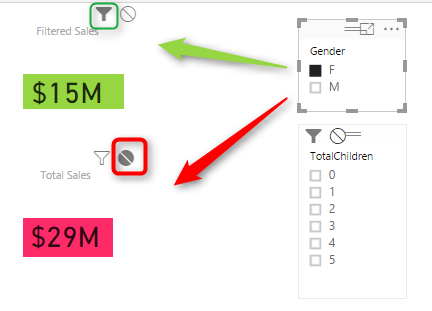
Power BI reports are highly interactive, If you select a column in a column chart other charts will be highlighted. Selecting a slicer value will filter all other visuals in the report. This interactivity can be controlled easily. Despite the fact that this feature has been released in early phases of Power BI, there are Read more about Visualization Tip: Change to Filter instead of highlight Control the Interaction in Power BI Report[…]
Lost Customers DAX Calculation for Power BI

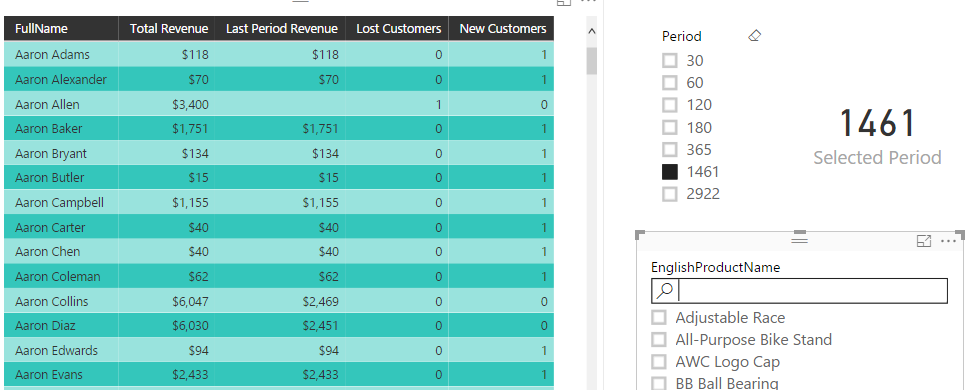
One of the sample scenarios that DAX can be used as a calculation engine is customer retention. In the area of customer retention businesses might be interested to see who there lost customers or new customers are in the specific period. Obviously this can be calculated in the Power Query or in the data source Read more about Lost Customers DAX Calculation for Power BI[…]

Not Folding; the Black Hole of Power Query Performance

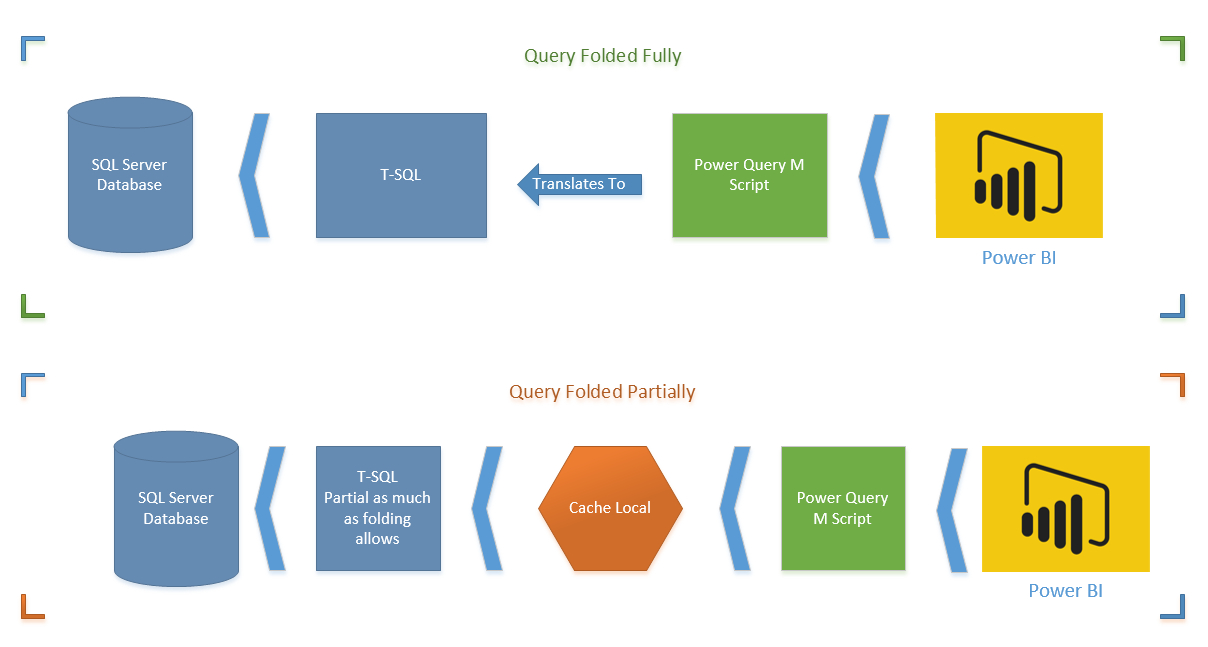
Have you ever thought does your Power Query Transformations happens in the data source side (server side), or on the local memory (client side)? When you use a relational data source, query can be run on the data source, but it depends on transformations. Some transformations can be translated to query language of the data Read more about Not Folding; the Black Hole of Power Query Performance[…]

Performance Tip for Power BI; Enable Load Sucks Memory Up

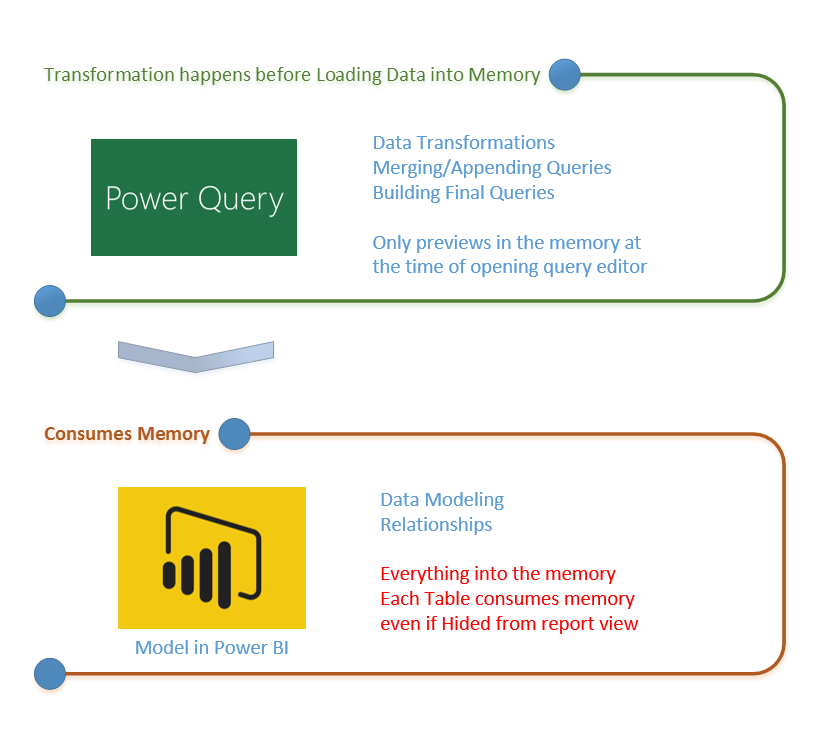
In the area of performance tuning a Power BI model many things has to be considered, most of them around consumption of the CPU and RAM. One of the most basic but important consideration is minimizing the usage of memory. By default all queries from Query Editor will be loaded into the memory of Power Read more about Performance Tip for Power BI; Enable Load Sucks Memory Up[…]

Slides of my sessions at PASS Summit 2016

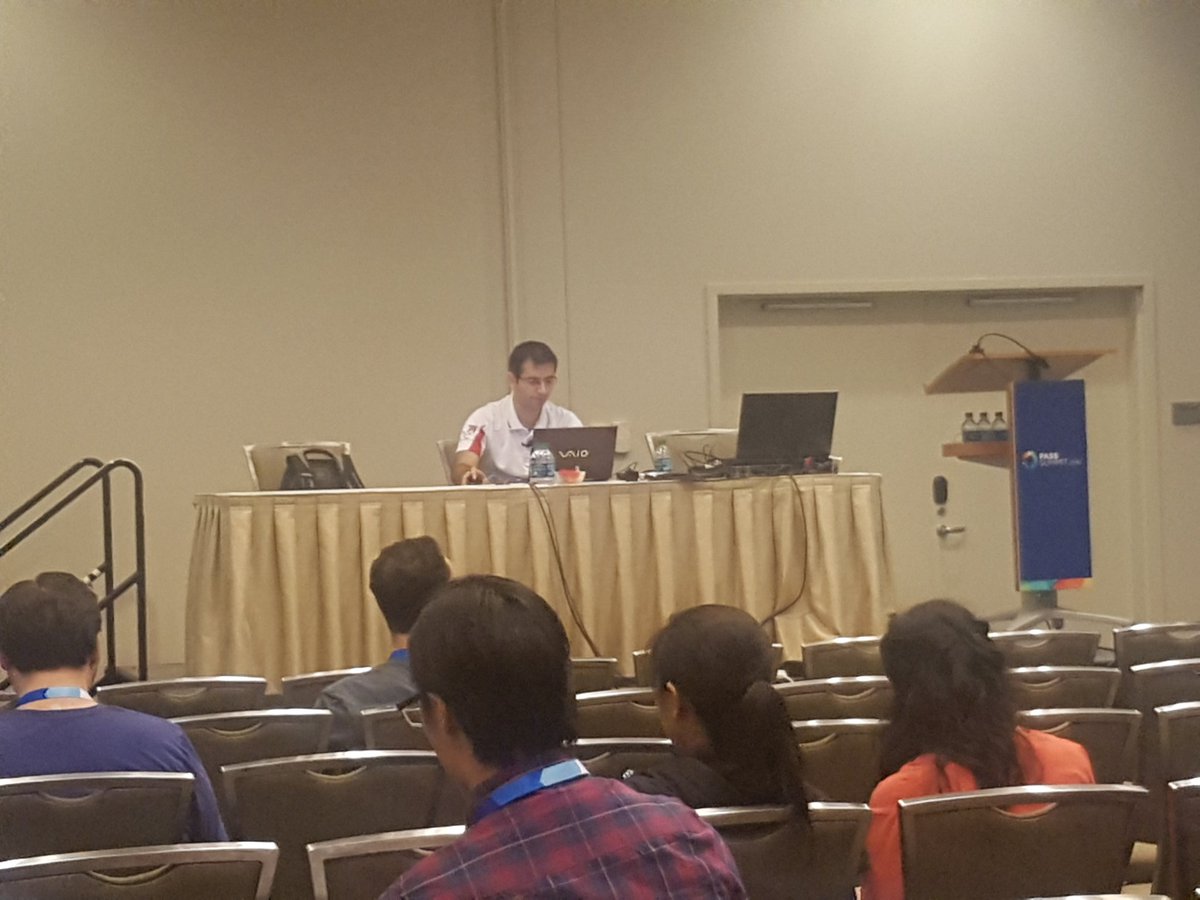
Thanks to everyone who attended at my sessions in PASS Summit 2016 this year. I have uploaded session slides here in this post with links to references inside it. Please contact me if you have any questions. It was my pleasure to speak this year for the 4th time in this conference which I believe Read more about Slides of my sessions at PASS Summit 2016[…]

PASS Summit 2016 – Day 2 Keynote

PASS Summit Day 2 started with Keynote of Dr. Dewitt from MIT. I personally am so exited to hear this keynote. Sitting again on blogger’s table will write highlights of today’s keynote here in this post. Please refresh this post to get updated information. 8:18 – Grant Fritchey stepped up in stage 8:21 – Over Read more about PASS Summit 2016 – Day 2 Keynote[…]

PASS Summit 2016 – Day 1 Keynote

PASS Summit 2016 started Monday 24th of October 2016 with some pre-cons on day one and day two. The third date which is Wednesday 26th of October 2016 is the regular conference start day and for today the first keynote is with Joseph Sirosh Microsoft CVP of Machine Learning and Data Platform. I am sitting Read more about PASS Summit 2016 – Day 1 Keynote[…]

Loop Through On-Premises Files with Power BI and Schedule it to Refresh Automatically

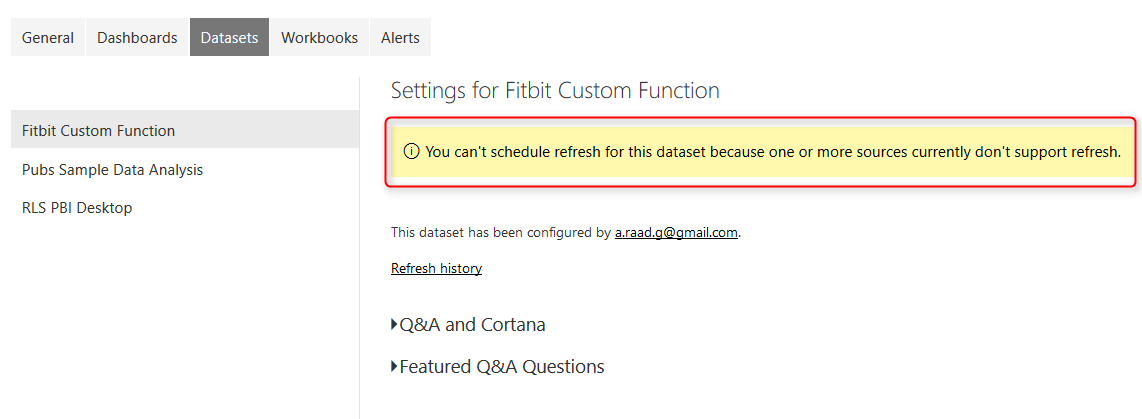
Previously I’ve explained a method of looping through number of files in a folder which used Custom Functions. This method is preferred method buy not always working with Schedule Refresh and gateway setup, because scheduled refresh doesn’t always support custom functions in the code. So I this post I show you a second method that Read more about Loop Through On-Premises Files with Power BI and Schedule it to Refresh Automatically[…]

Filtering Slicer Resolved in Power BI

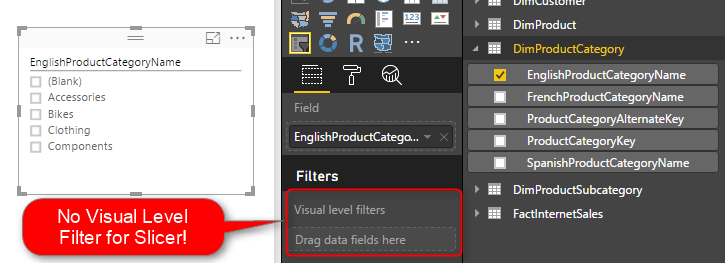
You can filter all visuals in Power BI except Slicer! In fact slicer itself is a type of filter, however there are some times that number of items in slicer is too many. So this is normal that we want to filter the items in the slicer itself. Unfortunately current version of Power BI Desktop Read more about Filtering Slicer Resolved in Power BI[…]

Stream Analytics and Power BI Join Forces to Real-time Dashboard

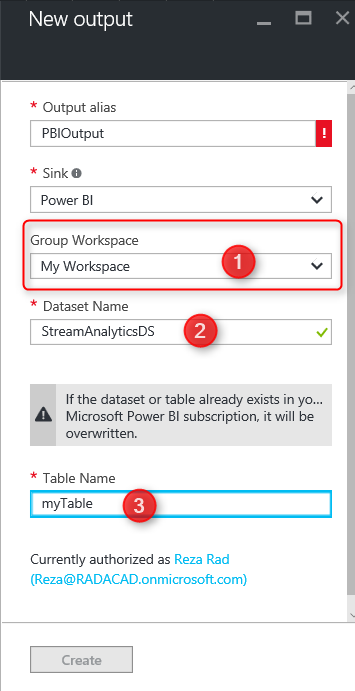
Few weeks ago, I’ve written how REST API can be used for real-time dashboard in Power BI. Another method for real-time dashboard is using Azure Stream Analytics. This can be combined with Azure IOT and Event Hub to get data from IOT devices. In this post I’ll explain to you all steps necessary to push Read more about Stream Analytics and Power BI Join Forces to Real-time Dashboard[…]