
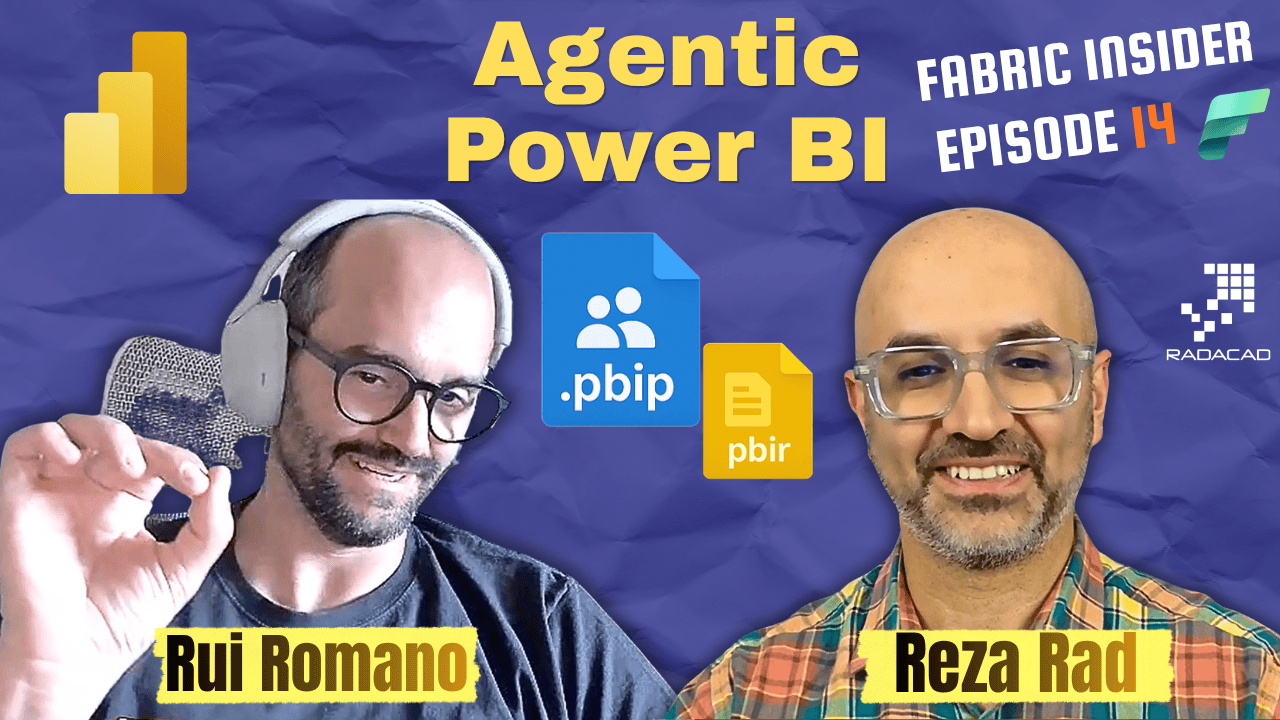
PBIX isn’t going away, but the code behind it is finally becoming something you can version, script, and hand to an AI agent without things blowing up. In this episode of Fabric Insider, I sit down with Rui Romano, Product Manager on the Power BI team within Fabric, the person behind PBIP, PBIR, and TMDL, to talk through what these formats actually solved, and how the same hardening work is now what makes agentic AI in Power BI possible at all.
Meet Rui Romano (Video: 0:31)
Reza: Before we talk about your focus areas, can you introduce yourself, where you live, what part of the product you own, and how long you’ve been with Microsoft?
Rui: My name is Rui, I live in Porto, Portugal, home of the Power BI Porto user group, which I co-founded, and we’re very proud of it. I did the journey from consulting to product. I started at a company called DevScope in Portugal, around 15 years in consulting, focused on data going back to SQL Server 2000 and Analysis Services. Then I moved to Microsoft’s CAT team, where I got to work with people like Chris Webb, Phil Seamark, and Matthew Roche, the voice of the customer inside the product. From there I moved into feature PM and got to lead PBIP, TMDL, and PBIR, which is a strange coincidence, since back in my consulting days as an MVP, I gave a talk at Difinity called “Power BI Hacks,” all about doing source control in unsupported ways with just the PBIX. Then I ended up building the supported version of exactly that.
These days I’m a Product Manager on the Power BI team, and I’m a lot more focused on agentic, how we make Power BI addressable by AI agents, not just on the consumption side, that’s Fabric IQ, one of the Microsoft IQs alongside Work IQ and Foundry IQ, but on giving agents the tools and skills to actually create things for you. My mentor, Rui Quintino, also a Microsoft MVP, told me early in my career: be lazy. Don’t accept repetitive tasks just because someone told you to do them. Agentic AI is the perfect opportunity for that, you can train a fleet of agents with your own style, your team’s style, and let them just do it.
Reza: I have to say, you’re the perfect fit for this role. You spent years talking about hacking PBIX to do things it wasn’t built for, and now you’re building the product that covers all of that officially.
Rui: It has its pros and cons. The pro is I felt the pain, so I can be very passionate. But it’s also good to think outside the box, and having colleagues without a Power BI implementation background brings different perspectives someone who’s worked on the product for years might never have thought of. We’re also very data-driven as a team, sometimes what feels critically important to you turns out to be used by 500 people out of 30 million, and you have to learn the right way to weigh that.
What Is PBIP, and Why It Matters (Video: 8:46)
Reza: One of the first things you worked on, maybe the most famous, was the Power BI Project file, PBIP, and PBIR. It’s still a work in progress. For people still happily using PBIX, what is PBIP, what is PBIR, and what’s the benefit?
Rui: PBIP stands for Power BI Project files, also known as Power BI Developer Mode. Think of it as the code behind a Power BI report and semantic model. That code has always existed, and I want to be very clear, PBIX is not going away. I learned that the hard way, I wrote a blog post about PBIR and everyone assumed PBIX was disappearing. It isn’t. PBIX is still the best format for sharing, one file, drop it in OneDrive, done. PBIP is a folder with two folders inside, you’d have to zip it to share it, less intuitive, a bit scarier for many users. The PBIX mental model comes from Office, like an Excel .xlsx or PowerPoint .pptx, the code is just encoded inside it, not easy to look at, version in source control, or script against.
PBIP is about two or three things. First, and the primary motivation, was giving pro developers and enterprise teams a real collaboration story. A team of BI professionals working together, one person on a table, another fixing a measure, another on a report, they need to collaborate, and that’s simply not possible with PBIX, since we don’t have co-authoring yet. The answer is source control and Git, and that was the primary motivation.
Second, transparency. PBIP forced the Power BI team to actually document the code behind Power BI. There were community tools like Mathias Thierbach’s PBI Tools that could unpack and repack a PBIX, completely unsupported. PBIP made that supported, and more importantly, forced what we call hardening, assuming we’re no longer the only tool making changes to the semantic model or report metadata.
Funny thing: we did that hardening work motivated by source control and external tools, before agents existed at all when PBIP started. Then agents came along, and it turns out all that hardening was exactly what agentic development needed. I remember talking with Christian Wade about it, saying there are things that will come out of this expensive engineering work that we don’t even know about yet, and agentic is one of them. AI agents now go and change semantic model metadata, sometimes hallucinating, and because that hardening work already existed, things don’t blow up the way they would have before, when it simply wasn’t supported.
TMDL and the PBIR Report Format (Video: 17:03)
Rui: Inside the semantic model, you have TMDL, the Tabular Model Definition Language, something I’m also really proud of, since it was born from the community. Mathias Thierbach started this project, worked with our architects and developers, and we created this declarative, textual representation of a semantic model.
For reports, we have PBIR, the Power BI Enhanced Report format, moving away from a single JSON file that was genuinely bad for source control and bad for agents to edit, since it used inline JSON within JSON, never built for anyone but Power BI’s own tools to read. PBIR makes that source-control ready and supported.
To be honest and transparent, PBIR is the main reason PBIP isn’t GA yet. We only want one report format going forward. Unlike the semantic model, where TMDL and TMSL are both supported and you can choose, the previous report format was always an internal, never-public format, so we don’t want to support it long term, we want every report moved to PBIR. And “every report” is genuinely scary, there are millions and millions of reports out there, hundreds of features to check against. That’s why it’s taken this long, not because PBIP itself is unstable, it’s actually very stable, even in preview.
Default-On for PBIR Is Coming (Video: 19:48)
Rui: We’re in the final stages of what we’re calling “default-on” for PBIR, announced in the June or May Power BI blog. Every new report you create will default to PBIR, and every existing report you edit will get upgraded to it. This is happening now, the next Desktop release defaults to PBIR. It’s still a preview feature, so if you don’t want it, there’s a tenant setting and a Desktop setting to disable it. That’s our final gate before GA, hopefully in the next few months.
PBIR is the code of the report, one file per visual, one folder per page. A nice side effect of the whole Power BI project format is you can just inspect things directly, how many pages, how many tables, without opening the tool at all. You can copy folders around, or if you want to delete 50 pages, you don’t need to open Desktop and click through each one, you just drop the folders.
Will PBIP Ever Become the Default Format? (Video: 22:03)
Reza: So PBIP, PBIR, and TMDL together give us collaborative Power BI development, CI/CD, and agentic support, and this is becoming the default save format soon? Let’s be clear, is that default for PBIR only, or PBIP too?
Rui: Honestly, I don’t think PBIP will ever be the default format. We know from the numbers, we have many millions of Power BI developers creating things, but only a few hundred thousand actually using PBIP. That’s normal, since PBIP matters to professionals who care about this laziness, co-development, scripting, and AI, a subset of all Power BI developers.
Reza: So even when someone saves a PBIX, in the future the reporting part inside it would still be saved as PBIR?
Rui: Yes. In the July release, if you open Desktop, use sample data or connect to a database, and save the PBIX, inside that PBIX there will be a folder in PBIR format. In the fullness of time, I hope PBIP and PBIX become exactly the same thing, the only difference being that PBIX is just a zip of the PBIP folder. That’s something we need to hear from you all on how important that is, but we hope to move in that direction.
Reza: That means report authoring using AI becomes a lot simpler even inside PBIX, since PBIR is underneath.
Rui: Exactly. Although if you want to use AI, you should really use the Power BI project directly. You could have an AI agent unzip a PBIX, make changes, and zip it back, but that’s just adding risk. If that’s your goal, use the Power BI project, it’s opt-in.
Making PowerBI AI-Addressable: Tools, MCP, and the IPC Bridge (Video: 24:36)
Reza: You mentioned your other focus area is making Power BI AI-addressable, so we can create and author solutions using agents. Tell us more.
Rui: Making Power BI AI-addressable for creators means giving agents tools and knowledge. Tools could be the MCP, we have the modeling MCP that we’re rebranding as the authoring MCP, expanding its scope beyond modeling, things like setting a refresh schedule, service-level settings, or report functionality. We shipped tools in June, the PM for that is Harleen Kaur, including the IPC bridge, a bridge between Desktop and applications, and an application could be an AI agent.
Why does that matter? Being successful in agentic work isn’t just about creating a page or a measure, you need to observe and test, to make sure it’s actually working. The IPC bridge is an API running inside Desktop that lets you say “reload the code” after a change, or “take a screenshot” so the agent can validate the result actually matches the intent, the same way I’d validate my own work.
This didn’t exist before. If you changed a PBIP file, you had to restart Desktop for the agent to see it, and there was no way to ask Desktop for a screenshot. You have the full code in PBIP, but you don’t have the rendering engine, PBIR is an open but proprietary format, you can’t just render it yourself, the report engine and Analysis Services engine both live in Desktop. So tools, making sure they work well together with AI and without AI, is a big focus, since scripts still have real value for repetitive tasks. You can use AI to describe intent, verify the result, then generate a deterministic Python, PowerShell, or .NET script from it, so you’re not burning tokens re-doing the same thing every time.
Reza: That IPC bridge is genuinely helpful. A couple of months ago I was building something with AI inside Power BI and had to close and reopen Desktop after every change, now that’s possible directly through Desktop using the bridge.
APIs and the Move Toward Authoring MCP (Video: 31:06)
Rui: That’s the first part of making Power BI AI-addressable. The second part of tools is APIs. In Desktop we need an API to communicate, that’s the IPC bridge, but in the Service we need APIs too, and we already have a good amount, including one that gets or updates a semantic model’s or report’s code, or creates a new one purely from code, which didn’t exist a few years ago. We can still make those APIs better and more granular, that’s ongoing work.
Skills: Giving AI the Knowledge to Build Like You (Video: 32:19)
Rui: The second part beyond tools is knowledge, skills were a big innovation. Skills give the product team a way to create the necessary context, so AI knows how to create or modify a semantic model or report, what steps to follow. We tried to keep them not overly complex, working for the majority of scenarios, but also genuinely customizable, because I believe that’s where the real value is.
Please, if you’re getting started with AI, just use one of these skills, from Microsoft’s Skills for Fabric repo or community ones, Tabular Editor and Kurt’s community are doing great work here. But the real difference comes when you take the time to customize skills for your own reality. In the semantic model authoring skill, there’s a reference file describing naming conventions, and what matters isn’t the specific rule, uppercase, lowercase, camelCase, Pascal case, snake_case, whatever, what matters is consistency, and consistency is something AI is genuinely good at detecting. You can ask it to analyze your naming convention and flag anything inconsistent, and it will fix it for you. The naming convention in the shipped skill is just an example, feel free to customize it entirely, or layer your own rules on top with an instruction telling the agent your rules take precedence.
I still remember, early last year, before skills existed formally, just with the right context, being able to describe how I think as a semantic model developer, and the agent produced something as if I’d built it myself. That’s the lightning-bolt moment, and skills make that dramatically easier and worth the investment, not just starting with what’s already built, but adapting it to your team’s guidelines and quality bar.
Something else only AI made possible: the ability to go back. In traditional BI implementation, you do the initial analysis, create a document, agree with the customer, then build, and if the customer changes direction partway, or didn’t really know what they wanted until they saw something explorable, that’s expensive and painful, for the customer, who pays more, and for the developer, who’s now attached to weeks of code. With AI, that attachment mostly disappears. You can implement three flavors of the same project, pick the one that works, and if direction changes, with the right specs and context, you just redirect. It opens developers up to focus more on the customer, and less on the technical grind, which I think is a genuinely good thing.
Reza: I like that you don’t just take a skill as-is, customizing it with your own naming conventions and standards is the real value. And this whole space is moving incredibly fast, tools we didn’t have a few months ago now exist.
What’s Coming Next (Video: 40:04)
Reza: What should people be looking forward to in this area?
Rui: More and better tools, a better version of the MCP, moving from modeling to authoring, which means expanding scope beyond modeling. I want to GA that MCP, it’s been in preview since November, it’s stable, we’ve had amazing feedback and real user stories. We should keep evolving it toward authoring.
One thing I’m really excited about, coming very soon, though I’m not the PM for it, that’s my colleague Sata Slamini, is Power BI Desktop picking up a project change and reloading automatically. It’s been part of the roadmap for a while, related to the IPC bridge, working on the fundamentals really does pay off here.
On the knowledge side, evolving Fabric Skills, more skills, enhanced existing ones. In general I don’t want to over-promise specifics since not everything ships, but what you can expect from the team working on Power BI’s agentic space is genuinely delivering tools and knowledge so AI agents can be successful with Power BI. There are gaps to address, we need everything in a semantic model and report to be editable, and editable consistently, not some things only through MCP and others only through PBIP, with inconsistent testing and reload requirements. And, yes, expect GA for MCP, PBIP, and PBIR, which matters especially for enterprise customers who can’t use preview features.
Reza: I’m genuinely excited about all these agentic capabilities across Power BI and Fabric, and looking forward to what’s coming.
Where to Find Rui and Closing Thoughts (Video: 44:38)
Reza: What other channels are best for people to reach you with feedback or questions?
Rui: Last month I launched a new documentation hub called Power BI Agentic, aiming to be the place to learn the most important things about Power BI agentic, the tools, the skills, how to get started, worth linking below. Beyond that, LinkedIn is the best way to reach me, I’m usually active and responsive there, and always happy to hear feedback and bring it back to the team.
Reza: We’ll put all those links in the description. Thank you for your time, Rui, this was genuinely insightful, and we’re looking forward to everything coming.
Rui: Thank you for having me.
Summary
PBIP, PBIR, and TMDL started as a source control and collaboration story, and turned out to be the exact hardening work that made agentic Power BI development possible at all. Between the IPC bridge, the authoring MCP, and customizable skills, the gap between “describe what you want” and “get a working semantic model built your way” keeps shrinking. If you have questions about any of this, drop them in the comments, I read every one.
Related Reading on RADACAD
- No-Code Power BI: How to Use Claude and the Power BI Modeling MCP Server
- No-Code Power BI Report Authoring: GitHub Copilot, Fabric Skills, Power BI Desktop Bridge
- Teach Claude Your PBI Standards (Custom Skill)
- No-Code Dataflow Gen 2 in Microsoft Fabric Using GitHub Copilot and Fabric Skills
Previous Fabric Insider Episodes
- Ep. 1 Wilson Lee, Mirroring/Copy Job/SAP: https://youtu.be/LRrqxRP2ltk
- Ep. 2 Zoe Douglas, Visualization Updates: https://youtu.be/PDEYc37VbE4
- Ep. 3 Miguel Escobar, Power Query/Dataflows: https://youtube.com/watch?v=mgxEYGKgYis
- Ep. 4 Santhosh Kumar Ravindran, Spark Performance: https://youtube.com/watch?v=VayYW4REKzc
- Ep. 5 Christian Wade, Semantic Models: https://youtube.com/watch?v=zndWuBB1JTo
- Ep. 6 Yitzhak Kesselman, RTI/Fabric IQ: https://youtu.be/euaMnOWD81Y
- Ep. 7 Rie Merritt, MVP Program: https://youtu.be/d6iAp7clwzc
- Ep. 8 Hasan Abo-Shally, MCP Servers/CLI: https://youtube.com/watch?v=TTqyHBAHuP4
- Ep. 9 Wee Hyong Tok, Data Integration/ETL Future: https://youtube.com/watch?v=nDPufHNSC5Y
- Ep. 10 Mohammad Ali, Next Evolution of Power BI: https://youtube.com/watch?v=jpGtEvKty-k
- Ep. 11 Sachin Patney, Fabric Apps/Rayfin: https://youtu.be/PjV1bc1Rqwo
- Ep. 12 Josh Caplan, OneLake Updates: https://youtu.be/R5i-CigLwSM
- Ep. 13 Kay Unkroth, DAX UDFs/OAP: https://youtu.be/yyui7FV9NmY
Full playlist: YouTube Podcast: Spotify Series page: radacad.com/category/fabric-insider-2026
About Reza Rad
Reza Rad is a Microsoft Regional Director and a 16-year consecutive Microsoft Data Platform MVP, recognized as one of the world’s leading voices on Power BI and Microsoft Fabric. He is co-founder of RADACAD, a Microsoft Gold Partner delivering Power BI and Fabric consulting and training to organizations across 80+ countries, and co-founder of the Difinity Conference and the Power BI & Fabric Summit. Reza has authored more than 10 books on Power BI and Microsoft BI technologies, published over 1,000 technical articles, and personally trained thousands of data professionals worldwide. Whether you need a full analytics architecture built from the ground up, a stuck DAX formula or performance issue solved, or a team trained from the basics to advanced Fabric implementation, Reza and the RADACAD team offer both hands-on consulting and structured training to get you there. Learn more at radacad.com.


Reza is author of more than 14 books on Microsoft Business Intelligence, most of these books are published under Power BI category. Among these are books such as Power BI DAX Simplified, Pro Power BI Architecture, Power BI from Rookie to Rock Star, Power Query books series, Row-Level Security in Power BI and etc.
He is an International Speaker in Microsoft Ignite, Microsoft Business Applications Summit, Data Insight Summit, PASS Summit, SQL Saturday and SQL user groups. And He is a Microsoft Certified Trainer.
Reza’s passion is to help you find the best data solution, he is Data enthusiast.
His articles on different aspects of technologies, especially on MS BI, can be found on his blog: https://radacad.com/blog.