
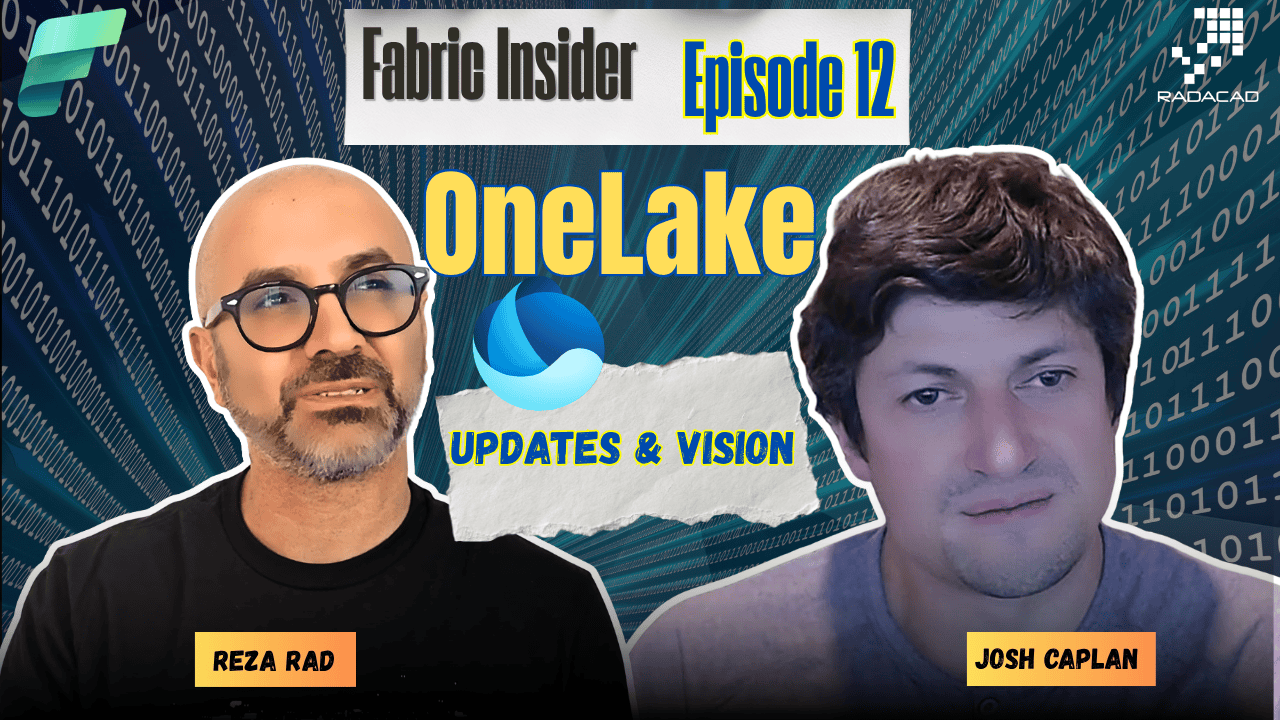
In this episode of Fabric Insider, I sat down with Josh Caplan, Director of Product for OneLake at Microsoft. Josh has been around this product family for a long time, starting as an intern on the Analysis Services team back in 2007, working on Project Gemini (which became Power Pivot), and joining the Power BI relaunch six months before it happened. That history matters, because a lot of what OneLake solves today is exactly what he saw teams struggle with back then.
Meet Josh Caplan (Video: 0:31)
Reza: Before we jump into OneLake updates, can you tell us who you are, what part of the product you work on, and a bit of your history? I remember you were on the Analysis Services team in the past.
Josh: Right now I’m the Director of Product for OneLake. I started with the Analysis Services team as an intern back in 2007, doing what we called Project Gemini at the time. I wrote the SharePoint integration as a dev intern, then rejoined that team later, right as Project Gemini became Power Pivot. I did Analysis Services and Power Pivot for a few years, six months before we relaunched Power BI. So I’ve been with the product for a while now.
What Is OneLake, Really? (Video: 1:45)
Reza: Let’s talk about OneLake from the point of view of someone who hasn’t used Fabric at all, a Power BI user who doesn’t know what OneLake is. What’s the main thing about it, and why should people care?
Josh: We asked ourselves the same question before we built it. What we saw was everyone trying to build their own version of a “one lake” inside their organization: a single pristine place where all their data lives, interconnects, and is instantly discoverable. That was a lot of work for every customer to build themselves, and that’s how we came up with OneLake. We call it the OneDrive for data. Your documents are unified between OneDrive and SharePoint, always findable, secured, governed, and you can collaborate on them. That’s what we wanted OneLake to be, but for data.
Reza: And having that extension you can install on Windows, where it opens up just like OneDrive, is actually quite fascinating.
Josh: We definitely wanted it to feel a lot like OneDrive. You can actually look at all your data, databases, data warehouses, semantic model data, you can look at files right inside Windows Explorer. That makes it really interesting for people who just want to browse their data estate the way they browse their documents.
Reza: Another thing I liked about your explanation is that the concept of a data lake isn’t new, companies have been talking about data lakes for a while, but usually they end up with a bunch of them scattered across the tenant. The idea with OneLake is that this becomes the one data lake.
Josh: And you couldn’t really buy a data lake before, right? You’d buy storage and other pieces and stitch it together yourself. This is a single OneLake for the entire organization that you get out of the box. It’s the one place we store all data entities, lakehouse, warehouse, semantic model, documents, unstructured data, even things on-premises or in other clouds. One of our primary goals was making sure you didn’t have to physically bring your data into OneLake, since it often lives in many different places. Between shortcuts and mirroring, you can connect your existing data estate and use it as if it were physically there.
Related reading: Microsoft Fabric Lakehouse
OneLake Security: Secure It Once, Everywhere (Video: 4:31)
Reza: OneLake security is something the community has been asking about for years. How is this different from doing security in Analysis Services, since you’ve worked on that team too?
Josh: It’s definitely different. In our early customer interviews, the recurring theme was that everyone wanted to secure data as close to the data as possible, and secure it once so the same security applies everywhere that data is used. The reality was almost the opposite. With Power BI, you’re basically securing data at the presentation layer, almost at the report, not quite. The semantic model is a bit further away. Anything accessing the data before that point gets no security. Same with lakehouse and warehouse, security only applies within that engine.
The first challenge was that the storage data lakes were built on wasn’t capable of the kind of security we needed, so we extended OneLake to support row level security, column level security, and ABAC, built into policies that live with the data. Then we had to get multiple engines and endpoints to respect that same security consistently, with good performance and identical results. That took most of the time. The big shift is you now secure your data where it lives, and that security follows it everywhere it’s used.
Reza: And doing it once instead of in every single place you use it makes maintenance so much easier.
Josh: Correct. You’ll get the best performance too, as if you’d done it natively in each of those places. Dynamic row level security and multi-table joins are still in the works, but coming very soon.
Related reading: OneLake Security RLS setup
Snowflake and Databricks: No More Silos (Video: 7:34)
Reza: A lot of our customers have data in Snowflake or Databricks. Microsoft recently announced integrations with both, in phases. What’s the status?
Josh: For OneLake to be your single organizational data lake, it has to work with everything. If you’re 100% on Fabric, great, it works with everything. But if you’re mixing Databricks, Snowflake, Fabric, and others, we still want this to be your one data lake. We’ve partnered closely with both to make that true. The first piece is bidirectional sharing, whatever is in OneLake is available in those platforms and vice versa. Snowflake has had this for a while, and Databricks just released the ability to store table data natively in OneLake, no shortcutting or external resources needed.
Reza: So people no longer need to ask “do I shortcut it or mirror it,” with this integration you don’t have to.
Josh: Right. And nobody creates new silos this way. If part of your organization has to use one of these other platforms, they’re not isolated on their own island, everything interoperates.
Reza: That’s a great integration, I’m sure a lot of customers using both products will be happy to see it.
SharePoint and OneDrive Shortcuts Go GA (Video: 9:20)
Reza: We recently had SharePoint and OneDrive shortcuts for OneLake go GA. What is a shortcut in general, and how does it help?
Josh: A shortcut is just a pointer, a piece of metadata. Think of a Windows shortcut, from one location to another. No data movement, nothing changes, it just points to the original location. It’s a way to do data integration without extracting, copying, or moving any data. You can essentially virtualize your entire file system to include data from all kinds of places. We recently extended that to SharePoint and OneDrive, so your documents and libraries come into OneLake with a few clicks, without moving or duplicating anything. When the source changes, there’s nothing to update, it’s automatically reflected.
Reza: How has adoption been?
Josh: I was honestly a bit nervous we wouldn’t get much usage, SharePoint and OneDrive are massively popular, but we hadn’t done a ton in Fabric with documents and files before this. The minute we shipped it, usage shot straight up like a hockey stick and kept going. My first question to every customer using it was simply, what are you doing with this? A lot of them were doing lots of manual hoops before, using notebooks to ETL the data out. Just having it show up natively in OneLake made everything that came after it so much easier right off the bat, even the hard parts got dramatically easier. What we found is a lot of customers were using SharePoint for master data management, maintaining lists of domain values directly in SharePoint, then picking them up in a Spark notebook through the shortcut for transforms. We’ve since released shortcut transforms that automate a lot of that work for you automatically, but even before that, usage was skyrocketing on this feature. (Video: 10:48)
Reza: Shortcuts in general are one of the most interesting features of OneLake. Every time I do a presentation or a training course and we get to shortcuts, it genuinely makes people excited, it’s such an easy way to bring in data.
Reza: We also have shortcuts to external sources like Google Cloud Storage. Is that a snapshot of the data?
Josh: No, a shortcut is always a pointer, with some optional caching. It’s really important to us that you can bring data into OneLake without copying it in, even if that data isn’t in Azure. You can shortcut to anywhere in Azure, to AWS, GCP, or on-premises through a gateway. Some sources let you enable caching, mainly to reduce egress costs from other networks, not for performance. (Video: 12:34)
Shortcuts vs Mirroring: The Real Difference (Video: 14:00)
Reza: That’s a big difference between shortcut and mirroring, since mirroring actually duplicates the data.
Josh: We’ve tweaked the meaning of mirroring a bit. Really, we were trying to figure out how to extend shortcuts, since shortcuts can connect to any open data system, no matter what’s in it. The challenge was systems that aren’t open, even our own, like SQL Server or Cosmos DB, plus Snowflake and BigQuery, which all have their own internal storage. We kept trying to make shortcuts work, and it came down to replicating the data automatically on demand, which became the framing for mirroring.
Mirroring brings over an entire catalog, an entire database, not just the data but the metadata, multiple tables, schemas. We always connect the data in the best way possible. If it’s proprietary storage, we replicate it. If it’s Snowflake Iceberg tables, or Databricks (which is all open Delta Lake format), we don’t copy anything, we create the shortcuts for you automatically. So you can think of mirroring as bringing in the whole catalog and connecting the data the most efficient way. We’d love to avoid copies and egress entirely. When we can, we create a shortcut. If not, we replicate, and that replication storage is free. Either way, the data ends up in OneLake and everything works the same on top of it automatically.
Excel Files as Delta Lake Tables (Video: 16:22)
Reza: We also had an announcement about bringing Excel files directly in as Delta Lake tables. Tell us more.
Josh: That extends the concept of shortcut transforms. A shortcut is just a pointer, what’s in the original location is what you get in the shortcut. But a lot of times that’s not quite what you want, so people were spinning up pipelines and notebooks just to transform it. We said, let’s let you add a last-mile transform to the end of the shortcut, a pointer plus a bit of transformation. We started with file-to-table transforms for CSV, extended it to Parquet, then JSON, and when we brought SharePoint in, it was a natural extension to Excel too. You can shortcut a SharePoint folder, or any folder, full of Excel files and end up with a table you can use directly in Power BI, any Fabric engine, or even Snowflake.
Reza: How does that actually work behind the scenes? Still not copying data?
Josh: There’s the pointer, and then we do a transform at the end, so it’s not exactly a copy, but there is a transformation, which means there can be a small lag. You get a folder of Excel files on one side, shortcut it in, and end up with a folder of Delta Lake files on the other side. Every time a new Excel file shows up, we detect the change and upsert it into the table automatically, nothing for you to manage. (Video: 18:03)
Reza: I’d really recommend everyone who hasn’t used shortcuts or shortcut transforms yet to go and give it a try, there’s so much value there, and the team keeps actively improving it behind the scenes, nested folders are now supported, among other things.
Josh: Yes, that’s an area we keep investing in based on what customers actually need.
Reza: When should someone use shortcut transforms versus pipelines or dataflows?
Josh: Shortcut transforms aren’t meant to replace anything, they’re meant to make the easy stuff actually easy. If you have a bunch of Excel files that represent a table, you should just be able to use them as a table, that was the intent. If you’re going to start orchestrating a bunch of different transforms and how they all flow together, that’s where pipelines come in, that’s where the more advanced stuff comes in with notebooks. This is really about getting you from point A to point B without a whole bunch of custom code.
OneLake Catalog: The Face of Governance (Video: 20:14)
Reza: Let’s step away from shortcuts. OneLake catalog plays a big role in governance. What is it, and why should people use it?
Josh: OneLake catalog has existed since before OneLake, it was the data hub in Power BI, and now it’s part of OneLake. A catalog is often pitched as a full solution on its own, but really it’s a piece of a bigger solution, and we bring it together with the rest of OneLake. Tens of millions of end users look into the OneLake catalog every month to find data across the organization, and then access it, or request access if they don’t have it. It combines with OneLake security, which does the enforcement, while the catalog gives you the full view: find, reuse, secure, and govern, all in one place.
Storage Tiers: Cheaper to Store, More Expensive to Access (Video: 22:04)
Reza: We also had announcements around cost optimization, hot, cool, and cold storage tiers. Tell us about that.
Josh: Object storage is generally cheap compared to your cloud bill overall, a couple cents a gigabyte a month, but those costs add up fast the more data you bring in. In a medallion architecture, your bronze layer is usually your largest data, and you’re not really touching it anymore once it’s refined into silver and gold. A lot of times you still need to keep it for regulatory reasons, or in case you need to trace back a specific detail. That gets big over time.
So we added storage tiering and lifecycle management to OneLake. You can set rules so that if data hasn’t been accessed in a certain period, it moves to cooler tiers. By default it’s hot, and you can move it to cool or cold, different degrees of access frequency. Performance and SLAs stay exactly the same across tiers, what changes is cost: cheaper to store, more expensive to access. This happens automatically once you set the rules, and data can move back to a hotter tier if access patterns pick up again.
Reza: Is this down to individual files within a table? So if I have partitions, say one file that’s historical data and another that’s recent data, could those sit on different storage tiers?
Josh: Yes, literally down to the file level. If a table is made up of lots of files, and only some parts are accessed frequently, only those infrequently accessed parts move to cooler tiers. So your historical partition could sit in cool or cold storage while your recent partition stays hot, exactly like that. Just make sure you’re not scanning the whole table every day, because if it’s accessed every day it simply won’t move to those cooler tiers, and you’ll keep paying the normal price for it.
Reza: That’s important too, because you need a good governance strategy around it so you’re not accidentally hitting the cool tier constantly.
Josh: Right, and the rules can help you there. If something is getting accessed every day, it just won’t move.
OneLake MCP Server: Built for AI Agents (Video: 25:44)
Reza: This is the age of AI, and every company wants their application ready for LLM agents to work with. OneLake has its own MCP server. Tell us about it.
Josh: We’re just trying to make it easier for agents to work with OneLake. The MCP describes how to use OneLake’s APIs, it’s not new functionality, it’s a wrapper around our existing APIs. OneLake encompasses all the Azure storage APIs, plus OneLake-specific APIs around Iceberg and Delta Lake table interfaces, security, and shortcut creation. The MCP is a set of instructions for the agent to know how to use those APIs, and then you can talk to that agent conversationally and have it build applications that interact directly with OneLake, whether that’s reading data, writing data, or browsing metadata.
I tested this myself recently trying out performance of our new table APIs. I opened VS Code, added the Fabric MCP, and just asked it to call the APIs ten times each and tell me how long it took. It didn’t even ask me to log in, or for an app ID, it just figured out how to do it and ran the test. (Video: 26:04)
Reza: Is the OneLake MCP server part of the Fabric MCP server, or separate?
Josh: Same thing, same module. Pretty much everything you can do with the APIs, AI can now do too, and more easily, since it doesn’t have to crawl our docs to learn it, it has its own dedicated instructions.
Reza: Going back to what we talked about with hot, cool, and cold tiers, there could be an agent behind the scenes managing that automatically.
Josh: Exactly. You don’t have to think about it in terms of one API call. The agent can look across the entire lake, see the data sizes, figure out which are good candidates for a tier change, and go turn it on. You think about the things you’d normally do as a human, through the UI or the API, and now you tell the agent to go do that instead.
Related reading: Fabric Core MCP Server, OneLake Security demo
What’s Coming Next (Video: 29:03)
Reza: What’s coming in the future months for OneLake?
Josh: The biggest thing right now is making sure customers are successful in OneLake, and we’re seeing a lot of that. Performance and reliability are always top of mind, and we’ll keep hardening and expanding what’s already released, like the dynamic RLS we mentioned earlier. There’ll be a few surprises too, but I’ll hold off on those until FabCon.
Reza: FabCon Europe is coming up in September, definitely sign up if you haven’t. Will you be there?
Josh: I’ll definitely be there.
Reza: Anything else you’d like to add?
Josh: We’ve done a lot of work over the past two or three years since GA. What struck me most at the last FabCon was how far we’ve really come. All the networking features are in place, you can bring your own encryption keys. If you’ve been hesitating on whether OneLake is the right place for your data on new projects, don’t hesitate anymore. It’s ready to take whatever you have to put into it. (Video: 30:16)
Reza: If people want to reach out with feedback, where should they find you?
Josh: LinkedIn is the one I actually check most, comments and posts. I need to get back on Reddit, I’ve been a bit behind there. And I’ll be at FabCon, come find me if you have feedback on specific features.
Thanks to Josh for taking the time to walk through everything happening in OneLake right now, security, integrations, shortcuts, cost control, and AI agents. If you haven’t tried shortcuts or shortcut transforms yet, it’s worth a proper look, they make a lot of ETL work disappear entirely.
Previous Fabric Insider Episodes
- Ep 1: Wilson Lee, Mirroring/Copy Job/SAP, youtu.be/LRrqxRP2ltk
- Ep 2: Zoe Douglas, Visualization Updates, radacad.com
- Ep 3: Miguel Escobar, Power Query/Dataflows, radacad.com
- Ep 4: Santhosh Kumar Ravindran, Spark Performance, radacad.com
- Ep 5: Christian Wade, Semantic Models, radacad.com
- Ep 6: Yitzhak Kesselman, RTI/Fabric IQ, radacad.com
- Ep 7: Rie Merritt, MVP Program, radacad.com
- Ep 8: Hasan Abo-Shally, MCP Servers/CLI, youtube.com
- Ep 9: Wee Hyong Tok, Data Integration/ETL Future, radacad.com
- Ep 10: Mohammad Ali, Next Evolution of Power BI, radacad.com
- Ep 11: Sachin Patney, Fabric Apps/Rayfin, radacad.com
Full playlist: YouTube Podcast: Spotify Series page: radacad.com/category/fabric-insider-2026
About Reza Rad
Reza Rad is a Microsoft Regional Director and a 16-year consecutive Microsoft Data Platform MVP, recognized as one of the world’s leading voices on Power BI and Microsoft Fabric. He is co-founder of RADACAD, a Microsoft Gold Partner delivering Power BI and Fabric consulting and training to organizations across 80+ countries, and co-founder of the Difinity Conference and the Power BI & Fabric Summit. Reza has authored more than 10 books on Power BI and Microsoft BI technologies, published over 1,000 technical articles, and personally trained thousands of data professionals worldwide. Whether you need a full analytics architecture built from the ground up, a stuck DAX formula or performance issue solved, or a team trained from the basics to advanced Fabric implementation, Reza and the RADACAD team offer both hands-on consulting and structured training to get you there. Learn more at radacad.com.


Reza is author of more than 14 books on Microsoft Business Intelligence, most of these books are published under Power BI category. Among these are books such as Power BI DAX Simplified, Pro Power BI Architecture, Power BI from Rookie to Rock Star, Power Query books series, Row-Level Security in Power BI and etc.
He is an International Speaker in Microsoft Ignite, Microsoft Business Applications Summit, Data Insight Summit, PASS Summit, SQL Saturday and SQL user groups. And He is a Microsoft Certified Trainer.
Reza’s passion is to help you find the best data solution, he is Data enthusiast.
His articles on different aspects of technologies, especially on MS BI, can be found on his blog: https://radacad.com/blog.