
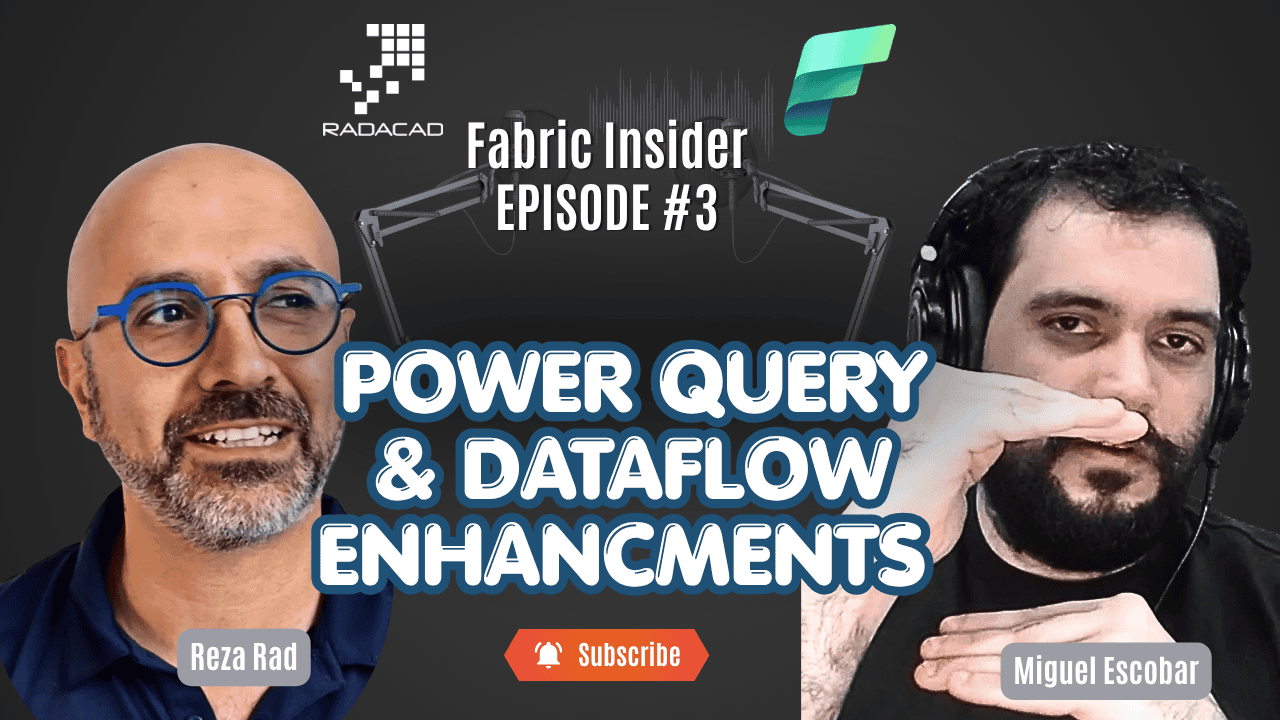
Power Query is one of those tools that has been close to my heart for a very long time. I wrote a full book on it, I have trained thousands of people on it, and I talk about it constantly. So when I get to sit down with the Product Manager behind Power Query and Dataflows at Microsoft — someone who came from the same community background as me — that is a conversation I genuinely look forward to.
In this episode of Fabric Insider, I had Miguel Escobar join me. Miguel was a Data Platform and Excel MVP, an author, a consultant, and one of the most respected voices in the Power Query world before he joined Microsoft to shape the product itself. We covered a lot of ground — the new modern UI coming to Power BI Desktop, the performance story behind Dataflow Gen 2, a brand-new feature called My Queries, and what is on the roadmap ahead.
Fabric Insider Series | Episode 3 | Interview with Miguel Escobar, Product Manager, Data Integration Team at Microsoft
📺 Watch the full episode on YouTube: Fabric Insider Ep. 3 — Power Query with Miguel Escobar
🎧 Listen on Spotify: Fabric Insider Podcast
📚 Full Fabric Insider Blog Series: radacad.com/category/fabric-insider-2026
🎬 Full Fabric Insider Playlist: YouTube Playlist
Let me take you through the full conversation.
Who Is Miguel Escobar? (Video: 0:17)
Reza: Good to have you here, Miguel. Can you introduce yourself a little bit — who you are, what part of the product you are working on?
Miguel: Thank you for the invitation. My name is Miguel Escobar. I’m a Product Manager for the Data Integration team. I work mainly on Dataflows and Power Query — so anything that has to do with Power Query in Excel, Power Query in Power BI Desktop, or even the Power Query online experiences you know from Power BI, Fabric, or Power Platform. I’m your guy.
Reza: Power Query is close to my heart as well — and that is actually how Miguel and I got to know each other. Miguel was a Data Platform MVP and Excel MVP at some stage. We chatted a lot, he wrote books and courses on this subject, and then he moved to Microsoft. Really glad to have him on the product team. The last time we actually spoke in person was at the Microsoft campus — it was me, Miguel, and the other Miguel! Three of us together. Good times.
What Is Power Query? And What Are Dataflows? (Video: 1:42)
Before getting into the latest updates, I wanted to make sure anyone new to this space had a clear foundation. So I asked Miguel to explain Power Query and Dataflows simply — the way you would explain it to someone who had never used either.
Reza: Before we jump into the exciting updates, can you explain what Power Query is and what Dataflows are for someone who has never used them? What does it give you that you don’t already have in Excel or SQL?
Miguel: So we typically go from Power Query to Dataflows. Power Query, at its core, is a data preparation tool. It is really the tool that allows you to connect to pretty much any data source you want, transform any data from it, and then load it wherever you need. And what Dataflows bring is effectively packaging that entire experience as a Software as a Service — it is Power Query on the cloud, basically.
Reza: So Power Query gives us a really nice UI to do all of the transformation — get the data from somewhere, transform it, load it into a destination — and then Dataflows makes that cloud-based as a service. That is a clean way to put it.
If you want to go deeper on this, I have covered the different versions of Dataflows in detail here: Different Versions of Dataflow in Power BI and Microsoft Fabric. And if you are wondering when to use a Dataflow versus a Dataset versus a Datamart, this article has the full breakdown: Power BI Datamart vs. Dataflow vs. Dataset.
A Unified Power Query UI Is Coming to Power BI Desktop (Video: 2:56)
This was one of the most anticipated topics in the conversation. For years, there has been a visible gap between the Power Query experience in the web (Fabric, Power BI Service, Power Platform) and the experience in Power BI Desktop. People have been asking about this for a long time. And finally, there is a real answer.
Reza: Working with Power Query over the years, we have had different versions of it — Power Query in Excel, Power Query in Power BI Desktop, Power Query online. There are different bits and pieces, especially in the UI. Is there any plan to make them all similar? What is going on on that front?
Miguel: That is a great question — and you know, I think we actually talked about this when I was still an MVP. How come the online version, which was Power BI Dataflows at that time, looked nicer than what we had in Excel or Power BI Desktop? I’m happy to say that we have started that process to converge into a single UI experience. On May 11th, we are going to have the new modern UI in Power BI Desktop as a preview feature. You have to opt in — you go into Preview Features to enable it. And we have even more on the backlog to be released later this year.
Reza: Actually, I didn’t know that Excel already had part of the new UI. That is nice.
Miguel: It actually started — I believe it was two to three years ago — when it was first released in Excel for Mac. Excel for Mac does have the new UI. And Excel for Windows has what we call the modern Get Data experience — the first screen that allows you to select any of the connectors available, as well as the OneLake catalog experience.
Reza: And when we talk about this new modern UI, things like the better merge query UI, the icons showing native query enablement and query folding indicators — those would be part of this experience as well, right?
Miguel: Yes. The experience we are going to have in Power BI Desktop first — releasing on May 11th — is the modern Get Data experience. It will go all the way through the full flow: from connecting to the data, through connection settings and credentials, through the navigator, and into the editor. But later this year, we do plan to bring the full Power Query editor experience as well. It is on the public roadmap for Fabric as a deliverable for later this year.
Reza: Fantastic. I have so many people asking me — you have this really nice UI in the web, why don’t we have it in the desktop? Great to see this finally coming together.
💡 What the new modern UI brings: Improved connector selection flow, OneLake catalog integration, better merge query experience, query folding indicators, dark mode support, and a cleaner overall experience — consistent across Desktop and online.
Dataflow Gen 2 Performance: Under the Hood (Video: 6:54)
This is where things got really interesting. The performance story behind Dataflow Gen 2 in Fabric is significant — and there are several distinct mechanisms behind it that are worth understanding separately.
Reza: Apart from the UI, there are features in the online Dataflow experience — things like performance enhancements — that we don’t have in the desktop. Can you talk about those?
Miguel: You can think about Dataflows, and specifically Dataflow Gen 2 in Fabric, as by far the most performant experience you have for running anything related to Power Query. If you want to run anything at scale with Power Query, it will be Dataflow Gen 2 in Fabric. It is fundamentally a layer on top of the Power Query engine — the Dataflow engine itself — which can orchestrate and architect everything for your solution to run at scale. That is where we introduce new mechanisms like Fast Copy, Partition Compute, the Modern Evaluator — and many other features coming later this year. When you try Dataflow Gen 2, it is going to run 21 times faster or 9 times faster compared to other experiences — and we have the documentation to back that up, which we published just a couple of weeks ago.
Reza: That is amazing. So the Power Query engine handles the data transformation, and the Dataflow engine is a layer on top of it — a wrapper that adds all these performance enhancements like Partition Compute and the Modern Evaluator. How does that really work under the hood? What is happening that makes it perform faster?
Partition Compute (Video: 9:03)
Miguel: You can think of the Dataflow engine as the orchestrator — it is effectively the engine that orchestrates everything so it can run as fast as possible. Partition Compute, for example, relies on running things in parallel. You have a single Power Query mashup document — a single M document — and we figure out a way to run some of those tasks in parallel. That is what Partition Compute actually helps with. It is one of the biggest performance features we have — it makes things go extremely fast compared to any other experience.
Reza: So Partition Compute, as the name says, partitions our data transformation job in a way that it runs in parallel — so it performs faster. And does it matter if I have an F2 or an F16 or an F64 capacity? Do I have any control over that, or is it automatically set behind the scenes?
Miguel: We do have a default value, but you do have control — similar to how you control Incremental Refresh. In the Options dialogue, there is a Scale option in the Data Flow subsection, and within that there is a slider called Concurrency. With Concurrency, you can determine how many concurrent tasks or jobs can run in parallel. We have tuned the default so that if you are running on an F4, it should not block everything completely.
The Modern Evaluator Engine (Video: 11:31)
Reza: What about the new Modern Query Evaluator? What does that do to increase performance?
Miguel: That is something closer to the Power Query engine side — but it is only available in Power Query online because of the mechanism running on the cloud. All it is, is a new .NET version that we are using to run the engine. Previously we were using a different engine runtime, and now with .NET, we are gaining around 15 to 20% in speed. You complete the job 15 to 20% faster.
Reza: So the Power Query engine in Desktop is kind of different from the engine we have in Dataflow Gen 2 online — and one of the reasons for this performance improvement is that newer engine version. Good to know. And this is enabled by default for any new Dataflow Gen 2 created in Fabric, right?
Miguel: Correct. If you created something before March 2026, it may not be enabled by default. You will need to go into the Options dialogue, into the Data Flow subsection, go into the Scale option, and enable the Modern Evaluator Engine. Once you do that, you are going to see anywhere between 10 to 20% faster execution.
Reza: That is a great improvement. Do you think this newer Power Query engine will eventually get to Desktop as well, or will it remain online for now?
Miguel: For now it is something we have just released as a generally available feature in the Fabric service. We have not started talking too much about bringing it into Excel or Power BI Desktop just yet. What we are really focused on is making sure the people using Dataflows get the best experience possible — making sure everything we release just works — and then bringing those improvements into Excel and Power BI Desktop over time. We are starting with the UI, which is the core experience, and other things like the modern evaluator will likely follow.
💡 Practical tip: If you created a Dataflow Gen 2 before March 2026, go to Options → Data Flow → Scale → and enable the Modern Evaluator Engine. It is a one-click improvement worth 10–20% faster execution.
The SharePoint List Picker — No URL Needed (Video: 14:10)
Miguel: One example of a feature that started in Dataflows and is being considered for Desktop is the SharePoint List Picker. Have you tried that one? If you go into the SharePoint connector, there is a new experience where you can select your SharePoint site without ever knowing the URL.
Reza: Oh, interesting! No, I always use the URL. I haven’t tried that.
Miguel: It is one of the new ones. The feedback we keep getting from MVPs and customers is: “I’m having a hard time finding the URL for my SharePoint site.” So instead of requiring you to go hunt for that URL, you now have a list of all the SharePoint sites you have access to — you just pick the one you want to connect to. That is it.
Reza: That is great. Really good to see these kinds of practical friction-reduction improvements.
The CU Consumption Story Has Changed (Video: 15:12)
One of the biggest objections I used to hear about Dataflow Gen 2 was around compute unit consumption — that it was too expensive. This conversation made clear that the situation has changed materially.
Reza: One of the things I have heard from a lot of users in the past is that their main concern was compute unit consumption when running Dataflows. With these performance enhancements, I guess that is somewhat resolved — but have you done anything else specifically to improve that?
Miguel: Back in late 2025, we actually made a big change to how we charge for Dataflow Gen 2. Instead of a flat multiplier for the entire run, we now have a multiplier that applies for the first 10 minutes, and then drops to a fixed, considerably lower value for the remainder of the time the Dataflow takes to run. And because the Dataflow runs faster now, you benefit on both sides — on the multiplier structure and on the time it takes to run. If you tried Dataflow a year ago, you should probably try it again to see how much better it has gotten.
Reza: That is a great enhancement. So if my Dataflow, say, used to consume 100 CUs and ran for an hour — under the old model it was a flat fee for the full hour. Under the new model, the first 10 minutes uses the standard multiplier and after that it drops significantly. And on top of that, it runs faster anyway.
Miguel: Exactly. And the modern evaluator alone might mean it no longer takes 100 CUs — it could be less because it finishes faster. It is a different calculation now. We encourage people to give it a try. Once you try it, you are going to find it is a much more compelling story than it was a year ago.
For a look at how to think about Dataflow versus other architectural options, I have covered this in detail here: Dataflow: A Remedy for Slow Data Sources in Power BI and Power BI Dataflow vs. Data Warehouse: Which One to Choose?.
Power Query vs. SQL vs. Python: Which One Should You Use? (Video: 18:03)
This is a question that comes up constantly — in training, in consulting, in community forums. I asked Miguel for his honest take, both as a former consultant and as a PM.
Reza: One question I get a lot when I talk about Dataflows or Power Query in general is: should I use Dataflow or Power Query for my data transformation? Should I use SQL scripts? Should I use Python in a notebook? Do you have a rule of thumb?
Miguel: I have two stances on this — and you know, you and I have been working with Power Query for so long. We love it. We come from consulting, we have been evangelising this tool for years, we wrote books about it. But as a Product Manager, it really comes down to: use the tool that is easiest for you. Whatever tool you want to go with, just go for it. The tool should just work. If Python works for you, go for it. If SQL is what you are comfortable with, go for it. But we have a huge user base that has fallen in love with Power Query the same way you and I did — and Dataflow Gen 2 is the story for them when they want their solutions to scale.
Reza: I agree completely. And I always add this: think about your team, not just yourself. You might love Python, but if you leave the company tomorrow, is there anyone on your team who can maintain that Python code? If the answer is no, go with a tool that is more accessible to a wider group of people. Power Query’s UI is genuinely rare — I don’t think we have such a good, accessible transformation UI anywhere else. So many transformations with just a few clicks. There is definitely a space for it, and you need to think about what your team’s skill set is — not just your own.
My Queries: A Personal Query Library in Fabric (Video: 21:28)
This was the announcement in this episode that I was most personally excited about. And it has a bit of history behind it that makes it even more satisfying.
Reza: The other thing I want to ask about is a really recent announcement — the feature called My Queries. I’m really excited about this. Can you tell us what it is and what it does?
Miguel: I want to take a little trip down memory lane with you. Do you remember back in 2013 and 2014, when Power Query was still in Excel and was called Data Explorer?
Reza: Yes, the very early days of Power Query.
Miguel: Back then, the team was working on something that ended up becoming Power BI — it was Power BI for Office 365 at the time. And back then, Power Query had an option where you could save a query to something called a Data Catalog. Do you remember that?
Reza: Yes! We had it — and then it disappeared when Power BI came along.
Miguel: Exactly. So the Data Catalog concept was this: you tend to use the same queries over and over again, and recreating those queries from scratch every time is tedious. It does not add value — it just takes time. What if you could store your favourite queries — the ones you use most often — in a personal library, and then when you need them, just go into that library and import them into whatever Dataflow you are working in? That principle is what we are bringing back with My Queries.
Reza: This is really cool. One of the things I really like about this is exactly what you said — I write a query once and I am most likely going to use it again. It might be my date table generation query, or any query I have built once that I want to reuse. We didn’t have that before in Dataflows. We talked about reusing a query within the same Dataflow — but what if you want to reuse it across multiple Dataflows? Is there a place to save my queries, my scripts, my work — so I can reuse them? And that is exactly what you have built. It is great. Now, how does this get saved? Is it associated with my profile, my tenant, my workspace?
Miguel: That is a great question. The implementation saves things to your personal workspace in Fabric. At the moment, it is personal — it is tied to you, in your workspace, just for you. And I want to make one thing super clear: when we say “queries,” your mind might automatically go to “a table” — because that is typically what a query produces in Power Query. But a query in Power Query is anything. It can be a function, a list, a table — anything. So if you have built libraries of reusable functions over the years — patterns, helpers, custom logic — you can save any of them into My Queries and reuse them across any Dataflow Gen 2, without having to keep them in a GitHub repo or a notepad or a text file somewhere.
Reza: That is amazing. It really enables so much. And I agree — in the past I used to keep a folder of text files with all my reusable M scripts, things like my data transformation queries that I would always go and pull from. Now I have them saved as My Queries. And I assume we will also be able to modify or delete saved queries, right?
Miguel: Yes, those features will be there — the experience is going to evolve over time. For now it is somewhat basic, but the intent is that you can override, delete, and modify queries. For now, I’d ask people to give it a try and give us feedback so we can prioritise what matters most to them.
Reza: It is one of the features I am genuinely excited about — I will probably make a dedicated video about it. Just to confirm for the audience: this is available for Fabric capacity workspaces, correct?
Miguel: That is correct.
Reza: And it is available as public preview right now — people can go and try it?
Miguel: That is correct.
💡 My Queries — key facts:
- Available now as public preview in Fabric capacity workspaces
- Saves to your personal workspace in Fabric (per-user, not per-workspace)
- Supports any Power Query object: functions, lists, tables, scripts — not just tables
- Replaces the old workaround of keeping scripts in text files, GitHub repos, or notepads
- Edit, update, and delete support is coming as the feature evolves
If you want to understand more about custom functions in M — exactly the kind of thing you would store in My Queries — I have a dedicated chapter on this in my Mastering Power Query in Power BI and Excel book.
What Is on the Roadmap? (Video: 27:29)
Reza: We have covered a lot of ground today. What are the things on the roadmap — at least in your area of the product — that you can talk about?
Miguel: From the topics we covered, the main theme is what we call Convergence — bringing all Power Query experiences to a unified state, so there is effectively a single Power Query experience regardless of where you are. The only intentional difference you might see is theming — Excel will probably have its own specific theme, like dark grey, while Power BI and the rest will have light and dark mode. That is essentially a cosmetic difference. Content, capabilities, and UI should all be consistent.
Specifically:
- The modern Power Query editor in Power BI Desktop — coming later this year. The modern Get Data experience is already in preview now. The full editor is next.
- The full modern Power Query experience in Excel for Windows — this is being worked on with the Excel team. There is no hard ETA yet, but we have a plan and we are executing on it.
Reza: One thing I want to clarify for the audience: Power Query in Excel, Power Query in Power BI, Dataflows in Fabric — they are all managed by one team, the Data Integration team, which Miguel is part of. So all of these areas are moving together.
How to Reach Miguel and Give Feedback (Video: 30:25)
Reza: How is the best way for our audience to reach out to you or give feedback? We will put your LinkedIn link in the description below — but are there other channels?
Miguel: There are really two main feedback channels we look at. One is the Power BI Community Forum, and the other is the Fabric Community Forum — specifically the Data Factory sub-forum, and the Dataflows section within that. Those are the two we monitor most closely. You might actually see me replying in some of those threads — the username is just Miguel, same as my name.
Reza: I will make sure we put those links in the description so everyone can find them easily.
Final Words: Give Dataflow Gen 2 Another Try (Video: 31:15)
Reza: Is there anything we have not talked about that you would like to mention before we wrap up?
Miguel: I just want to stress this enough: if you have not tried Dataflow Gen 2 in the past two months, give it a try. The north star for us is that this is by far the best and most scalable experience from a performance perspective for Power Query solutions. Compare it against semantic models, against Power Query in Excel or Power BI Desktop, against Dataflow Gen 1, against Power Platform Dataflows — you are going to notice that Dataflow Gen 2 just runs faster. And we also have a design decision guide — I will drop the link — that can help you figure out which feature to use within Fabric to get the best experience and best performance.
Reza: I second that completely. If you have not worked with Dataflow Gen 2 in the past few months, definitely give it a try. The performance improvements are not just claims — we feel them. We can see them. The earlier versions ran on a completely different engine, and it was a different experience. It is a totally different technology now. Give it a try.
Miguel, thank you so much for your time today. It was great having you here. And thank you everyone for watching. Until the next episode!
Miguel: Thank you. Bye everyone!
Related Resources
- 📖 Mastering Power Query in Power BI and Excel — Book by Reza Rad
- 📝 Different Versions of Dataflow in Power BI and Microsoft Fabric
- 📝 What Are Power BI Dataflows and Their Use Cases?
- 📝 Power BI Datamart vs. Dataflow vs. Dataset
- 📝 Migrate Power BI Dataflow Gen1 to Fabric Dataflow Gen2
- 📝 Dataflow: A Remedy for Slow Data Sources in Power BI
- 📝 Power BI Dataflow vs. Data Warehouse: Which One to Choose?
- 📝 Getting Started with Dataflow in Power BI
Other Episodes in the Fabric Insider Series
- Fabric Insider Ep. 2 — The Updates and Future of Visualization in Power BI with Zoe Douglas
- Full Fabric Insider Series on RADACAD
- Fabric Insider Podcast on Spotify
- Full Fabric Insider YouTube Playlist
Reza Rad is a Microsoft Regional Director, Data Platform MVP, Author, and Trainer. He is the co-founder of RADACAD and the author of multiple books on Power BI, Power Query, and Microsoft Fabric. You can follow him on LinkedIn and subscribe to the RADACAD YouTube channel.


Reza is author of more than 14 books on Microsoft Business Intelligence, most of these books are published under Power BI category. Among these are books such as Power BI DAX Simplified, Pro Power BI Architecture, Power BI from Rookie to Rock Star, Power Query books series, Row-Level Security in Power BI and etc.
He is an International Speaker in Microsoft Ignite, Microsoft Business Applications Summit, Data Insight Summit, PASS Summit, SQL Saturday and SQL user groups. And He is a Microsoft Certified Trainer.
Reza’s passion is to help you find the best data solution, he is Data enthusiast.
His articles on different aspects of technologies, especially on MS BI, can be found on his blog: https://radacad.com/blog.