
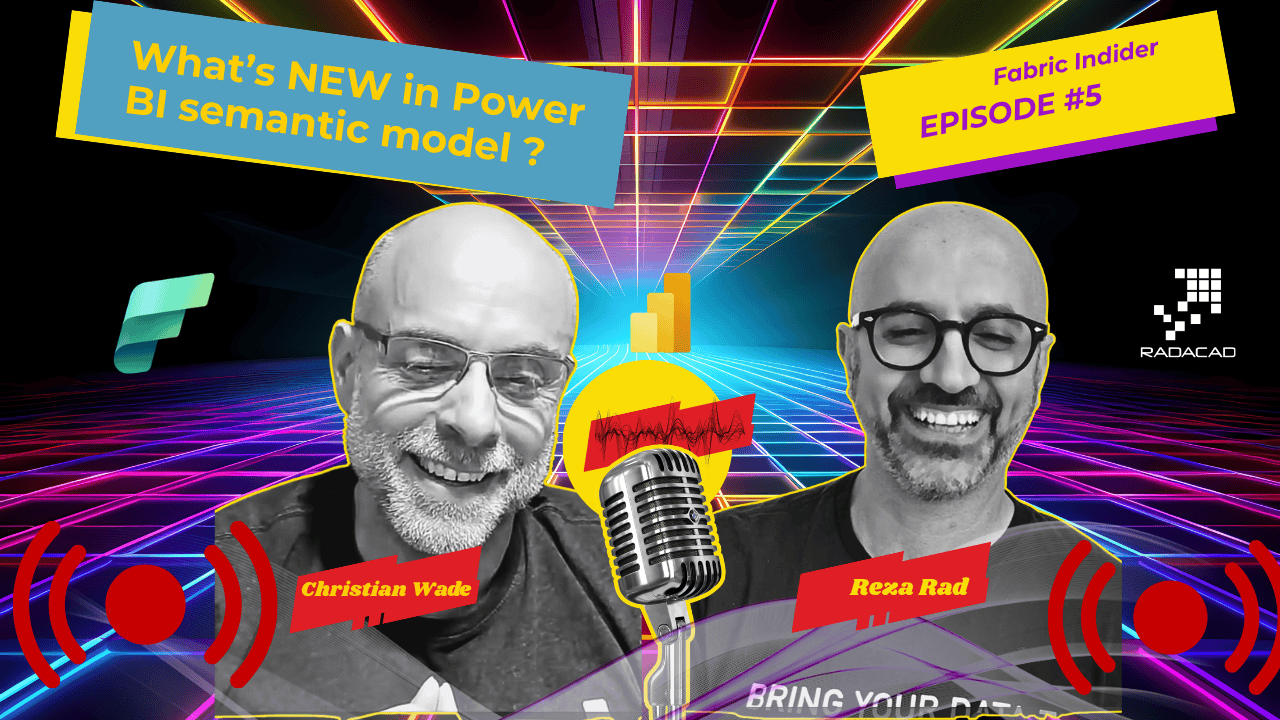
Christian Wade has been in the enterprise BI space longer than most. He was working with semantic models — Analysis Services, VertiPaq — long before Power BI even existed. Today he is Principal Product Manager Architect for Power BI Semantic Models at Microsoft, responsible for the intersection of product strategy, technical architecture, and customer relationships across the semantic model stack inside Microsoft Fabric.
Fabric Insider Series | Episode 5 | Interview with Christian Wade, Principal Product Manager Architect for Power BI Semantic Models at Microsoft
The Power BI Semantic Model is not what it used to be. Not even close.
When I sit down with Christian, I always walk away having learned something I did not know before. This episode was no exception.
📺 Watch the full episode on YouTube: Fabric Insider Ep. 5 — What’s Hot and New for Power BI Semantic Models in 2026 | Christian Wade
🎧 Listen on Spotify: Fabric Insider Podcast
📚 Full Fabric Insider Blog Series: radacad.com/category/fabric-insider-2026
🎬 Full Fabric Insider Playlist: YouTube Playlist
🔗 Christian Wade on LinkedIn: linkedin.com/in/christianwade1
We covered OneLake Security going GA, the important differences between Direct Lake on OneLake versus Direct Lake on SQL, composite models that mix Direct Lake and Import tables, user-context-aware calculated columns, TMDL in the web browser, the role of semantic models in the age of AI — and then Christian did something live on screen that left me genuinely speechless.
Let’s get into the conversation.
Who Is Christian Wade? (Video: 0:41)
Reza: Before we start, let’s just get you introduced to our audience — who you are, what part of the product you own.
Christian: Thank you, Reza. So I’ve been in the enterprise BI space for a long time with a strong focus on semantic models. My role is product management architect basically for Power BI. And as you can imagine with Fabric, there are lots of different workloads. They all need to work together coherently, and that’s kind of my responsibility. It’s the intersection of product strategy, technical architecture, and customer relationships. I’ll go to the conferences, I’ll have a lot of customer engagements, and I need to make sure that the product we build actually adds value for customers.
Reza: And for those of our audience who don’t know Christian’s background — Christian was working with semantic models long before Power BI. It goes back to Analysis Services, VertiPaq. He is the person who would know everything about it.
OneLake Security — Now Generally Available (Video: 1:54)
One of the biggest announcements from FabCon Atlanta was the general availability of OneLake Security. For anyone who has spent time worrying about governance and security setup across multiple layers of a Fabric architecture, this is significant.
Before diving in, let me clarify what OneLake Security is not. It does not mean that you could not do Row-Level Security, column-level security, or other combinations with Power BI Semantic Model before. You absolutely could — and still can. What OneLake Security adds is the ability to respect the configuration you have upstream in your warehouse, your lakehouse, or OneLake directly — rather than having to redefine it at every layer.
Reza: One of the reasons we do this interview is to go through some of the updates, some of the recent changes — especially the cool things that we have in the semantic model. Let’s start with some of the announcements from FabCon and some of the blogs, especially the one that is close to the heart of anyone concerned about governance and security: OneLake Security. In the past we had that security setup only in the semantic model. Now we can use OneLake Security to use that setup from upstream. Can you tell us about that?
Christian: Absolutely, Reza. So we just announced the general availability of OneLake Security — which was a huge feat — because as you can imagine, we have so many workloads. The historical architecture is that customers would have to integrate lots of different layers from lots of different vendors. Even if they were using just Microsoft products, you’d have to define security in maybe your Synapse Gen 2, or in your warehouse, or in your lake, and in your semantic model — all of the different layers and instances of architecture would require you to redefine your security rules. Whereas with OneLake Security, you just define it once at the source and all of the workloads and all of the consumers will observe that security. This was a huge architectural feat that we’ve achieved. And with Power BI Semantic Models being a first-class citizen of Fabric, it was very important that we get this right.
Reza: And one thing I have to mention to our audience — it doesn’t mean that with OneLake Security now GA, you couldn’t do Row-Level Security, column-level security in the past. You could of course do all kinds of combinations with Power BI Semantic Model. Now this also respects the configuration you have upstream in your warehouse, in your lakehouse, in OneLake — which is something that we all need, because we want to get those configurations from upstream rather than defining it everywhere.
Christian: Exactly. So you could define, and still can define, Row-Level Security in the SQL layer, or in the SQL endpoint, or in your data warehouse. But then you may also have to define it in your semantic model, and all of those different layers of the architecture support the definition of these security rules. But now you can do it in OneLake and just have all of them observe it.
How OneLake Security Works in Practice (Video: 5:01)
Christian: For OneLake Security to work, if you think about it, the business user could be using an AI agent — a data agent — to submit a data question to the semantic model that then retrieves that data from OneLake or from the lakehouse. All of this requires single sign-on. It requires the user’s identity to flow all the way through the architecture all the way to OneLake — otherwise it wouldn’t work. So in order to set this up, your lakehouse needs to have the User Identity Mode enabled. With OneLake Security now GA, any new lakehouse and warehouse — imminently if not already — will default to User Identity Mode versus Delegated Identity Mode. Because up until now, when you created a new warehouse or a new lakehouse, it would have the Delegated Identity Mode, which means it would use a fixed identity to access OneLake. And then you would be dependent on defining your security rules in the SQL endpoint.
Reza: So something like effective user credential passing from the semantic model to the live connection — something like that?
Christian: Something like that. You can even with Direct Lake set up a fixed identity — a service principal account — to access OneLake. Very rarely does anyone do it that way because it defaults to single sign-on. But for OneLake Security you need User Identity Mode. And there’s a special role called the Default Reader Role, which is automatically kept in sync with the Read All permission. That’s just for backwards compatibility — because traditionally, to give access for Direct Lake on OneLake, you used to grant the Read All permission to users. Whereas once you start setting up your OneLake Security roles, the users that are members of that role don’t necessarily need those artifact-level permissions. OneLake Security takes over and simplifies the process.
💡 Key setup requirement: Your lakehouse or warehouse must be set to User Identity Mode for OneLake Security to work. Check this in your lakehouse settings before enabling OneLake Security roles.
Direct Lake on OneLake vs. Direct Lake on SQL — What Is the Difference? (Video: 8:30)
This was one of the most important clarifications in the entire episode. A large number of Power BI users are not aware that these are two different things — and that the gap between them is significant.
For deeper background on what Direct Lake is and why it matters, I have covered this in detail here: Power BI Direct Lake — What Is It and Why It Is Important When Working With Fabric.
Reza: So can you tell us the difference between Direct Lake on SQL — which was the earlier version of Direct Lake — and this new Direct Lake on OneLake, and what benefits Direct Lake on OneLake gives us?
Christian: The biggest decision point as to which one you choose is: do you really need SQL-based security? If you do, then you’ll probably want Direct Lake on SQL — because Direct Lake on SQL, because it falls back to DirectQuery, has to observe all of the security in the SQL endpoint. But if you’ve migrated to OneLake Security, then in the vast majority of cases you’ll be better off with Direct Lake on OneLake. It will give you:
- More modeling features
- Strong relationships
- Composite models
- Faster query performance — including perceived query performance
People never really understood the fallback to DirectQuery and why it would be slower. But even if it doesn’t fall back, it’s still faster because the query plans are simpler. It doesn’t need to worry about falling back to DirectQuery. And for customers who would fall back to DirectQuery pretty much all the time — because any security defined in the SQL endpoint would cause it to always fall back — those customers would be better off just using pure DirectQuery, because the query plans would be simpler. So basically, Direct Lake on OneLake is the path forward. It’s the one that’s going to get the most investment. And unless you have a specific need for Direct Lake on SQL, you should use Direct Lake on OneLake.
Reza: One of the big misconceptions for a lot of Power BI users — especially when they are working with Direct Lake — is that they are not really aware of the difference between these two modes. Direct Lake on SQL was the earlier version, and this new Direct Lake on OneLake gives us a lot of new benefits. And if you are watching this right now — exactly like Christian mentioned — Direct Lake on OneLake is the path forward.
Christian: And just to be transparent — in the new semantic model creation dialog from the SQL endpoint, we now give you the option to choose: do you want Direct Lake on OneLake, or do you want Direct Lake on SQL? And if the SQL endpoint is set up in User Identity Mode, it will default automatically to Direct Lake on OneLake, and the tooltip will tell you this is compatible with OneLake Security and gives you more modeling features like calculated tables and calculated columns.
💡 One question a lot of people ask: “But I need SQL views — so do I need Direct Lake on SQL?” The answer from Christian was clear: Direct Lake on OneLake supports composite models. You can add that SQL view using Import or even DirectQuery. So you can still use SQL views — you just add them as a separate component in the composite model rather than depending on Direct Lake on SQL for them.
Composite Models — Mixing Direct Lake and Import Tables (Video: 14:13)
This was a feature I have been asked about by many Power BI developers, and I was delighted to see it coming together.
Reza: You created a composite model with Direct Lake tables from multiple sources, and then you converted one of the tables — the date table — from Direct Lake to Import. Can you walk us through how that works and why you would want to do it?
Christian: So here I’ve got this composite model. I’ve got Direct Lake tables from multiple sources — the ones across the top with the light blue shading are from the lakehouse we started with. And this Employee table comes from a conformed dimension from a data warehouse — also a Direct Lake on OneLake table, because Direct Lake on OneLake supports multiple Direct Lake sources. Direct Lake on SQL — you can only have one source. And Direct Lake on OneLake supports composite models, which means I can have Import and Direct Lake tables in the same model. In this case, I’ve decided I want to convert the date table to be Import. Maybe the last modeling feature we still haven’t added for Direct Lake on OneLake is user hierarchies — maybe I want to put some user hierarchies on the date table, maybe I want to do some light data prep in Power Query to create some derived date columns. Whatever the case — I want to convert this date table to Import.
Reza: This is a feature I’ve been asked about for a long time from people. They want composite models with Direct Lake. This is definitely something well thought of and will be well received.
Christian: Absolutely. So when I click on Import, it converts the table — the Power Query M connector gets converted to a SQL connector, and the table set to Import will use the Fabric SQL endpoint for this data source. And then I have full-blown Power Query. I can do all of the transformations here. And this is all in the web — this is all in a browser. The web actually supports composite models better than Desktop today. That shows we’re investing heavily in the web for full-blown parity.
Reza: I like how these components work together. It was only a few months ago that we had the Power Query editor inside the semantic model launched in the web. Now that is combined with this feature. They play really nicely together.
Christian: Exactly. And there’s a best-practice architecture here that lots of MVPs have called out — Marco has called this out. If you think about it, I can have my multi-billion row fact tables in Direct Lake mode — which means I don’t have the overhead or the cost of managing refreshes for those tables. And then the dimension tables — statistically they might have 10, 20, 50, or even a few million rows. That’s easy to manage as an Import table. And it’s the dimension tables where I want the user hierarchies. It’s the dimension tables where I want some additional derived columns for slicing and dicing. So it gives you the ability to pick and mix where it counts. Big fact tables in Direct Lake — no refresh management needed. Flexibility of Import for the dimension tables.
Reza: And it works much better than the combination we had in the past — which was DirectQuery combined with Import — because that relationship was actually quite a bit of overhead behind the scenes. This works really nicely, and I really like that it is a strong relationship.
Christian: Exactly. This is a strong relationship between an Import table and a Direct Lake table — just like a relationship between two Import tables. This is a persisted relationship that’s going to be leveraged by the VertiPaq query engine. Unlike a relationship between a DirectQuery table and an Import table, which has to do the join on the fly for every DAX query and submits massive queries to the source — and doesn’t perform as well.
⚠️ Availability note from Christian: The ability to convert Direct Lake tables to Import inside a composite model was not yet in the production environment at the time of this episode. It will be deploying sometime in the summer of 2026. Keep an eye on the release notes.
TMDL View in the Web Browser (Video: 21:25)
For those who have not yet adopted TMDL — Tabular Model Definition Language — this section of the conversation makes the case clearly. I have also written about the benefits of TMDL in our blog post on Power BI file formats — PBIX vs PBIT vs PBIP vs PBIR.
Reza: I want to mention here that still whenever I talk about TMDL, there are many Power BI users — many of them — who are still doing all of their modeling through the UI. They don’t really use TMDL. I’m glad you are showing this — it shows some of the benefits that TMDL provides. There are things you can do easier here, much easier, than through the UI.
Christian: For sure. You can do stuff in bulk here. This is actually the VS Code IDE — the integrated development environment that we’ve embedded here. So this is a full-blown developer environment with all the pro-developer bells and whistles. You get the breadcrumb, the scroll bar — all of the capabilities we inherited from VS Code. And I’ve also got sophisticated business calculations using DAX here in the TMDL view. It would be you know a thousand times bigger if these things were written in SQL. DAX is a very expressive, very sophisticated language for these kinds of BI-style aggregated queries. A very powerful language. With a dedicated BI engine — the VertiPaq engine — built from the ground up for these ad hoc analysis scenarios and blazing fast performance.
Reza: And also — for developer mode in Desktop you can open the whole Power BI project in VS Code and use GitHub Copilot to generate TMDL. It’s freaking amazing.
Christian: Right. Exactly.
💡 What TMDL in the browser gives you:
- Full semantic model definition as readable, editable script — all in a browser tab
- Bulk edits across all tables, columns, measures — no clicking through UI dialogs one by one
- Inferred relationships, user hierarchies, business definitions — all visible and editable
- Multilingual translations directly in the TMDL script (Spanish, French, Portuguese — all in one view)
- VS Code IDE embedded — breadcrumbs, scrollbar, all developer-grade tooling
Calculated Columns in Direct Lake — How Do They Work? (Video: 24:17)
This is a topic that generates a lot of questions — because calculated columns behave differently in Direct Lake than in Import models.
Reza: Calculated columns in Direct Lake — how is this different from normal calculated columns we use in Import data? Calculated columns used to always be pre-calculated at refresh time. They are different from measures, which are on the fly. Now — since we are connecting to a Delta Lake table and there isn’t really an Import structure — how does it work?
Christian: The traditional calculated columns you’re familiar with for Import models are persisted — saved as objects to the file system as part of refresh. Those traditional calculated columns — if you put one of those on a big fact table, you’re going to have problems with your refresh. It’s going to be expensive. You can’t refresh them incrementally. But you would typically use them on the dimension tables.
It’s the same use case for Direct Lake. But for Direct Lake, if you write expensive DAX in the calculated column — maybe it aggregates some big fact table — with the traditional Import calculated columns you pay for it at refresh. With these Direct Lake calculated columns, they’re not persisted today at all. So therefore, if you’ve got bad DAX in your calculated column for Direct Lake, you will pay for it at query time. Same best practices for not putting bad DAX in calculated columns — you just pay for it at a different point.
Reza: So it kind of uses the same logic as measures — it is on the fly, at query time.
Christian: Yes. That’s the way it is today. We are working on having a persisted option for Direct Lake. But functionally, you can think of them as the same as Import — except now we’ve got a new property called Expression Context.
User-Context-Aware Calculated Columns — The Breakthrough Feature (Video: 27:51)
This is the feature I am most personally excited about from this entire episode. And it is also the feature I wrote a dedicated blog post about based on my own video: Power BI Multilingual Reports Made Simple with User-Context-Aware Calculated Columns.
Reza: What is the difference between Standard and User Context for expression context?
Christian: The difference between Standard and User Context is not about whether it’s materialized or not materialized. The difference is that when you set it to User Context, it becomes user-aware — and it allows execution of the user-aware DAX function options. Things like username, user culture, custom data — these things that traditionally you couldn’t refer to from the DAX expression. Whereas with User Context expression mode set, you can invoke those functions.
Reza: And why is this relevant?
Christian: In this particular case, as you can see, I’m calling the User Culture DAX function. That was basically always something that made no sense on a traditional calculated column because the user culture would be evaluated at refresh time. It was something we normally used in a measure. We never used it in a calculated column before. Whereas now it makes sense — because now I can return the data for the column based on the value from the User Culture function. So I’m going to dynamically detect the current user’s browser locale. If that user happens to be in the US, they’ll see everything in English. If they happen to be French — French. If they’re Spanish — Spanish. Brazilian Portuguese — Brazilian Portuguese. This is a truly multilingual semantic model.
Reza: This is a really killer feature. When I announced this on LinkedIn, lots of people were asking how this works. But it is a really killer feature. Just the ability to use these user-context-aware functions makes so many things much easier. For example, I had someone saying they had a Power BI report with the same date field, but one user in the US saw it in one format and a user in Europe saw it in a different format — because of the date format difference. Now with user culture — same as like translations — all of these user cultures, exactly like this demo Christian showed us — you can do all of these with your user-context-aware calculated column. This is not a single feature. This is something we should all be using.
Christian: Exactly. This fills a missing gap in the multilingual semantic model story. We now have the full stack — data translations, metadata translations (which we already had), and even format string conversion to show values in different currency formats. The full stack for multilingual semantic models.
Live Demo — Switching to French (Video: 32:08)
Christian: Now what I’m going to do is fool the browser into thinking I’m in France. I’ll add the URL parameter ?language=fr to override the browser locale. Normally this would just get picked up automatically — users in France would have the French browser locale automatically. But in this case I’m going to override it in the query string. And now — the field list is all in French. The product names are all in French. And this is the key bit — the data translations were missing. We had data translations in SQL Server Analysis Services multidimensional a long long time ago — in a galaxy far far away — but we’ve now introduced them for Power BI Semantic Models as well. And we now have the full stack.
Reza: As Christian mentioned, this is something that will be picked up automatically by your browser. You don’t need that query string — Christian is adding it just to show how it works.
💡 The full multilingual semantic model stack is now complete:
- Data translations — column values shown in the user’s language (NEW — powered by user-context-aware calculated columns)
- Metadata translations — table names, column names, measure names in the user’s language (already available)
- Format string conversion — currency and number formatting per locale (already available)
The Role of Semantic Models in the Age of AI (Video: 34:39)
Reza: We talked about a lot of things. But we are in the era of AI and agents. Everyone talks about how GitHub Copilot works with this, how Claude works with this. What is the role of the Semantic Model in this world?
Christian: Great question, Reza. AI is transforming BI right now. It’s amazing. The way I — and the way we at Microsoft — think of it, and the way the industry thinks of it, is that semantic models play a key role in AI enablement. Not necessarily the report itself, because with chat-based consumption you can just ask a data question to your data agent. But the semantic model has always been very end-user oriented — this is why it has translations in it, this is why it’s got spaces in table names, this is why the whole point of a semantic model is to abstract the complexity from non-technical users who don’t know which joins they’d need to write in SQL.
They just say: “I want year-over-year growth for the top 10 customers in a particular region.” That’s the same business question whether you’re doing it with clicky clicky draggy droppy or you’re doing it with AI-enabled consumption. In both cases you need semantics on top of massive data to make sense of it — it doesn’t matter if you’re a human or an AI agent. OneLake has just so much data — massive amounts of data — and to make sense of it you require context. That’s where semantic models come in. They provide context on the data so that your users can ask those business-oriented data questions and get back a repeatable, trusted answer. And AI can be a little bit nondeterministic — you need that semantic model to promote consistency for AI-enabled consumption.
Reza: That is like the source of trust for your business logic — because this semantic model has all the logic that you implemented, and now AI can leverage it.
Christian: Exactly. Whether you’re an AI agent or a human, you need the semantics for that consistency. And in the world of AI, you need it even more. It’s going to be a key enabler for ad hoc analysis through AI enablement. That’s the consumption piece. But then you’ve also got the creation piece — like all of this stuff I just did in this demo. At some point, I could just use an AI agent to do that. And actually — I have a quick demo of that.
AI Agent Building an Entire Semantic Model — Live Demo (Video: 38:05)
This was the moment that genuinely left me speechless. I am going to let Christian describe what happens — but first, let me set the scene.
Christian opened the web modeling experience. Selected a lakehouse. Created a Direct Lake on OneLake semantic model. Added tables. Created one relationship manually. And then — stopped.
Christian: I’m going to switch over to VS Code. And here in VS Code, the first thing I’m going to do is connect to this very same semantic model. This is using the Power BI Modeling Agent. This is an MCP server. You can try this today — Ruy Romano is the PM for this. And then I’ve asked: “Create relationships and measures on this model. Include measures for time intelligence analysis for sales year-over-year growth.” I’m not saying how to do it — I’m stating a business requirement. I could know nothing about semantic modeling. I could put all of my business requirements in a markdown file and just have spec-driven development driven off the business requirements. And I’ve also said: “Analyze the attached modeling guidelines” — because this is where the AI follows our team’s best practices.
Reza: So it follows your modeling best practices document — the one that your architecture team wrote — and applies it to every model.
Christian: Exactly. So the AI says: create a star schema, use explicit measures so business users don’t reinvent the wheel. And this means that for large organizations, every developer traditionally would reinvent the wheel. The central architecture team would write big architecture documents — and they would invariably not be observed. Whereas an AI agent, as nondeterministic as AI is, actually follows instructions more consistently than humans. This is going to end up with a more repeatable architecture across a large organization.
So then — what did the AI do?
- It renamed a bunch of tables
- It renamed 120 columns
- It created a bunch of relationships — including inactive ones for role-playing dimensions
- It created DAX measures for time intelligence
- It hid a bunch of technical columns
- It wrote business definitions on all the tables, columns, and measures
Christian: This is an enterprise semantic model that I created in literally a minute. It’s insane. You can see it’s hidden all of the technical foreign key relationship columns. It’s written the DAX for me. It’s got the business definitions on all the tables and columns and measures.
Reza: This is this is using the Power BI Modeling MCP server. You can do this today. I personally have a dedicated video on this — No-Code Power BI development using Claude AI and the Power BI Modeling MCP Server — where I show exactly this kind of workflow. And it is mind-blowing.
Christian: And then I create a report on this. This is a Direct Lake semantic model — I didn’t need to do a refresh. The AI actually did a reframe for me because it knew it was Direct Lake. So immediately, this could be billions of rows of data. I didn’t need to perform any refreshes. And I immediately, in this case doing clicky clicky draggy droppy — but I could be using a data agent to query this data — I created a high-grade semantic model that follows my organisational best practices. And I didn’t need to know anything about semantic modeling. It was super easy.
Reza: And like we used to say — in any BI model, we used to spend 70% of our time, sometimes even close to 90% of our time, on modeling: preparing everything, relationships, star schema, calculations. And now AI can help us do that much faster, which is amazing. Much more efficient.
Christian: It’s crazy. And this is the future, Reza. Like all of this stuff you hear — “semantic models are hard to create” — well, Power BI has the most mature semantic models by far. We’ve been leaders in Gartner’s Magic Quadrant for 17 years. We have over 35 million monthly active users of semantic models. And some of our competitors would say things like “it takes too long to create these semantic models.” Well, now that claim goes away — because you can just use an AI agent to create a highly sophisticated semantic model that follows all the best practices, even if you don’t know all of the modeling best practices. And it takes literally a couple of minutes.
What Is on the Roadmap? (Video: 49:03)
Reza: Can you share a little bit about the roadmap and vision? What are the things coming?
Christian: Clearly we’re going to continue investing heavily in AI-enabled creation and AI-enabled consumption. The theme going forward is integration — the integration of the architecture across Fabric. For example, I just showed you an AI agent creating a semantic model. At some point I’ll be able to create an entire Fabric architecture from a single entry point. Each of the workloads has their own AI agents and MCPs — we’ll be integrating all of that into one experience. The two big themes are: AI and close integration with Fabric. The integration with Fabric has been the theme for many years — this is why we do OneLake Security, this is why we do Direct Lake. We are a first-class citizen of Fabric and we’re going to continue on this road of unification and AI enablement.
How to Reach Christian and Give Feedback (Video: 50:40)
Reza: How can our audience reach out to you or give suggestions about the product?
Christian: There’s ideas.powerbi.com. You can ping me on X (Twitter). Yeah, you can absolutely — LinkedIn too. But probably Twitter is the easiest one to contact me on. And just at conferences — I love seeing the community. I love going to conferences because we’re up here in Redmond in our little bubble — and then you go out to the conferences, like FabCon Atlanta, and you see the people that have dedicated their careers to making their customers successful. It makes it all real. It’s very gratifying for us as the product team to see you all at these conferences.
My Takeaway from This Conversation
Every time I speak with Christian, I’m reminded that the semantic model is not just a Power BI artifact — it is the core intelligence layer of the entire analytics stack. And this episode made that clearer than ever.
A few things stood out for me:
- OneLake Security GA changes the governance conversation. Define security once. Every workload observes it. This is the architecture that enterprise customers have been asking for.
- Direct Lake on OneLake is the path forward. If you are still on Direct Lake on SQL without a specific reason for it — migrate.
- Composite models mixing Direct Lake and Import are coming. Big fact tables in Direct Lake, dimension tables in Import — strong relationships, no refresh overhead where it matters most. This is best practice architecture.
- User-Context-Aware Calculated Columns are a breakthrough. The multilingual story for semantic models is now complete. And the range of use cases beyond translation — RLS, personalisation, multi-tenant models — make this a category-defining capability.
- The AI agent demo was genuinely mind-blowing. An AI agent building an enterprise-grade semantic model — with relationships, 120 renamed columns, time intelligence DAX, business definitions, hidden technical columns — in under a minute. This is not a future concept. It is available today through the Power BI Modeling MCP Server.
Related Resources
- 📝 Power BI Direct Lake — What Is It and Why It Is Important When Working With Fabric
- 📝 Power BI Default Semantic Model or Custom — A Guide for Using in Fabric Environment
- 📝 REFRAME in Power BI Direct Lake
- 📝 Power BI Multilingual Reports Made Simple with User-Context-Aware Calculated Columns
- 📝 Power BI File Formats Explained: PBIX vs PBIT vs PBIP vs PBIR
- 📝 What is OneLake in Microsoft Fabric, and Why You Should Care?
- 📝 Where to Start Microsoft Fabric as a Power BI Developer
- 📝 Measure vs Calculated Column — The Mysterious Question?
- 📺 No-Code Power BI development using Claude AI and the Power BI Modeling MCP Server
Other Episodes in the Fabric Insider Series
- Fabric Insider Ep. 3 — Power Query, Dataflows and What’s Next with Miguel Escobar
- Full Fabric Insider Series on RADACAD
- Fabric Insider Podcast on Spotify
- Full Fabric Insider YouTube Playlist
Reza Rad is a Microsoft Regional Director, Data Platform MVP, Author, and Trainer. He is the co-founder of RADACAD and the author of multiple books on Power BI, Power Query, and Microsoft Fabric. You can follow him on LinkedIn and subscribe to the RADACAD YouTube channel.


Reza is author of more than 14 books on Microsoft Business Intelligence, most of these books are published under Power BI category. Among these are books such as Power BI DAX Simplified, Pro Power BI Architecture, Power BI from Rookie to Rock Star, Power Query books series, Row-Level Security in Power BI and etc.
He is an International Speaker in Microsoft Ignite, Microsoft Business Applications Summit, Data Insight Summit, PASS Summit, SQL Saturday and SQL user groups. And He is a Microsoft Certified Trainer.
Reza’s passion is to help you find the best data solution, he is Data enthusiast.
His articles on different aspects of technologies, especially on MS BI, can be found on his blog: https://radacad.com/blog.