
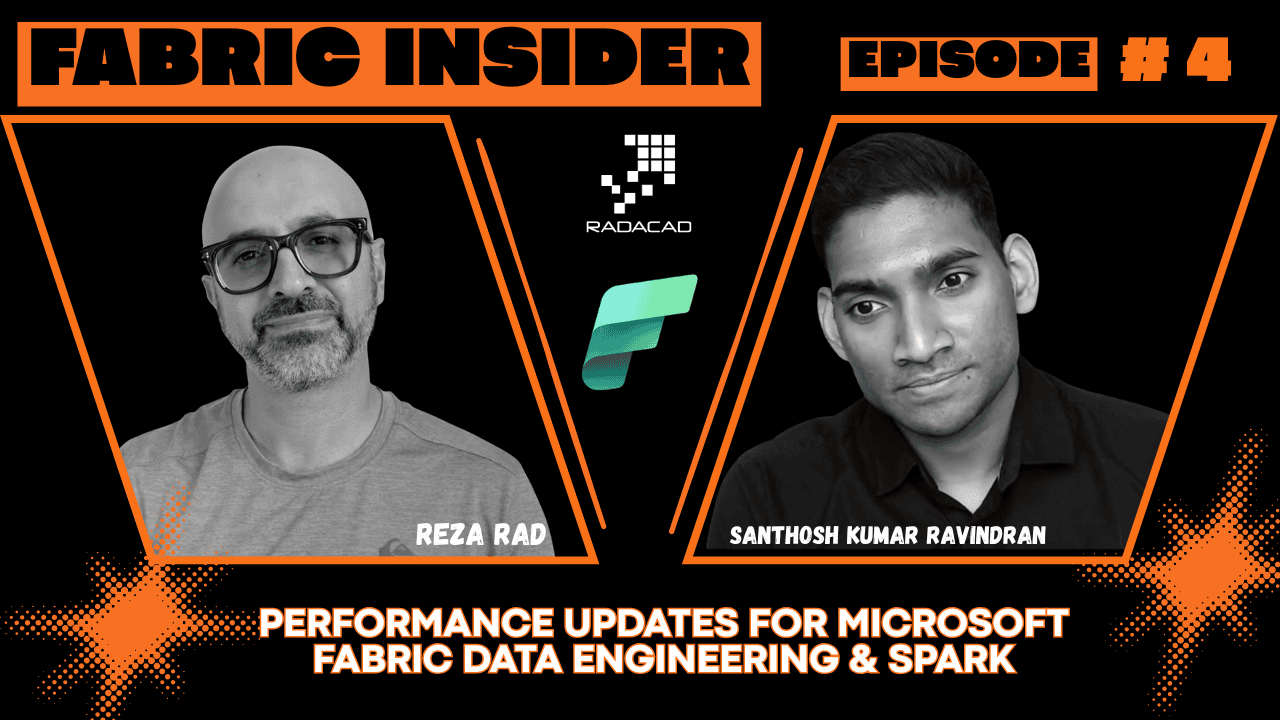
Fabric Insider Series | Episode 4 | Interview with Santhosh Kumar Ravindran, Principal Product Manager, Microsoft Fabric Data Engineering at Microsoft
📺 Watch the full episode on YouTube: Fabric Insider Ep. 4 — Fabric Spark with Santhosh Kumar Ravindran
🎧 Listen on Spotify: Fabric Insider Podcast
📚 Full Fabric Insider Blog Series: radacad.com/category/fabric-insider-2026
🎬 Full Fabric Insider Playlist: YouTube Playlist
If you work with Microsoft Fabric for data engineering or data science, Spark is the engine powering everything you do. Every Notebook you run, every Spark Job Definition you submit, every large-scale data transformation — it all runs on Spark under the hood.
And yet, most people who use Spark in Fabric have never really dug into what is happening behind the scenes — the performance controls, the billing mechanics, the governance hierarchy, the new pool types. That gap between what the platform can do and what most practitioners are actually using is significant.
That is exactly why this episode of Fabric Insider was so valuable. I sat down with Santhosh Kumar Ravindran — Principal Product Manager for Spark Compute at Microsoft Fabric — to unpack all of it. Santhosh leads the Spark compute price-performance, administration, governance, and security story for Microsoft Fabric. He is one of the key people shaping how Spark works inside Fabric today and where it is going next.
Let’s get into the conversation.
Who Is Santhosh Kumar Ravindran? (Video: 0:06)
Reza: Hey Santhosh, how are you doing? Thank you so much for having your time and sharing all of this valuable information. Before we start talking about some of these announcements and features, can you please introduce yourself — who you are, what part of the product you own?
Santhosh: For sure. I’m part of the analytics group. I primarily focus on the Spark compute, which powers the data engineering and data science workloads. I primarily lead the Spark compute price-performance, administration, governance, and security aspects. Those are the areas I’ve been contributing towards.
Reza: Fantastic. Those are actually quite interesting areas — because Fabric capacity, compute performance — all of these things related to performance especially when we do data engineering and data science — is a critical aspect which I get quite a lot of questions from people about. How does it work?
What Is Apache Spark in Microsoft Fabric? (Video: 1:25)
Before getting into the performance features and new announcements, I wanted to make sure everyone had a solid foundation. Our audience includes people at all levels — some are deep in data engineering, some are just starting out.
If you want to understand what Spark is in the context of Microsoft Fabric, I have covered this in detail here: What is Spark in Microsoft Fabric? And if you are new to the Notebook experience in Fabric, this article gives you a solid starting point: Microsoft Fabric Notebook: What and Why?
Reza: Our audience is at different levels of understanding. Some are quite deep in data engineering, some may not know that much. Let’s start from 101. Microsoft Fabric data engineering and data science are backed with the Spark engine — can you tell us a little bit about that Spark engine? What is it? Does it belong to Microsoft? Why did Microsoft choose to use it?
Santhosh: If you think of the data engineering workload in Fabric, it is primarily driven by the Spark runtime. The Spark runtime includes the open-source Spark version. We also support the Trident runtime version which comes with Delta Lake. So every Trident runtime version comes with the associated Spark version, Delta Lake, and Python. It also comes with 200-plus packages. We frequently update all the package dependencies that we ship as part of the runtime. Customers can use these built-in dependencies out of the box, and they can also install libraries as per their workload requirements. Data engineering workloads are primarily powered by the Spark engine — but customers also have options to choose Python compute if they have lightweight Python-specific workloads, ad hoc querying, or even lightweight notebooks they want to use for orchestration or metadata-driven operations.
Reza: So Spark is that open-source platform that many vendors are using — as well as Microsoft — and I like that you mentioned we can also use Python compute only, if we don’t need the heavy compute power of Spark. That is a possibility I didn’t know about. Great to know.
What Has Microsoft Built on Top of Open-Source Spark? (Video: 4:03)
Reza: Spark being that open-source platform — other vendors also utilize Spark. Now in Microsoft Fabric, have you done any customizations on top of it? Have you added anything, or do you just use the normal Spark?
Santhosh: It is a lot of customizations across all layers. Spark is part of Apache and they release a new minor version upgrade every few months. But what our teams have been doing is building optimizations across different layers. In Fabric specifically, there are a lot of changes at the runtime layer and at the application level. Before I go into acceleration-specific scenarios — which includes open-source packages like Velox and Gluten that power our Native Execution Engine — even at the Spark layer in Fabric, if you look at autoscale or the job admission mechanisms, it is so much different compared to other platforms.
One key example that I would call out — which has been something customers have given us a lot of feedback on — is the job admission mechanism in Fabric. By default, job admission is optimistic in nature. What that means is we don’t reserve cores for the lifetime of the job. Say you have 80 CUs in your workspace — you could submit 10 jobs, each taking eight CUs. The Fabric system will by default admit all 10 jobs so that each one gets started and can scale up and scale down based on the job’s nature, data load, and the plan it comes up with. Spark automatically scales up and down as part of the job lifecycle. But in some cases, customers want to make sure a mission-critical workload is optimised for throughput rather than concurrency. They can flip a switch and go back to a compute reservation model.
Then there are things like high concurrency mode — session sharing. This is something completely built natively on our Spark layer where we are able to pack sessions. This runs on a concept called kernel print loops, which allows individual notebooks to be part of a parent Spark application. You don’t have to spin off new applications. What you gain is session sharing — you are not spinning up new jobs and new clusters, so your overall compute spend reduces. You also get faster session start.
Reza: So considering that we have that Spark engine that does all of this big data analytics — you have built a wrapper around it. You have added some performance tuning options around it, which includes some of the features you just talked about.
Autoscale vs. Bursting vs. Smoothing — What Is the Difference? (Video: 9:04)
One of the most common points of confusion I hear from Fabric users is around compute billing — autoscale, bursting, smoothing. People mix these up constantly. This section of the conversation cleared it all up.
Reza: When I am a data engineer wanting to work inside the Microsoft Fabric environment, one of the main challenges is how to utilise my compute in the right way. We have different options and different compute strategies — a fixed strategy plus something like autoscale scaling. Can you explain that a little bit? Is autoscale the same as throttling or bursting, or is it different?
Santhosh: Autoscale is a concept that people in the Spark community should be familiar with. Autoscale is nothing but — when a job starts, you define a minimum and maximum range for your cluster to grow. As the job progresses and more tasks get scheduled, the cluster acquires new executors and schedules those tasks. It parallelises. When the tasks are done and executors are idle, they get deallocated. So you don’t have to go with a fixed cluster size and run into underutilisation of resources, because you get billed by the node — by the total duration for the entire compute your job runs at.
Reza: So would I pay for those extra executor nodes provided by autoscaling?
Santhosh: The cost is by the node. Say your job runs for an hour — for 30 minutes it uses two nodes, for the next 30 minutes it scales up to five nodes. Your overall cost is based on the total number of nodes used for each duration. For the first 30 minutes you are only charged for two nodes, not for your max of 10. For the second 30 minutes, only for five. Now — and this is important — there is a clear distinction here. In Fabric there are two billing models for data engineering workloads. The capacity model has a fixed charge — it makes it easier for teams to estimate usage, it’s a single billing model shared across all workloads, and it’s the best approach for unified billing where resources are shared across different workloads. In that case, your bill stays the same regardless of job scale up and down — you are constantly paying for the capacity.
The second model is what we call Autoscale Billing — the pay-as-you-go mode. I know the name can confuse people because now there are two levels of “autoscale” at play — one for cluster scaling, and one for billing. With Autoscale Billing, your Spark jobs are completely pay-as-you-go. Once you turn this on at the capacity level, all your data engineering workloads are offloaded to pay-as-you-go. This is ideal for enterprises that have bursty Spark workloads that cannot be predicted — they prefer to put Spark on pay-as-you-go and keep other workloads on capacity, so Spark jobs don’t throttle and don’t cause resource contention for Power BI reports or data warehouses.
Reza: Thank you for the explanation. And how is that different from bursting?
Santhosh: Bursting and smoothing concepts only apply when you are in the Fabric capacity billing model. Bursting is more in terms of allowing you to use more than what you have actually purchased. Think of it like a credit card model — you get to spend up to a limit and pay forward in the upcoming time period. For Spark, given all Spark jobs are background-based, you have a 24-hour smoothing period. We allow you to go 3x on your actual compute limit. Say you have an F64 — you get 384 Spark VCores as the burst limit. What happens is you can admit up to 384 Spark VCores at any point in time, and this usage gets smoothed out over the next 24 hours based on pockets of inactivity. Say you run an extremely large job at 9am, but you are not doing anything later in the day — during those inactive periods, the usage gets spread over so your overall utilisation stays under the limit.
Reza: And you don’t get bursting or smoothing when you go to Autoscale Billing?
Santhosh: Correct. When you switch to the autoscale-based billing option for Spark, there is no bursting or smoothing. It is a flat limit. It is much more predictable. You go to capacity settings and add a limit — say 1,000 CUs — and that becomes a hard ceiling with no bursting on top of it. It gives you a finite spending cap that a capacity admin can manage.
Reza: So we can say — if the extra compute power I need is just occasional, I might be okay with bursting. But if I want something more reliable, more schedule-based that I can rely on in a production environment, Autoscale Billing works better.
Santhosh: That is correct. Larger enterprises where Spark is 70% of the compute usage actually prefer to offload Spark to pay-as-you-go and keep their capacity sized based on their other workload requirements.
Compute Governance Hierarchy: Capacity, Workspace, Environment, Session (Video: 18:40)
Reza: Talking about compute engine — we also have governance at different hierarchy levels. We have it at capacity level, at workspace level. Can you tell us about that, and how that would really mean in real-world scenarios?
Santhosh: There are four levels. You start at the capacity level — capacity admins are the people closest to workload management and spend management. Based on community feedback from enterprise customers, we have options for capacity admins to create capacity pools. They can also delegate workspace-level customisation or block it. They could say: “I am a central data team, I am going to define the pool configurations, I don’t want my individual workspace owners creating pools.” They have a toggle that blocks workspace-level customisation. They could also disable startup pools for workspaces so that workspaces only use the pools the capacity admins created.
One level down, at the workspace level, you have pool creation, job admission, and job management experiences. Workspace admins can delegate further downward — they can say “I want my members to be able to control and customise compute properties,” or they can toggle it off. By default, it is enabled.
One level down further is the Environment. An Environment is an item in Fabric — users can navigate to the compute section and adjust the core and memory specifications of the executors, as well as adjust the dynamic allocation properties.
And one level further down — customers can also use magic commands like %%configure in a notebook to further customise at the session level. If you are running a notebook job or submitting a job through a Livy endpoint, you can add these properties and modify the Spark session at the job level. The hierarchy works such that the settings applied at the session level override all other settings. So users are able to tailor and personalise the session based on the Spark properties that they prefer for their specific job.
Reza: So I can, as a capacity admin or workspace admin, set up a specific compute setup — but then for a specific session or specific set of users that need a different configuration, we can do that at the session level or environment level. Perfect.
Custom Live Pools — The Best of Both Worlds (Video: 22:18)
This was one of the headline announcements from FabCon — and it addresses a pain point that has been in the community for over a year.
Reza: We already have, at the workspace level, a definition of a Spark pool — we have a starter pool and a custom pool. And you announced at FabCon a new type of pool called the Custom Live Pool. What is that? How is it different from the other two?
Santhosh: Starter pools — everyone loves starter pools. These are pre-warmed clusters. Any time you start a workspace, you do not have to do anything. You have pools automatically sized based on your capacity SKU. You can start a job and get a Spark session within 5 to 10 seconds.
Custom pools — users can create pools based on their sizes or workload requirements. They could create small or even XXL.
Custom Live Pools is more of a best of both. The primary pain point that customers raised — and this has been an ask for over a year from enterprise customers, partners, and MVPs — is that not all workloads require a medium-size compute. Customers said: “I want flexibility on my compute sizes and I still want faster session start.” The second ask: “I have libraries I want to install, but adding libraries after acquiring a session takes additional time.” The third ask: “Once I enable network security features — managed VNET, workspace private link, block outbound access protection, CMK — I lose startup pools because startup pools are multi-tenanted regional resources. How do I get the starter pool experience with all of these customisations and security policies enforced?”
That is what Custom Live Pools provide. Users can create a pool at the workspace level and map it to an Environment — and because it is tied to an Environment, you get the libraries pre-installed as part of the setup. In the compute settings, you turn on Custom Live and specify the max number of clusters — the total number of clusters available at that hydration window. You schedule it using an Outlook-style calendaring approach: specify the recurrence, start time, end time — daily, weekly, or one-time hydration. Based on that, the pool comes up with all the libraries already installed and within your network security rules.
Reza: And this Custom Live Pool also gives me a faster session start time, right?
Santhosh: Yes. Because it is going to be warmed up and ready. Once you start the job, it will be available within 5 to 10 seconds — the same startup experience as a starter pool.
Reza: And this Custom Live Pool is available across all F-SKUs, right? Even F2?
Santhosh: Yes. It will be a very small pool on F2, but it is available on all F capacities.
Resource Profiles — Performance by Default (Video: 26:54)
Reza: Another performance enhancement you announced at FabCon was Resource Profiles. How does that play a role in improving performance?
Santhosh: Resource Profiles are about getting started with the best performance configurations. There are different personas of users — some migrating from existing data platforms, some new to Fabric, some experienced, some beginners — but they all have a clear intent. What we brainstormed internally was: how do we make sure we give them the best performance by default experience to begin with? The experience works like this: you go to workspace settings, and the system asks you some basic questions. What is your intent? Is it a medallion-style architecture? Are you focusing on bronze, silver, or gold? Are you focused on a specific task — is it going to be write-heavy or read-heavy? You specify the data volume or spending limit you have in mind. Based on these configurations, the system maps out a set of recommendations. If you like them, you specify a name for a pool and an environment — and the system automatically creates these for you with the best set of configurations.
Reza: So if I have a workspace in Fabric and I want to use it just for Power BI consumption — read-only — I have to go and do some fine-tuning myself for that today. If I want to use it only for ETL and data integration, I have to do fine-tuning that is good for writing. Now with Resource Profiles, you are creating profiles where I just go and say: “This workspace is for my ETL operation — write heavy.” Or “This workspace is for my Power BI semantic model — read heavy.” And it will go and set all of those configurations underneath — V-Order, Optimize Write, all of those — much easier for me to use.
Santhosh: That is right, you are spot on. And one thing to add — this is not available yet but it is coming soon: we are working on an adaptive auto-update option for Resource Profiles. Say you go and set up the workspace today. Three months from now, we have shipped multiple performance updates. Your environment could become stale. With the auto-update option, as part of our shipping cycle — every week when we ship — these profiles will get updated with properties that suit your intent definition. Say you chose read-heavy and we ship an optimisation for that in the next three months — you don’t have to update it manually. It will automatically land in your profile. If you feel comfortable after testing in non-production, you can promote it to your production environment.
Reza: That is amazing. And that would come hopefully sometime in the next few months?
Santhosh: Yes, we should be hearing more about this in the upcoming months.
Performance Fixes: High Concurrency Mode, Spark Queue Visibility, Max Job Lifetime (Video: 31:38)
Reza: Now — situations where we find out that Spark is slow, or where we have to make some policy choices around cold start and similar things. What is your experience with those? How can they help us improve performance?
Santhosh: For session start, Custom Live Pools primarily address those scenarios. But beyond that, one option I strongly recommend is High Concurrency Mode. For enterprise workloads — batch pipelines or near-real-time ingestion scenarios — you have multiple sources and a first notebook that unpacks metadata and orchestrates a set of child activities, defining your DAG. What I have seen users do as a best practice is leverage high concurrency mode: you spin up your pool and pack all the other notebooks that are triggered as part of the pipeline activity into the same session. Your overall session utilisation increases and it is optimised. When we launched high concurrency mode, the session sharing limit we supported was up to 5 notebooks. We have increased that by 10x — now any user can pack up to 50 notebooks in a single session. You only pay for one session and you are running 50 notebooks. That said, 50 is a max limit — I would recommend enterprise users to test what limit works best for them. Start with 5, bump it up to 10, and if the pool is heavily underutilised, go up to 45 or 50.
Reza: Beside this, we always have to make sure we do not throttle things in a way that no other jobs get executed. You did a few things recently — you had that surge protection, and you have something like a maximum job lifetime. How do these work to prevent that?
Santhosh: In terms of Spark — the primary problem I keep hearing from customers is: “I hit my Spark limits too soon.” They see HTTP response 430 — too many requests, you have hit your Spark compute limits. This was a black box before. As part of our recent releases, if you navigate to your workspace settings you should see, under the Spark settings, a Jobs tab that shows your Spark queue and its utilisation. You can see the total capacity units available and how much is actually being used by your workspace, and how many jobs are being queued. This gives visibility to workspace owners who previously had no context on overall capacity utilisation.
We are also adding a capacity-level view — coming in the upcoming months — where you will be able to see a detailed usage view across the top workspaces at different points in a day. As a capacity admin you can identify who your noisy neighbour is, and at what point in the day your capacity is hitting its max limits.
And as you mentioned, we are working on Max Job Lifetime — rolling out in the upcoming months. This is an admin control to make sure workspace users do not create a runaway job that breaks their entire capacity. Think of it as a hard ceiling — just in case.
Best Practices: Advice for Beginners vs. Experienced Data Engineers (Video: 38:07)
This was one of my favourite parts of the conversation — practical, persona-specific advice you can act on today.
Reza: We have so many features, so many configurations. I want to ask you to advise for two different types of persona. Let’s start with the first one: I’m a beginner to data engineering. I’m not much familiar with Spark configuration. What advice would you give me to get the best of this platform at the start?
Santhosh: To be honest, if you are a beginner, you do not want to worry about Spark tuning and workload optimisation. That is the reason we have starter pools — you just start your notebook and the starter pool gives you the best experience. To get the best price-performance, you could just do two things. Start with Resource Profiles — specify your intent and you are good. It sets up the configuration for you and enables the Native Execution Engine. I also strongly recommend enabling the Native Execution Engine, because that is the acceleration layer unique to Fabric. It is built on Velox, and we are shipping a lot of improvements on it. One key call-out: unlike Photon on other platforms, the Native Execution Engine in Fabric has no additional cost. So you get all the performance acceleration for free. Even if you hit a fallback, it immediately translates to the Spark layer and goes back again to the Native Execution Engine mode. It will be becoming enabled by default — right now it is opt-in, but I strongly recommend turning it on.
Reza: So for a beginner to data engineering: starter pool, Native Execution Engine, and Resource Profiles. That is the combination?
Santhosh: Yes, exactly.
Reza: And what about an experienced data engineer — someone who has worked with Spark, knows their way around configurations?
Santhosh: The starting point is still the same — but if you are more experienced and have a clear set of configurations you want to fine-tune, then you can customise at different layers. Use Environments, go with Custom Live Pools, schedule the pools based on your workload, define your DAG, and have a more detailed orchestration flow. Use High Concurrency Mode in pipelines or in interactive mode.
And — I am not sure if you have tried this — we have enabled new agents and new tools as part of Fabric Skills that were announced at FabCon. Pro developers and data engineers can get all their data orchestration, data management, and workload tuning done within their GitHub Copilot CLI experience. You can ask GitHub Copilot CLI — using any model — to look at your logs. We have added monitoring skills, migration skills from existing platforms like Synapse, HDInsight, Databricks on any cloud. You can ask these tools to analyse query plans, find why there is more spill happening at a particular stage of the job, suggest whether partitions need adjusting, whether your compute is running out of memory. You can offload it to your agent and go grab a coffee.
Reza: It is quite amazing what you can do with the combination of skills, CLI, and GitHub Copilot or any other agents. You could build your entire medallion architecture from GitHub Copilot — which is incredible. That requires a whole discussion on its own.
What Is Coming Next? (Video: 45:20)
Reza: We talked about quite a lot of things. What is coming that we should be aware of that you have not talked about yet?
Santhosh: Price-performance is a very important area for us and we have been constantly contributing towards it. I would love for the community to share ideas on the Fabric Ideas site — fabric.microsoft.com — so we can understand any gaps. Mainly: use the Native Execution Engine so that you hit any fallback scenarios. We are shipping support for CSV — that should be available in the upcoming months. Next, I am thinking of JSON based on the telemetry and feedback I am hearing. If there are any other formats or specific scenarios where customers are hitting issues, please feel free to reach out. Community feedback is what is driving our backlog.
Reza: Thank you, Santhosh. We will make sure we share your LinkedIn profile in the description below in case someone wants to connect with you directly, as well as the Fabric Ideas link and the Microsoft Fabric Reddit.
Santhosh: We are all over the place — LinkedIn, Twitter, and Reddit. All great places to reach out.
Reza: Amazing. Thank you for joining us. It was a pleasure. Thanks everyone for watching. Until the next episode!
My Takeaway from This Conversation
Santhosh packed an enormous amount of practical information into this episode. A few things stood out for me:
- Custom Live Pools solve a real problem. The combination of pre-warmed sessions, pre-installed libraries, and full network security compliance is exactly what enterprise teams have been asking for. If you have a daily critical batch job, schedule a Custom Live Pool around it.
- Resource Profiles remove a huge barrier for new Fabric adopters. The fact that you can now specify “this workspace is for ETL, write-heavy” and have the system configure V-Order, Optimize Write, and all the rest automatically — that is a meaningful simplification.
- The Native Execution Engine has no additional cost. This is not well understood in the community. Enable it. You get Velox-powered acceleration for free.
- Autoscale Billing changes the conversation for large enterprises. If Spark is the majority of your compute usage, the capacity model may not be the right fit. A dedicated pay-as-you-go model for Spark with a hard ceiling makes more financial sense for many organisations.
Related Resources
- 📝 What is Spark in Microsoft Fabric?
- 📝 Microsoft Fabric Notebook: What and Why?
- 📝 Data Science in Microsoft Fabric
- 📝 Lakehouse vs. Warehouse vs. Datamart in Microsoft Fabric
- 📝 Getting Started with Data Pipelines in Fabric Data Factory
- 📝 Microsoft Fabric Glossary
- 💡 Submit your Fabric ideas and feedback
- 💬 Microsoft Fabric Reddit Community
- 🔗 Santhosh Kumar Ravindran on LinkedIn
Other Episodes in the Fabric Insider Series
- Fabric Insider Ep. 2 — The Updates and Future of Visualization in Power BI with Zoe Douglas
- Fabric Insider Ep. 3 — Power Query, Dataflows and What’s Next with Miguel Escobar
- Full Fabric Insider Series on RADACAD
- Fabric Insider Podcast on Spotify
- Full Fabric Insider YouTube Playlist
Reza Rad is a Microsoft Regional Director, Data Platform MVP, Author, and Trainer. He is the co-founder of RADACAD and the author of multiple books on Power BI, Power Query, and Microsoft Fabric. You can follow him on LinkedIn and subscribe to the RADACAD YouTube channel.


Reza is author of more than 14 books on Microsoft Business Intelligence, most of these books are published under Power BI category. Among these are books such as Power BI DAX Simplified, Pro Power BI Architecture, Power BI from Rookie to Rock Star, Power Query books series, Row-Level Security in Power BI and etc.
He is an International Speaker in Microsoft Ignite, Microsoft Business Applications Summit, Data Insight Summit, PASS Summit, SQL Saturday and SQL user groups. And He is a Microsoft Certified Trainer.
Reza’s passion is to help you find the best data solution, he is Data enthusiast.
His articles on different aspects of technologies, especially on MS BI, can be found on his blog: https://radacad.com/blog.