
Everyone is talking about MCP Servers. But most people still cannot clearly explain what one actually is, why it matters for Fabric, or how it differs from the APIs and skills they already use.
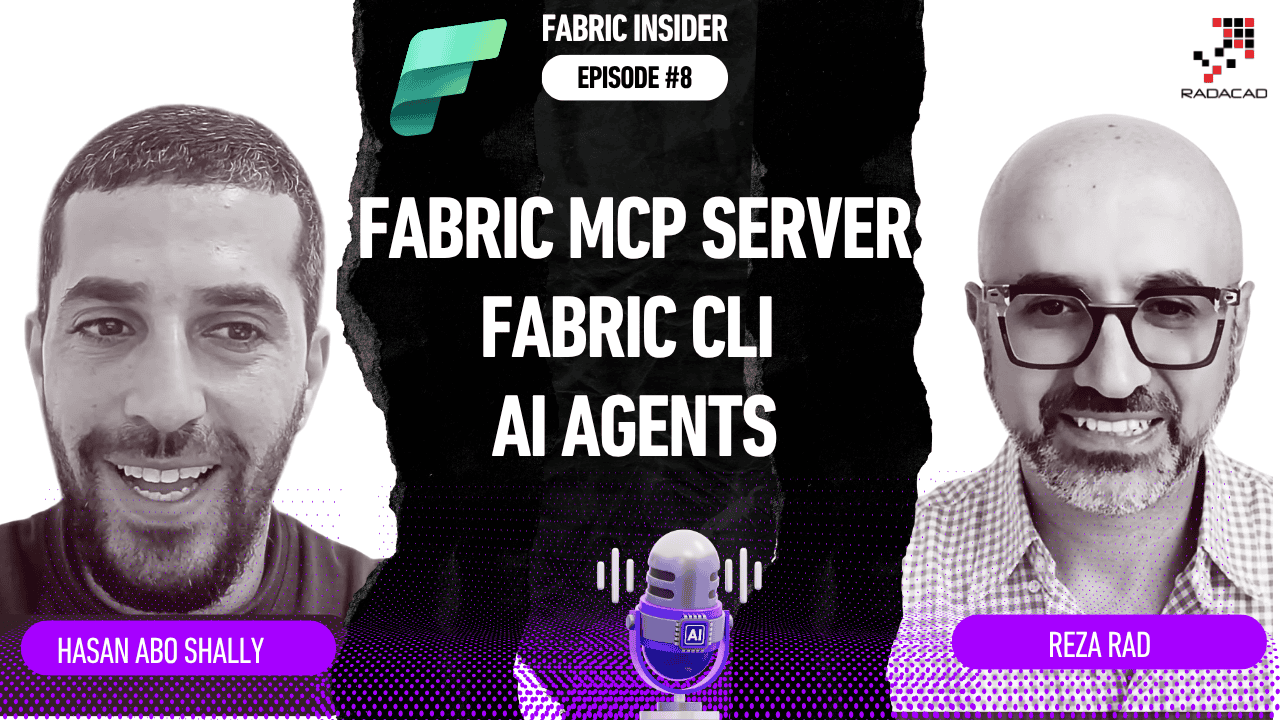
In this episode of Fabric Insider, I sat down with Hasan Abo-Shally — Product Manager for Fabric MCP Servers and CLI at Microsoft — to answer all of those questions. And to show us, live, what AI agents can actually do when connected to Microsoft Fabric through MCP.
This episode is packed with demos. A Fabric workspace created and managed from a Microsoft Teams chat. A complete Medallion architecture provisioned by a single pipeline run. A clinical data notebook built, deployed, and executed from a natural language prompt. And a Power BI report authored end to end — all within one agentic conversation.
Let’s get into it.
Fabric Insider Series | Episode 8 | Interview with Hasan Abo-Shally, Product Manager for Fabric MCP Servers and CLI at Microsoft
📺 Watch the full episode on YouTube: Fabric Insider Ep. 8 — Fabric MCP Servers, CLI & AI Agents | Hasan Abo-Shally | Microsoft Fabric
🎧 Listen on Spotify: Fabric Insider Podcast
📚 Full Fabric Insider Blog Series: radacad.com/category/fabric-insider-2026
🎬 Full Fabric Insider Playlist: YouTube Playlist
🔗 Hasan Abo-Shally on LinkedIn: linkedin.com/in/hasan-abo-shally
Who Is Hasan Abo-Shally? (Video: 0:00)
Reza: Before we jump into what’s new and the announcements — can you please introduce yourself? How long have you been working with the team? What part of the product you own?
Hasan: My name is Hassan and I joined the Fabric team around one and a half to almost two years ago. I’m part of the platform team. And yeah, just doing product stuff. It’s interesting times for AI and products and everything.
What Is an MCP Server? (Video: 1:22)
Before anything else, I wanted Hasan to explain what an MCP Server actually is — from first principles — for someone who has never heard the term.
Reza: For someone who hasn’t heard of an MCP server — what is that and why should they use it?
Hasan: I’ll try to distil it down to as simple as I can.
We’re all living in this era of chatting with agents and AI apps — presumably those apps would have the ability to chat with us, we ask them something and they respond. That evolved quickly. We had textual responses at the beginning, then they started generating images and additional outputs, and then came the next shift — it’s not just a chat I can chat with, but something that could also perform actions.
So people said: what if I could give capabilities and tools to my agent so it can perform things? At the very early days, people would have to build custom bridges between AI agents and external platforms. Until MCP came.
MCP is the Model Context Protocol — it standardises how AI agents talk to external systems.
Imagine you need an agent to check your Microsoft 365 files, summarise them, and back them up to Azure Storage. Today you can chat with Claude, GitHub Copilot, or ChatGPT and get text responses. But if you want them to do something — go and do something in YouTube, in Power BI, in Fabric — then you need something like an MCP Server to make that happen.
Reza: So we could say it is a new generation of APIs — but for agentic purposes?
Hasan: Yes. Instead of us browsing through a browser or invoking APIs via scripts, MCP is a way for agents to invoke tools in a standardised way. The same way HTTP made all browsers able to access all websites — MCP is trying to standardise how agents connect to all systems.
💡 The simple mental model: The AI agent is the brain. The MCP Server is the hands. Without MCP, the AI can talk. With MCP connected, it can act.
For more on what MCP Servers are and how they relate to Fabric specifically, I have covered this in depth in my article on No-Code Power BI using Claude and the Power BI Modeling MCP Server and in the No-Code Documentation article using Fabric Skills and GitHub Copilot.
Does It Matter Which AI You Use — Copilot, Claude, or ChatGPT? (Video: 5:27)
Reza: Let’s say we get the Fabric MCP Server or the Power BI MCP Server. Does it matter if I use GitHub Copilot, Claude, or ChatGPT? Or can they pretty much perform the same things — it’s just what the MCP Server provides as functionality?
Hasan: I would prefer using GitHub Copilot — it’s a nice environment of course. [laughter] But for that matter, any client that supports the MCP protocol would be able to work with it — with some nuances. The protocol has many parts and some moving parts. Things are still building up. Some clients support more features of the protocol, some less. But if we zoom out, it should be universal.
Reza: And I want to emphasise this for our audience — you could use any of these AI environments: Copilot, GitHub Copilot, ChatGPT, Claude, or whatever else you are using. The experience might be slightly different, but you are not required to use only one of them.
💡 Key point: The MCP is a standard protocol. Any AI that implements MCP can connect to the Fabric MCP Server. The choice of AI is about your preference and workflow — not a hard technical requirement.
Remote MCP Server vs Local MCP Server — What Is the Difference? (Video: 7:02)
Reza: I know there are two versions of the Fabric MCP Server — a remote server and a local server. Can you tell us about that?
Hasan: The remote server is a cloud-hosted server that we at Microsoft host in the back end of Fabric. You connect to it like an API endpoint — you approach that endpoint, get the list of tools, and then invoke those tools.
The local MCP server is something you run locally on your machine. You can either download the code from GitHub and build it locally, or install it with npm, or — for the local Fabric MCP — install the VS Code extension and it just works.
One important difference: a lot of agents are hosted agents where you don’t have control over the environment or runtime. It becomes harder to install a local MCP in those cases. So the remote MCP is the right choice when you want something you can just invoke from anywhere — similar to how you invoke a REST API. The local MCP is ideal when you’re working in your local development environment with VS Code, and when you need that locality — for example, when you have local files you need to upload to a Lakehouse.
In terms of functionality — there are not huge differences. Both expose a set of tools you can invoke. It is more about where they are hosted and how you authenticate.
Demo 1: Fabric Remote MCP in VS Code — Live (Video: 9:29)
This is where the episode really comes alive. Hasan showed exactly what the Fabric Remote MCP Server looks like in action — inside VS Code with GitHub Copilot in agent mode.
Hasan: Here I’m in a new project in VS Code. I’m using GitHub Copilot in agent mode. I can configure the tools and see the different MCP servers the agent has access to. One of them is the Fabric Remote MCP — I have it enabled. You can see the tools it exposes: add workspace role, bulk move, create folder, create item, get item, work with workspaces — pretty much anything in your Fabric environment.
This is the Fabric Core MCP Server — focused on the control plane. And then most other MCP servers in Fabric are data plane: Power BI, Data Agents, Data Factory, and others.
Let me show you what happens without the MCP. I disable it and ask: “List my Fabric workspaces.”
Without the MCP, the agent does some reasoning and gives me text instructions: “Use the REST API” or “Install the Fabric extension.” It chatted with me — but it didn’t do anything.
Now I re-enable the MCP and ask again.
This time it ran the list workspaces tool directly from the MCP and listed my workspaces. That is the difference.
Reza: And I should also ask — at this point, does it need an application in Entra and permissions?
Hasan: For the remote MCP, authentication is handled through your Microsoft account. In VS Code, we have an integration where you just sign in with your Microsoft account. There are multiple ways to authenticate — and new agent identities are also emerging in Azure. For now, the agent kind of impersonates you and has the same permissions that you have. So you don’t need to manually set up an Entra app for the basic scenario in VS Code.
Hasan: Let me now create a new workspace. [Creates workspace named “hassan”] As you can see, it knew to use the create workspace tool and created it. And agents also have their own magic beyond MCP — they can understand context from the conversation and highlight what’s new, what just changed. So you get both the MCP execution and the agent’s reasoning on top.
💡 Important note from Hasan: The Fabric Core MCP Server is currently in public preview — not yet GA at the time of this recording.
Demo 2: Fabric MCP from Microsoft Teams — AI for Everyone (Video: 15:28)
This demo opened up something important: MCP is not just for developers in VS Code.
Hasan: The power of the remote MCP is not just that we can use it from VS Code. We can integrate it with different systems. For instance, we can build a custom agent in Azure Copilot Studio, give it the Fabric MCP tools, and invoke it from Microsoft Teams.
In this demo — without any connection to the MCP — I ask the agent to create a lakehouse in a workspace from within the Copilot app. It responds with instructions: “Go here, do this, run this notebook.” Text. No action.
Now I switch to a custom Microsoft Fabric Agent — built in Copilot Studio with the Fabric MCP connected. I send the same request. And now it successfully creates the workspace — and outlines the next steps for loading data.
Reza: So you are doing this from the normal Copilot app — not even from Copilot inside Fabric. And this is in Microsoft Teams.
Hasan: Yes. This opens a whole new world. It’s not just for technical people working from VS Code. Anyone working from Teams, Slack, or any app that connects to an agent — they will be able to invoke these capabilities. That interoperability between different systems is the real strength of MCP as a universal protocol.
Reza: So I could go to Copilot Studio or even Azure Foundry, create this agent, add it as a tool, and then this Copilot can use it.
Hasan: Exactly. The Copilot wears the hat of that agent and thus has the same tools and capabilities. Your agent becomes the orchestrator between different platforms — reaching out, reading, pulling, executing — across all of them at once. That is the magic of MCP as a universal protocol.
💡 The key insight: MCP moves AI from being a developer tool to being an enterprise platform capability. When anyone can trigger governed Fabric actions from Teams or any connected app — the surface area for AI-enabled work expands dramatically.
Skills vs MCP — What Is the Difference? (Video: 21:00)
This was one of the most thoughtful parts of the conversation — because I know this is a question many people in the Fabric community are asking.
Reza: You mentioned Fabric Skills. What is the difference between skills and MCP Servers?
Hasan: You’re touching on a sensitive point in the entire agentic ecosystem right now. There’s a big debate: if you give your agent tools and you give your agent skills — and those skills help your agent execute using the public API — then what’s the value of an MCP server?
I think things will settle in the coming months. But the way I see it:
MCP Servers will catch on mainly for the interoperability angle. Because everyone is using MCP, it becomes a universal language — your agent can talk to any platform through the same protocol. That is the main differentiator.
Skills are more scoped — more useful for repeatable processes and specific workflows. For example: “Go through my workspaces, check the ones that still use trial capacity, and move them.” That kind of specific, repeatable task can be encapsulated in a skill.
There is also a third direction — more complex tools inside MCP servers. Instead of a tool just being a wrapper around an API, imagine a tool that does deployment planning for Fabric — reads your entire environment, analyses it, and decides the best deployment approach. That kind of logic can live inside the MCP server itself as a sophisticated, proprietary tool. Not something you’d just put in a markdown skill file.
I think there will be a place for both. But it’s early to judge how it unfolds.
💡 In plain terms: Skills teach the AI how to do things using public APIs. MCP tools give the AI direct access to do things through a standardised, governed interface. Skills are great for open-source, community-driven knowledge. MCP is great for interoperability and proprietary, server-side intelligence.
For a deeper look at how Fabric Skills work specifically, I have a dedicated article here: No-Code Dataflow Gen 2 in Microsoft Fabric Using GitHub Copilot and Fabric Skills.
The Fabric Local MCP Server — Documentation + Code Generation (Video: 25:59)
Hasan: What the local MCP allows — because it brings knowledge about the APIs and different things within Fabric — is that we can combine that with the code generation power of agents.
This allows you to quickly create ad hoc apps for internal use around Fabric. If you are an admin and you need a view to see the refresh state of all your semantic models and be able to refresh them — there is an API for that. You can enable the local MCP, which brings context around those APIs, and then ask your agent to create a simple web app with an interface that shows you that information the way you prefer.
That is the “builder movement” — everyone today can build tools. The local MCP gives each of us the power to build small utilities on top of the APIs for our daily routines and daily jobs.
Reza: And this is quite amazing because you can build these web apps using GitHub Copilot, Claude, or anything — these days it is simple to create them. You will not need an external, paid application for things like this. You have the Fabric MCP Server, you connect it with GitHub Copilot, and you get all of this working.
What Is the Fabric CLI? (Video: 37:24)
Reza: Let’s talk about the CLI. What is it?
Hasan: The Fabric CLI is a command line interface for Fabric. For those who don’t know what a command line interface looks like — it’s that “hacky-looking interface” from the early days of computing. [laughter] In the early days, that’s how we communicated with computers. We gave commands, navigated folders, and so on.
The idea is that a lot of tools build a CLI to encapsulate their system’s capabilities. If you need to list your workspaces using the Fabric APIs directly, you have to handle raw API calls, authentication, retries, throttling — you end up writing a lot of code. Whereas with the CLI, you just type fab list and it lists your workspaces in a second.
We did two things with the Fabric CLI:
- Wrapped the APIs in a simpler syntax — so the repetitive developer boilerplate is abstracted away
- Modelled Fabric as a file system — so you can navigate Fabric the way you navigate your local folders
Hasan: If I do fab I get into an interactive shell — similar to a command line for your machine. If I do ls I see the different workspaces I have. If I do cd into a workspace and then ls — I see the items in that workspace. I can do mkdir notebook1 to create a notebook. I can do move and copy and delete.
Most of the capabilities wrap the public APIs. But the mental model of navigating Fabric like a file system makes it intuitive — especially when you are working locally and want the same mental model for how your local folders and Fabric items are organised.
Reza: And it is already pre-installed and pre-authenticated inside Fabric notebooks — correct?
Hasan: Yes. Since FabCon, the CLI comes pre-installed and pre-authenticated within Python notebooks in Fabric. If you just write a CLI command in the notebook cell, it runs. No installation. No authentication step. This opens new ideas for how you can do control plane work — provisioning workspaces, creating items — from inside a data engineering notebook.
The fab deploy Command — Infrastructure as Code for Fabric (Video: 44:36)
Hasan: One more important capability we added — the fab deploy command. It grabs the Fabric CI/CD library. So instead of working with two tools, you only have one tool: the Fabric CLI. You just do fab deploy, give it the config file or the local folder, and it gets deployed with all the mapping, rebinding, and everything.
This is your deployment pipeline in one command. You can have it in GitHub Actions, in Azure DevOps pipelines — as part of your CI/CD automation. Provision a workspace, deploy from repo, or deploy to multiple customers using the same command. Instead of hundreds of lines of pipeline code — a single, elegant script.
💡 The key pattern for Fabric CI/CD: Local PBIP/PBIR files in a repo →
fab deploycommand → Fabric workspace. Infrastructure as code for Microsoft Fabric.
Demo 3: The Combined Power — Terraform + CLI + AI Agent + Full Medallion Architecture (Video: 46:15)
This demo was the centrepiece of the episode for me — and the one that best demonstrates what the combination of all these capabilities can achieve.
Hasan: This demo shows how we can provision an entire analytics solution with the CLI and Terraform — and throw AI into the mix. AI helped write both the CLI scripts and the Terraform scripts. That is also the pattern we are all seeing today.
In the demo:
- Everything is parameterised — workspace name, capacity, auth method, storage
- The pipeline starts with a Terraform plan, showing exactly what it will create
- It pauses for manual approval — you review the full plan before anything gets created
- Terraform fabric provider creates 12 resources — workspaces, identity, storage connections, GitSync — all as code
- Fabric CLI then steps in — patching notebooks, building the Direct Lake model, publishing the environment
- Copy Jobs pull data from ADLS into the bronze Lakehouse
- Notebooks transform it to silver
- Shortcuts link tables across Lakehouses
- Medallion architecture — fully automated
The result: 11 items in the workspace — full stack from Lakehouses to reports — with nothing created manually.
Reza: Something like this could have easily taken hours. Here it takes just a few minutes. That is the magic of infrastructure as code combined with the Fabric CLI and Terraform.
Demo 4: AI Agent + Local MCP + CLI — From Prompt to Power BI Report (Video: 49:32)
The final demo takes the combination one step further — adding an AI agent into the loop.
Hasan: In this demo, the agent has the local MCP to give it context and knowledge, and we give it the CLI as the execution arm.
Instead of the agent invoking MCP tools directly, we ask it to generate CLI scripts and run those scripts. Let me show you.
We’re in VS Code. The workspace from Demo 1 is laid out as a local repo — each Fabric item as a folder. GitHub Copilot is in agent mode with the Fabric local MCP Server connected. In the terminal, we have the Fabric CLI ready and authenticated.
Prompt 1: “What’s in the silver Lakehouse? Show me the schema.”
The agent queries via the Fabric CLI and returns the full listing.
Hasan: So the pattern is: instead of the agent invoking the MCP tool, it opens a terminal and runs the CLI. That is how you connect everything.
I give the agent a new skill for the Fabric CLI — a curated playbook with best practices and specifications. Once it reads this, the agent becomes much better at working with the CLI and using its commands.
Prompt 2: “Create a notebook that reads the data, computes risk scores, categorises patients into tiers, and saves the results.”
The agent relies on the tools and knowledge from the local MCP, and within a few moments it builds a full notebook, imports it into the workspace, and runs it via the Fabric CLI.
The result: The risk stratification notebook is in the workspace. The notebook ran successfully. And in the Lakehouse — the patient risk summary table is ready.
Prompt 3: “Build a Power BI report from this data using the Fabric local MCP and the Fabric CLI.”
The agent creates the report definition and deploys it to the workspace.
And there it is — a fully interactive Power BI report built end to end by an AI agent.
Hasan: If we give our agents enough context — via the local MCP — and a way to execute — via the CLI — we can get great results. That is the pattern we are seeing now. How you can delegate tasks to agents and how they can perform them intelligently.
Reza: I like how all of these demos together play really nicely. The MCP gives context. The CLI gives execution. The agent provides the intelligence. And the result is end-to-end automation that would have taken a developer hours or days.
What Is Coming — Roadmap (Video: 54:08)
Reza: What is coming in the future?
Hasan: The local MCP is already GA — important to mention that. The plan there is to converge the different local MCP servers within Fabric into a more seamless experience for discovering what’s possible.
The remote MCP — we need to bring that to GA. On both MCPs, we’ll be adding more and more tools to unlock new scenarios.
For the CLI — we will be adding a lot of new commands. And the special thing about the CLI is continuity: when you have your agent use the same scripting language you use in your pipelines or your programmatic work, you get continuity between the agentic story and the programmatic story. You can scaffold your script with the agent, make sure things work iteratively, and then you have a CLI script you can put in your CI/CD pipeline.
One more thing: MCP Apps just entered the protocol as an extension. If you are building a web app that agents can invoke, you can now build it as an MCP App. Hosts or agents that support this part of the protocol will show you an interactive interface within the chat window itself. Instead of returning text — it presents a web UI. Imagine asking “Show me the refresh time of my semantic models” and instead of text, getting an interactive table with a refresh button. That is where things are heading.
Reza: And I think the key takeaway here is: if you are not using any of the MCP Servers from Fabric and Power BI, go and use them. You can achieve so many things with so little time. And they are getting enhanced constantly.
How to Get Started (Video: 31:01)
The local MCP Server:
The easiest way is to install the Microsoft Fabric MCP Server VS Code extension. Search for “Microsoft Fabric MCP” in the VS Code extensions panel. Install it and it registers the local MCP server directly in VS Code.
Once installed, go to your GitHub Copilot agent settings in VS Code, enable the Fabric MCP, and choose your namespaces — for example core (create/delete items, workspaces) and docs (API documentation and best practices).
You can also set the server to read-only mode — so the agent can only read information and cannot make changes to your environment. This is a great starting point if you want to explore without risk.
The remote MCP Server:
Go to VS Code settings → Add an MCP Server → enter the Fabric remote MCP URL. Full step-by-step instructions are in the Microsoft Learn documentation. It takes about 5 seconds. VS Code will ask you to sign in with your Microsoft account.
⚠️ Important security note from Hasan: Each MCP tool declares a risk level. Read-only tools (like list workspaces) are safe. Additive tools (like create workspace) have minimal risk. Destructive tools (like delete workspace) need to be used carefully. Be intentional about which namespaces you enable for your agent — especially in production environments.
Power BI-Only Users — What MCP Options Exist? (Video: 5:27)
Reza: What about Power BI-only users? What MCP options exist for them?
Hasan: The Power BI Modeling MCP Server is a separate MCP Server — and a very capable one. It connects directly to a semantic model open in Power BI Desktop and allows AI agents to build and modify the model from natural language prompts. I have covered this in detail in:
- 📺 No-Code Power BI: How to Use Claude and the Power BI Modeling MCP Server
- 📝 No-Code Power BI: How to Use Claude and the Power BI Modeling MCP Server
The broader Fabric remote MCP also exposes Power BI-related tools — workspace management, report management, and more — as part of the core server.
My Takeaway from This Conversation
Hasan made something very clear in this episode: we are not just talking about a new feature. We are talking about a new architecture for how AI interacts with enterprise data platforms.
The things that stood out for me:
- MCP is a protocol, not a product. Any AI — Claude, GitHub Copilot, ChatGPT, anything — can connect to any platform that implements MCP. This is the internet model for AI agents.
- Remote MCP scales to anyone. When Fabric actions can be triggered from Teams, Slack, or any connected app — AI capability is no longer just for VS Code developers. It is for every user in the organisation.
- Skills and MCP are complementary. Skills teach the AI how to do things. MCP gives the AI a standardised, governed way to do things. Use both.
- The CLI + MCP + Agent combination is the most powerful pattern shown in this episode. Context from MCP + execution via CLI + intelligence from the agent = end-to-end automation that would have taken hours done in minutes.
- Build with what is GA. The local MCP is GA. The remote MCP is in Public Preview. The CLI with
fab deployis live. Start with read-only. Test in non-production. Scale from there.
Related Resources
- 📝 No-Code Power BI: How to Use Claude and the Power BI Modeling MCP Server
- 📝 No-Code Dataflow Gen 2 in Microsoft Fabric Using GitHub Copilot and Fabric Skills
- 📝 No-Code, No Tools: Documentation for Power BI and Fabric Using Fabric Skills and GitHub Copilot
- 📝 No-Code Power BI Report Authoring with GitHub Copilot + Fabric Skills + Power BI Desktop Bridge
- 📝 Teach Claude Your Power BI Standards — Custom Skills for the Power BI Modeling MCP Server
- 📝 What is Microsoft Fabric and Why It Is a Big Deal
- 📝 Where to Start Microsoft Fabric as a Power BI Developer
- 📝 Microsoft Fabric Glossary
- 🔌 Fabric Skills on GitHub
- 🔌 Fabric Local MCP Server on GitHub
- 📖 Fabric MCP Server Documentation — Microsoft Learn
Other Episodes in the Fabric Insider Series
- Fabric Insider Ep. 3 — Power Query, Dataflows and What’s Next with Miguel Escobar
- Fabric Insider Ep. 4 — Fabric Spark: Custom Live Pools, Resource Profiles & Performance Fixes with Santhosh Kumar Ravindran
- Fabric Insider Ep. 5 — What’s Hot and New for Power BI Semantic Models with Christian Wade
- Fabric Insider Ep. 6 — Real-Time Intelligence & Fabric IQ with Yitzhak Kesselman
- Fabric Insider Ep. 7 — Everything About the Microsoft MVP Program with Rie Merritt
- Full Fabric Insider Series on RADACAD
- Fabric Insider Podcast on Spotify
- Full Fabric Insider YouTube Playlist
Reza Rad is a Microsoft Regional Director, Data Platform MVP (16 consecutive years), Author, and Trainer. He is the co-founder of RADACAD and the author of multiple books on Power BI, Power Query, and Microsoft Fabric. You can follow him on LinkedIn and subscribe to the RADACAD YouTube channel.


Reza is author of more than 14 books on Microsoft Business Intelligence, most of these books are published under Power BI category. Among these are books such as Power BI DAX Simplified, Pro Power BI Architecture, Power BI from Rookie to Rock Star, Power Query books series, Row-Level Security in Power BI and etc.
He is an International Speaker in Microsoft Ignite, Microsoft Business Applications Summit, Data Insight Summit, PASS Summit, SQL Saturday and SQL user groups. And He is a Microsoft Certified Trainer.
Reza’s passion is to help you find the best data solution, he is Data enthusiast.
His articles on different aspects of technologies, especially on MS BI, can be found on his blog: https://radacad.com/blog.