
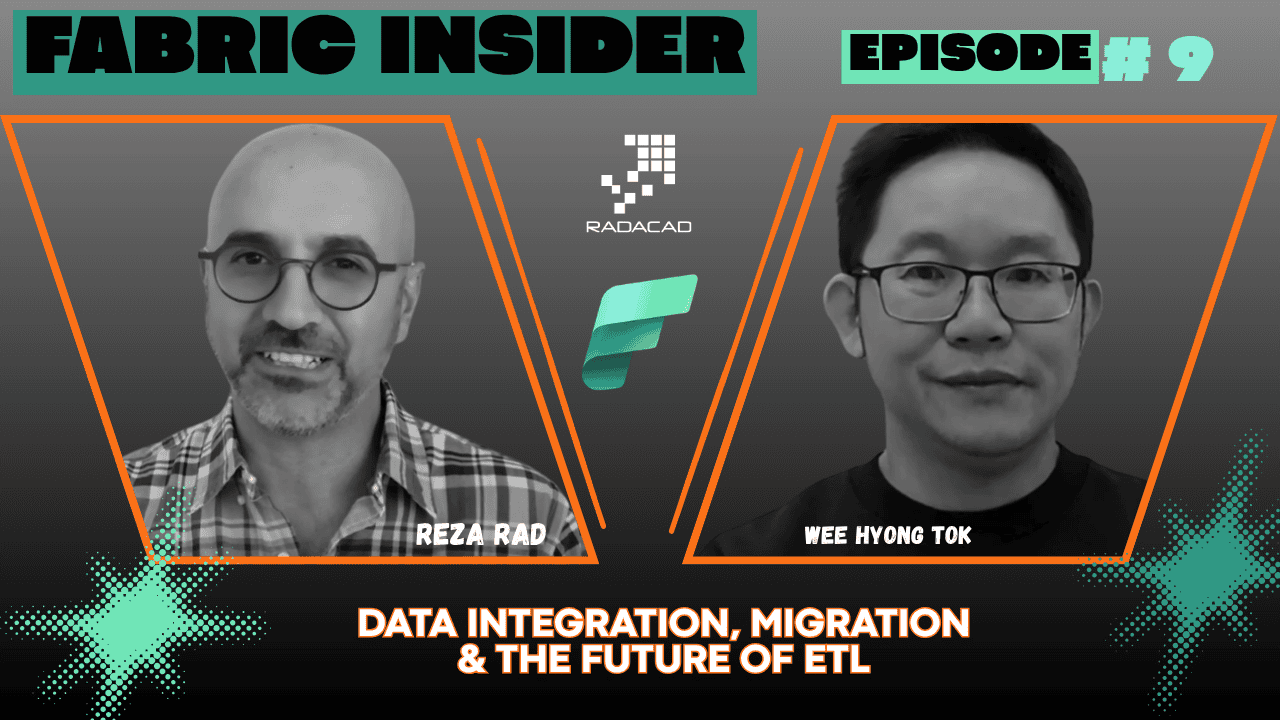
Is ETL as we know it coming to an end? What is the real migration path from ADF, Synapse, or SSIS to Microsoft Fabric? And what does AI mean for the future of the ETL developer’s career?
I sat down with Wee Hyong Tok — Partner Director of Product Management for Data Integration at Microsoft, running the product management team across the entire Fabric Data Factory area — to get honest answers to all of these questions. This is one of the most comprehensive, practical conversations in the Fabric Insider series, covering everything from Apache Airflow and DBT to SCD Type 2 automation, the Fabric Data Factory MCP Server, and what is genuinely coming next.
Let’s get into the conversation.
Fabric Insider Series | Episode 9 | Interview with Wee Hyong Tok, Partner Director of Product Management for Data Integration at Microsoft
📺 Watch the full episode on YouTube: Fabric Insider Ep. 9 — Data Integration, Migration & the Future of ETL | Wee Hyong Tok
🎧 Listen on Spotify: Fabric Insider Podcast
📚 Full Fabric Insider Blog Series: radacad.com/category/fabric-insider-2026
🎬 Full Fabric Insider Playlist: YouTube Playlist
Who Is Wee Hyong Tok? (Video: 0:00)
Reza: Before we talk about all these exciting things, can you please introduce yourself? What is your role in the Fabric team and what are the things you are working on?
Wee Hyong: Sure. My name is Wee Hyong. I’m the Partner Director of Product Management. I run the product management team for data integration, and I’m part of the Data Factory team on the broader Fabric team.
Reza: I see some of the announcements that come usually in my LinkedIn feed from you — that you now got a new member in the PM team in data integration, then in a couple of weeks another PM. It shows that data integration is expanding.
How Wee Hyong Categorises Data Integration in Fabric (Video: 0:56)
Reza: Data integration has come a long way in Microsoft. We had it as separate things — ADF separately, SSIS separately, Power Query, Excel separately. Now we have one Fabric Data Factory or Fabric Data Integration which includes different bits and pieces. It includes Dataflow for self-service data integration. It includes Pipeline. It also includes simplified integration tools such as Copy Job and Mirroring. Do you also categorise it in these three ways, or do you see data integration differently?
Wee Hyong: It is. If you have been following some of the Fabric conferences and we’re evolving the narrative for Fabric Data Factory, you’ll see that we talk about it very similarly to what you outlined. We think about it as: there is the unification of your data asset into Fabric OneLake, and how Fabric Data Factory plays a role there. Then, of course, the two key components — you have orchestration and you have transformation.
At the same time, we’ve been increasingly seeing new scenarios where customers land data into Fabric OneLake, enrich it, take it through the Medallion architecture from bronze silver to gold — but eventually they want to distribute some of this data to other downstream destinations. So we call it distribute. We see it as unify, orchestrate, transform, and distribute.
For a deeper background on how Copy Job, Mirroring, and Shortcut fit together — I covered this in detail with Wilson Lee in Fabric Insider Ep. 1.
Low-Code vs Pro-Code — The Two Modalities (Video: 3:29)
Wee Hyong: If we unpack the orchestration and transformation piece — one thing we increasingly realise, working with many of you in the community, customers, and others — is that sometimes people like drag-and-drop experiences, where you have low code either with Dataflow Gen 2 or with Pipelines. But at the same time, we are increasingly seeing a lot of data engineers and developers very interested in pro-code experiences.
So with Dataflow Gen 2, we brought in DBT job. That is really a pro-code way of doing transformation — or in ELT, the T in ELT — pushing the transformation to your target compute like Data Warehouse and Lakehouse. Similarly, on the pro-code orchestration front, we brought in Apache Airflow, where you write your DAGs. At the last FabCon, we released the ability to insert what we call Fabric providers into Apache Airflow jobs in Fabric.
So now you have both low-code and pro-code ways of orchestrating things in Fabric — notebooks, copy jobs, and so on.
Reza: I like the way that you separate them — something for the pro-code developer, something for low-code or no-code. And you mentioned two things that are not native to Fabric but that data engineers already use: Apache Airflow and DBT.
What Is Apache Airflow and Why Should You Use It? (Video: 5:26)
Reza: For someone new to ETL development and data engineering — what is Apache Airflow, and why should they use it?
Wee Hyong: If you look at the momentum Apache Airflow has in the open source community — increasingly there’s a lot of organisations that have started to use Apache Airflow for orchestration.
Apache Airflow projects have multiple DAGs — directed acyclic graphs. In each one, you describe a series of steps. In short, the series of steps describe what you want to orchestrate.
Reza: Something similar to Pipeline that we created, but it’s an open source way of doing that in the community.
Wee Hyong: That’s right. One of the challenges as we work with the community and a lot of customers is that developers increasingly use Airflow jobs, but they don’t really want to maintain the runtime — making sure it’s secure, making sure it’s updated. They just want to run their DAGs. And sometimes, depending on the composition of the team, some folks are very good at writing DAGs in Apache Airflow, others are very good at maintaining Pipelines because of the skills they’ve built up over the years — and they want this to work nicely together.
So what we offer in Fabric Data Factory is the ability to start an Apache Airflow job in a serverless manner — don’t worry about the infrastructure. Apache Airflow is delivered as SaaS — simplification on how you get started, while enabling you to interop with Pipelines very easily.
What Is DBT and How Does It Work with Fabric? (Video: 7:46)
Reza: Apache Airflow is one of the tools that a lot of data engineers are using. DBT is the other one. What is DBT, and how does it work with the rest of Fabric?
Wee Hyong: Both of us come from a very similar background — Power BI, we love to write SQL transformations. If you talk broadly with peers and people working in the community, being able to write SQL statements comes very easily.
What DBT has done is allow you to express SQL transformation — how you’re shaping your data — but this SQL transformation allows you to push it to any target of your choice. You might say: “I want to do this SQL transformation within a Warehouse” or “within a Lakehouse.”
If we reflect on the progress of data integration in the industry — you have ETL: extract, transform, load, that we’re all aware of. But increasingly we’ve seen ELT: extract, load, then process it where the data is. That’s exactly what DBT jobs allow you to do. You write, using a very friendly editing environment in Fabric, your SQL transformation — described as DBT models. This model then allows you to test and validate and run by selecting your destination adapter — Fabric Data Warehouse or Lakehouse, and so on. We provide all these adapters out of the box, and — same as with Apache Airflow — we abstracted away the infrastructure setup so it’s simpler to get started with DBT jobs.
Migrating from ADF and Synapse Pipelines — Should You? (Video: 10:33)
This is the question I get asked constantly — in training sessions, consulting engagements, and community forums. So I made sure to get a clear answer from Wee Hyong directly.
Reza: Part of data engineering efforts — those who worked with Microsoft technologies in the past — built their data transformations in ADF, Azure Data Factory, some in Azure Synapse Pipeline. One big question I always get is: what is the migration plan? How can they bring that into Fabric — or should they just leave it in Azure Data Factory?
Wee Hyong: We get that question a lot at conferences and in conversations with customers. When we started the Fabric Data Factory journey, bringing Pipelines and things like the Copy activity into Fabric — Fabric Data Factory and Azure Data Factory sit on the same data integration foundation. So you’d expect every single thing that happens in Azure Data Factory to work in Fabric Data Factory.
We did change some concepts — for example, in Azure Data Factory you have Linked Services and Data Sets, whereas Fabric Data Factory started with Connections. There’s also Mapping Data Flows in ADF, which allows you to visually express data transformation.
As we think about migrating or upgrading from Azure Data Factory or Synapse Pipelines to Fabric Data Factory — we want to make sure it’s seamless and simple. And more importantly, for everything you need, Fabric Data Factory is the superset. That’s the first thing.
The second thing — a question most people ask: “I’m using Azure Data Factory, my critical production pipelines are running on Azure Data Factory. Do I continue to expect support from Microsoft?”
Reza: Shall they keep using it or not?
Wee Hyong: Our commitment to customers — given Azure Data Factory is a GA product — is that Azure Data Factory continues to run as it is. We continue expanding it into new regions, keeping it secure. But as you think about your overall data strategy and how you’re thinking about data integration in general, Fabric Data Factory is where we’re bringing all the data integration capabilities to — and we expect it to be a superset.
The ADF-to-Fabric Migration Tool (Video: 13:49)
Reza: At FabCon recently, you also launched the migration tool. How does this work and how reliable is it?
Wee Hyong: From a migration tool perspective, what it exactly does is it scans all your ADF pipelines. It scans all your Synapse pipelines if you have Synapse Pipeline in Azure Synapse Analytics, and it helps you do this tedious work of mapping connections — and in some cases, if the connection doesn’t exist, we create it for you.
Since launch, there’s been a huge amount of people using the tool — either for the assessment it does, or for actual migration from Azure Data Factory to Fabric Data Factory. During the last FabCon, we shared some of the success stories with customers where they not only consolidated their pipelines into Fabric Data Factory but also used this as an opportunity to migrate their Synapse dedicated SQL Pool into Fabric Data Warehouse. A lot of customers shared how this consolidation helped optimise their overall TCO.
The Azure Data Factory item — an unexpected middle ground
Wee Hyong: The other little-known fact about Fabric Data Factory — sometimes people get lost in a lot of the announcements — is that if you have Azure Data Factory today, you can actually go to Fabric and create a new item called Azure Data Factory. Essentially, this allows you to bring your Azure Data Factory into Fabric. Everything still continues to run in Azure using the familiar Data Factory foundations — but now you get the best of Fabric, meaning you get Fabric as your shell over your Azure Data Factory pipelines.
Reza: Would that mean we still host our ADF pipelines in Azure Data Factory — but run it from this shell?
Wee Hyong: That’s right. For some early preview customers, one of the things they shared is that as they think about their broader strategy, they definitely want to consolidate a lot of their whole data pieces into Fabric. In this case, they want to make sure their production pipeline runs as it is — they don’t want two places in which they manage it. This ability for you to add an Azure Data Factory item in Fabric allows you to leave your ADF as it is. Everything runs as it is — no need to do mapping, nothing. But now, in the same workspace, you have your Azure Data Factory pipelines and you could start adding things like Copy Job for batch movement or incremental capabilities. So now in one workspace you have everything you need to realise your analytics project.
💡 The three migration paths, summarised:
- Add an Azure Data Factory item in Fabric — a shell over your existing ADF pipelines, no mapping required, everything still runs in Azure
- Use the ADF-to-Fabric migration tool from FabCon — scans and maps your pipelines into native Fabric Data Factory pipelines
- Leave it in Azure Data Factory — still fully supported, but new features and integrations will land in Fabric Data Factory going forward
What About SSIS? (Video: 18:08)
Reza: What about those customers — and there are still plenty of them — using SSIS? SSIS has been a big ETL tool in Microsoft, I still know a lot of customers still using that. What is the migration plan for them?
Wee Hyong: 100%. SSIS is top of mind. In fact, fun fact — when I joined Microsoft, my first team was the SSIS team.
Reza: I remember those days. That’s right — I think we knew each other from those days.
Wee Hyong: That’s right. To many developers, data engineers, and so on, SSIS is top of mind. There still exists a significant SSIS customer base, and being able to enable all this SSIS investment to continue running as it is, is important. As you know, even with Azure Data Factory, we started off making sure you could lift and shift your SSIS packages — whether running on-prem or in the cloud — with the SSIS activity.
And the same thing we’ve been doing — you’ve seen some of the announcements — is that SSIS activity is coming into Fabric Pipelines. One of the things we simplified moving from ADF to Fabric is that you no longer need to provision your SSIS IR, the Integration Runtime. We provision it for you in a serverless manner, true to the spirit of SaaS. Within the pipeline, you’ll now be able to run an SSIS activity — currently in Preview.
One thing we hear a lot from customers: “Yes, we can run SSIS packages and orchestrate them as part of a pipeline, but in order for this SSIS activity to work for us, we store our packages within the SSIS catalog.” So we’re also working to bring the SSIS catalog into Fabric — so whether your SSIS packages (DTSX files) are stored on storage like OneLake, or stored within an SSIS catalog, you’ll be able to use it.
Reza: So if I just want to bring packages directly into Fabric, I would just get that DTSX package uploaded into Fabric, add it, and it would run in the serverless environment. I wouldn’t need Integration Services installed on the server.
Could SSIS packages be AI-converted to Dataflow or Pipeline?
Reza: Would there be an option in the future that it would actually convert SSIS into a combination of Pipeline or Dataflow? Or is that too far to think of at the moment?
Wee Hyong: If you asked this question a few years ago, I’d say there are good tools in the market that try to do this automation. But if you fast forward to today with AI and a lot of these AI tools that allow us to run much faster and better — I don’t see it as future. I think it’s possible to do it today, based on our conversations with different folks in the community. We have seen cases where people have started doing it.
In SSIS you have your control flow and your data flows. The control flow is a typical orchestration that can easily be mapped to the constructs in Pipeline. And in the data flow you have your source, your destination, and a bunch of transformations in between. Being able to map that SSIS DSL — the domain-specific language that encodes what the SSIS package is — into Dataflow Gen 2, I think is absolutely doable today. You could convert it into M in Dataflow Gen 2. You could also convert it into a SQL statement that executes as a DBT job. With a lot of AI tools, I’d actually encourage everyone in the community to start doing and sharing this kind of example. We’ve seen very good cases where MVPs and community folks have started doing that. So it’s actually very doable today.
SCD Type 2 Simplified in Copy Job (Video: 23:27)
Reza: Let’s get back to easier ways of ingesting data — Mirroring, Copy Job. They’ve had a lot of enhancement recently. One of the things I just saw in the announcement was that Copy Job can now do SCD Type 2 very simply, without doing all of that manually yourself through custom code. Can you tell us about that?
Wee Hyong: Copy Job was really our simplified way for you to do data movement — or unify your data estate into OneLake. Over the last year or so, Copy Job has grown significantly. Today, Copy Job supports all sources and destinations — and many are multi-cloud, not restricted to Microsoft cloud. We connect to different data sources and destinations, whether on-premises or in other clouds.
Copy Job has evolved from batch to incremental patterns. If you have a watermark column in your data source, Copy Job takes care of continuous running, making sure the data — or the changes — are there, and brings it into whatever destination you describe. If some of your sources support CDC — change data capture — we’re now able to work better with the CDC capability native to the data source.
Lots of customers love Copy Job for the simplicity — it also validates our original hypothesis: why do I need to create a pipeline in order to move data?
And to your point — we introduced SCD Type 2 support. When it shipped, one of the things you saw in discussions is people saying: “But SCD Type 2 doesn’t really feel like data movement — it’s the T, it’s not the E.”
Reza: [laughter] That’s right, it is not ingestion.
Wee Hyong: It’s essentially trying to make sure I’m able to land the data in a way that is SCD Type 2 compliant so I can do analytics that have a history or lineage or record. One of the conversations we have with customers is: “Since I’m already moving data from a source to a destination, I don’t want to write any code. I just want this to be part of the data movement process.” That’s exactly what SCD Type 2 support in Copy Job simplifies — you no longer have to write standard code for maintaining what is the current data. We do all this heavy lifting for you.
We also added support for audit columns — so you can audit where the data comes from, without a separate transformation step to add those columns.
Reza: The world is somehow moving towards a faster way of accomplishing things we are still doing manually — repetitive tasks. If they can be automated, if they can be done through Copy Job, if they can be done through a faster way, why not? That is where the world is heading — becoming more efficient rather than building everything manually.
AI in Data Integration — MCP Servers and Skills (Video: 28:38)
Reza: These days AI is everywhere. We have Copilot in different aspects of Fabric — Copilot in data integration itself. But there’s also news about MCP Server, and one I’m quite excited about is the MCP Server for Fabric Data Factory. How does this help developers build their data integration solutions faster?
Wee Hyong: Before we get into that — a few things, and I’m sure we’ve all seen a similar evolution in the industry. Specifically in data integration, we started with: you want to create a Pipeline or Dataflow, you drag some relevant components onto a canvas. Then as we looked at the evolution, we thought: I really want this to run on optimised compute.
For example, with Dataflow Gen 2, we rethought the architecture so it’s extremely cost-efficient but extremely high performing, running on Fabric compute. Similarly, in the ADF era, drag-and-drop transformation runs on Spark compute. Those were the different eras of data integration progress — first drag-and-drop to simplify the experience, then separating the expression of intent from where it runs, giving optimisation opportunities.
If you take a step back and look at data workflows broadly — the nature of creating data workflows is changing. Today, increasingly, both of us do vibe coding a lot — we leverage tools like VS Code with GitHub Copilot, or GitHub Copilot CLI. In those interfaces, there’s no drag-and-drop. You describe what you want to do — it feels very conversational, like with a peer developer — and you’re iterating on it, but creating things that do meaningful work.
Data Factory MCP Server is part of the broader Fabric MCP Server. What it allows you to do is: whatever you’re trying to do in Fabric Data Factory — ingestion, creating a Pipeline, creating a Dataflow Gen 2 — you’re now able to describe it using natural language. But at the same time, you’re able to leverage tools of your choice — GitHub Copilot within VS Code, GitHub Copilot CLI, or other tools like Claude. The Data Factory MCP Server essentially provides the abstraction for you to interact with Fabric Data Factory and create things you used to create with drag-and-drop.
For a full deep dive into what MCP Servers are and how they work more broadly across Fabric, I have a dedicated episode: Fabric Insider Ep. 8 — Fabric MCP Servers, CLI & AI Agents with Hasan Abo-Shally.
From MCP prompts to reusable skills
Wee Hyong: One thing we noticed as people interacted with the Data Factory MCP Server: the first time it generates something, it might not get what you want. You describe, provide more context, fine-tune, and it gets better. But one of the things we noticed is that people say “turn this into a skill” — and the skill gets all the context, all the learning from the back-and-forth. The next time you try to do the same thing, it gets better, because it has memory and context. That’s the power of thinking about data integration in the era of AI — starting with MCP Servers, and, as we announced at FabCon, Fabric Skills — and within Fabric Skills you now see Data Factory Skills as well. This builds on the great work that started with the APIs, then enabled access as a tool through MCP Server, and now with skills it simplifies how you start creating what you need.
Reza: One thing I’d add for our audience who might not be that familiar with AI terminology — MCP Server is the hand you give to the AI. If you want Claude or ChatGPT to go and build the Dataflow for you, do something for you — you use things such as MCP Server. Skills, which Wee Hyong is talking about, is another thing you add on top — a set of instructions, like “this is how you go and create this, this is the structure I want you to follow.” It gives structure and rules so the AI understands how you’d like it to create things. Now we have both of these for Fabric Data Factory.
What is covered by the Data Factory MCP Server today?
Reza: If I’m vibe coding my data integration project — does this MCP Server and Skills combination create Pipeline, Dataflow, Copy Job, everything? Or are there only certain areas covered at the moment?
Wee Hyong: It does. As of FabCon, Pipeline and Dataflow are supported. Copy Job capabilities are added. And one of the things we recently added is support for Apache Airflow interaction through the Data Factory MCP Server. You can expect everything in Fabric Data Factory to be supported through the Data Factory MCP Server over time. If there are missing white spaces, we love to work with the community to continuously add to it. In fact — a fun nugget — the recent Airflow support capability was actually built by a PM on the team, because these days everyone is building with these tools, including PMs.
What Does This Mean for ETL Developers’ Jobs? (Video: 37:14)
This is the question I know is on many people’s minds — and I made sure to ask it directly.
Reza: How is AI changing the ETL developer’s job? What is your take — do you see the ETL developer job changing in the future? And how can current ETL developers prepare for that change?
Wee Hyong: That is a good question, and I’m sure it’s top of mind for all of us. Focusing on ETL developers — we talked about the evolution of drag-and-drop, being able to describe your intent, and separating your compute from where the transformation runs. A lot of ETL developers have gone through these different generations of ETL tools.
I think today there’s a new interaction modality — using tools like GitHub Copilot, GitHub Copilot CLI, or Claude, and MCP Server and the tooling available. The nature of how you create Pipelines or Dataflows is definitely evolving, from an input modality and interaction modality perspective.
But the other thing that’s happened — and you see analogies within the developer community — is that because the interaction modality has changed, you now have opportunities for faster experimentation. You could create multiple agents to achieve your business outcomes, try out different approaches, iterate, refactor — all much faster. Which means from our day job, doing ETL, getting from data to value for consumers, we can iterate faster — but it also means we’re able to deliver what we expected to do much faster.
That whole discussion around 10x developer productivity applies here — 10x your ETL developer productivity. But at the same time, that whole artifact — the Dataflows or Pipelines created as a result of your interaction — you still have opportunities to leverage a lot of the existing constructs in which you’ve done deployment or operationalisation, whether it’s CI/CD. Those stay the same, and those are the skills you’ve built up over time. All this AI-generated artifacts continue to work as it is, and you still have to make sure it goes through your different environments before landing in production.
The other opportunity: you now have opportunities to create better testing or unit testing for your Pipelines or Dataflows, because AI can help with a lot of tasks you otherwise spend hours on. There’s lots of opportunity ahead for ETL developers as the nature of data integration evolves.
Reza: I would also agree — it makes us much more efficient. We don’t have to go and write lines of code ourselves. We can vibe code this, try out different approaches, and benchmark them with the help of GitHub Copilot, Claude, or whatever LLM agent we’re using. But that still requires you to go and review what has been done — this might go and create a Pipeline and a bunch of Dataflows, you can review them, see how they’re created, fine-tune the experience. It helps us all become much more efficient in the job we’re doing, to create more value for the business.
What Is Coming? (Video: 42:06)
Reza: What are the coming features that are exciting and you can talk about?
Wee Hyong: A few things. Early on we started the conversation around open-source data integration capabilities like Airflow and DBT. As many of you know, we have a partnership with DBT Labs — and what’s coming soon is support for the DBT Fusion runtime, in addition to DBT Core.
Another announcement from Ignite last year — the Microsoft-SAP partnership — enabling bidirectional zero-copy of SAP BDC data with Fabric. That is also coming soon.
Now — the big one for many of you who have been working with Azure Data Factory for a while and love Mapping Data Flows. For those who haven’t tried it, it allows you to drag and drop your transformation, and it gets compiled down and runs as optimised code on Spark clusters. Many of you on this Fabric journey have been asking: when is Mapping Data Flows coming into Fabric?
Reza: Yes!
Wee Hyong: At Build conference this year, we will be bringing Mapping Data Flows into Fabric. But more importantly, we’re going to make sure the experience allows you to interop between Dataflow Gen 2 and Mapping Data Flows — Mapping Data Flows will become integrated into Dataflow Gen 2. If you think about it from a transformation perspective — we talked about low code to pro code, where Dataflow Gen 2 is a great self-service data preparation tool, and we brought pro code with SQL transformation in DBT job. Now, from a transformation perspective, we’re probably the only one in the market that allows you to get from low code to pro code, to being able to run your transformation at Spark scale with Mapping Data Flows inside Dataflow Gen 2.
And from a database Mirroring perspective — Database Mirroring has become a very popular tool for creating a mirrored copy of your operational database so you can do analytics on top of it. One of the top asks from customers has always been support for private links. We’re bringing private link support, starting with a few of the data sources supported by Mirroring, and eventually expanding to all Mirroring.
💡 What to watch for:
- DBT Fusion runtime support, alongside DBT Core
- Bidirectional zero-copy SAP BDC integration with Fabric
- Mapping Data Flows coming natively into Fabric, integrated with Dataflow Gen 2 — the missing piece for Spark-scale visual transformations
- Private Link support for Mirroring, expanding source by source
How to Reach Wee Hyong and the Team (Video: 45:37)
Reza: How can our audience reach out to you and provide feedback to you and your team?
Wee Hyong: The team continuously monitors the different Microsoft forums, Reddit. At the same time, as we work with many of you on calls or meet in the hallways of conferences, you can always come up and say “what about this, let’s brainstorm about a feature.” And you can vote for your features on Fabric Ideas — the team takes it very seriously to understand what is top of mind, what is blocking you from adopting Fabric Data Factory. Those conversations help us continuously improve the product together with the community.
Reza: There are many channels — send a message on LinkedIn, catch someone at a conference, use the Reddit channel, the Ideas website, and Voice of the Partner.
My Takeaway from This Conversation
Wee Hyong made something clear throughout this conversation: data integration in Fabric is not one tool trying to do everything. It is a deliberate architecture — unify, orchestrate, transform, distribute — with both low-code and pro-code paths built in from the ground up.
A few things I want to highlight:
- The migration story is more flexible than most people realise. You are not forced into a single path. Leave ADF as it is, wrap it in a Fabric shell with the Azure Data Factory item, or fully migrate using the FabCon migration tool. All three are legitimate, supported strategies.
- SSIS is not being abandoned. SSIS activity is coming into Fabric Pipelines, serverless, no IR provisioning required — and SSIS Catalog support is on the way.
- SCD Type 2 in Copy Job is a small feature with a big impact. It removes one of the most repetitive, error-prone pieces of custom ETL code that developers write over and over again.
- The AI story for data integration is not hypothetical — it is shipping. Data Factory MCP Server, Fabric Skills, and the “turn this into a skill” workflow are available today, and Apache Airflow support was recently added by a PM using the same tools we all now have access to.
- Mapping Data Flows finally coming to Fabric — integrated with Dataflow Gen 2 rather than existing as a separate tool — is genuinely exciting news for anyone who has missed Spark-scale visual transformations since the ADF days.
Related Resources
- 📝 Microsoft Fabric Mirroring, Copy Job, SAP Integration — Fabric Insider Ep. 1 with Wilson Lee
- 📝 Fabric MCP Servers, CLI & AI Agents — Fabric Insider Ep. 8 with Hasan Abo-Shally
- 📝 No-Code Dataflow Gen 2 in Microsoft Fabric Using GitHub Copilot and Fabric Skills
- 📝 Getting Started with Dataflow in Microsoft Fabric Data Factory
- 📝 Getting Started with Data Pipelines in Fabric Data Factory
- 📝 Fabric Data Factory: Copy Activity Is More Than Copy
- 📝 Migrate Power BI Dataflow Gen1 to Fabric Dataflow Gen2
- 📝 Copilot in Power Query in Power BI Service and Microsoft Fabric Dataflow Gen2
- 💡 Fabric Ideas Site — Submit Your Feedback
- 💬 Microsoft Fabric Reddit Community
Other Episodes in the Fabric Insider Series
- Fabric Insider Ep. 3 — Power Query, Dataflows and What’s Next with Miguel Escobar
- Fabric Insider Ep. 5 — What’s Hot and New for Power BI Semantic Models with Christian Wade
- Fabric Insider Ep. 6 — Real-Time Intelligence & Fabric IQ with Yitzhak Kesselman
- Fabric Insider Ep. 7 — Everything About the Microsoft MVP Program with Rie Merritt
- Fabric Insider Ep. 8 — Fabric MCP Servers, CLI & AI Agents with Hasan Abo-Shally
- Full Fabric Insider Series on RADACAD
- Fabric Insider Podcast on Spotify
- Full Fabric Insider YouTube Playlist
Reza Rad is a Microsoft Regional Director, Data Platform MVP (16 consecutive years), Author, and Trainer. He is the co-founder of RADACAD and the author of multiple books on Power BI, Power Query, and Microsoft Fabric. You can follow him on LinkedIn and subscribe to the RADACAD YouTube channel.


Reza is author of more than 14 books on Microsoft Business Intelligence, most of these books are published under Power BI category. Among these are books such as Power BI DAX Simplified, Pro Power BI Architecture, Power BI from Rookie to Rock Star, Power Query books series, Row-Level Security in Power BI and etc.
He is an International Speaker in Microsoft Ignite, Microsoft Business Applications Summit, Data Insight Summit, PASS Summit, SQL Saturday and SQL user groups. And He is a Microsoft Certified Trainer.
Reza’s passion is to help you find the best data solution, he is Data enthusiast.
His articles on different aspects of technologies, especially on MS BI, can be found on his blog: https://radacad.com/blog.