
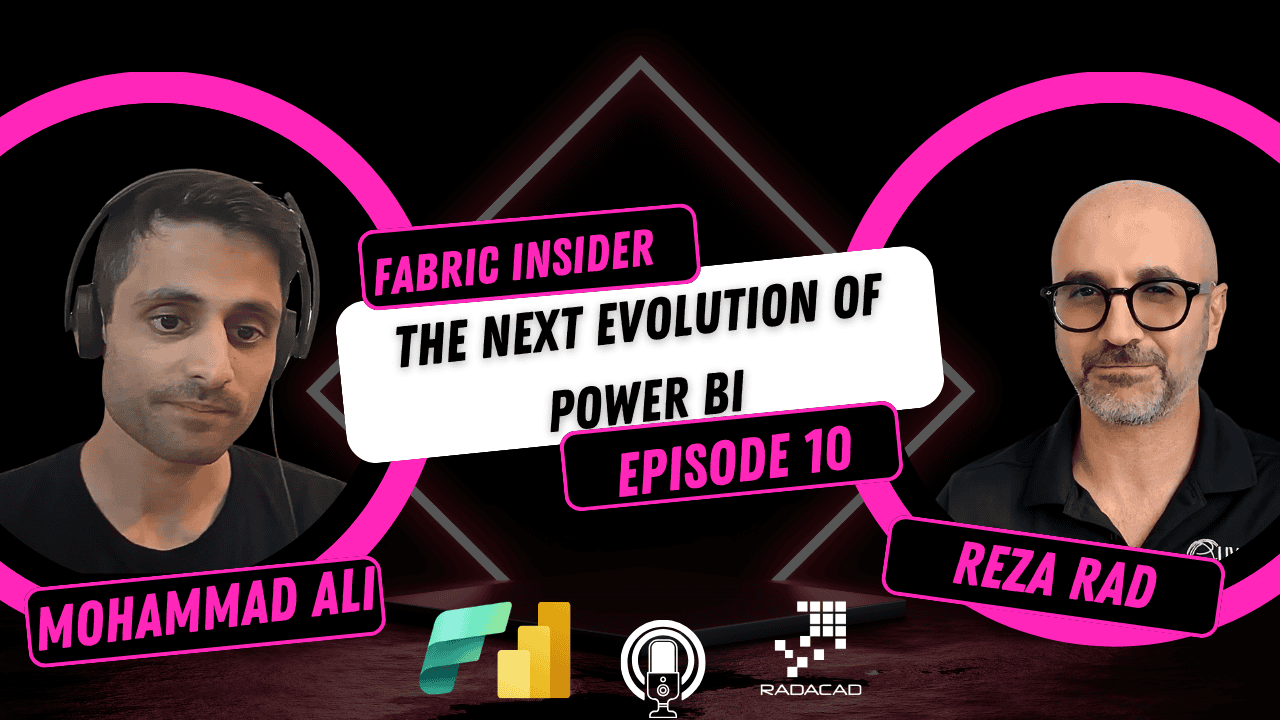
What is the next evolution of Power BI? Will Power BI Desktop ever become a prompt-first UI? And how do you actually decide whether you need a semantic model, an ontology, or both?
I sat down with Mohammad Ali — Director of Product Management for Power BI at Microsoft, overseeing the PMs across the entire Power BI product, from visualization to semantic model to service to desktop — right after Microsoft Build. This was one of the most forward-looking conversations I have had in this series, and Mohammad did not hold back on where he sees things heading.
Let’s get into the conversation.
Fabric Insider Series | Episode 10 | Interview with Mohammad Ali, Director of Product Management for Power BI at Microsoft
📺 Watch the full episode on YouTube: Fabric Insider Ep. 10 — The Next Evolution of Power BI | Mohammad Ali
🎧 Listen on Spotify: Fabric Insider Podcast
📚 Full Fabric Insider Blog Series: radacad.com/category/fabric-insider-2026
🎬 Full Fabric Insider Playlist: YouTube Playlist
Who Is Mohammad Ali? (Video: 0:24)
Reza: Can you please introduce yourself to our audience — who you are, what part of the product you are managing?
Mohammad: My name is Muhammad Ali. I am the Partner Director for the Power BI product. I look after PMs — product managers — and basically help envision and design the strategy and the features that we add, based on your feedback, into the product.
Reza: And when we talk about Power BI product, we are talking about all aspects of Power BI — from visualization to the semantic model, service, desktop, everywhere?
Mohammad: Yes. All. [laughter]
Reza: That’s amazing. You are the man to talk to.
The Two Big Things — Semantic Models and Fabric Web Apps (Video: 1:08)
Reza: From your point of view, what is top of mind when it comes to Power BI?
Mohammad: We just released at Build. In my Build blog, I talk about two key things that I think are going to really evolve in this AI-BI world.
The first is the evolution of semantic models. The value of having a semantic model for both humans and agents to talk to is so important. Having a classic definition of what revenue means to you, having clear and concise relationships on how you want to relate your different tables and dimensions and facts together — that is where the power of the semantic model comes in. I really think the semantic model is going for a rebirth. I think people got it before, then forgot about it, and now are rethinking: “Oh my god, the semantic model is so important.”
The second thing is what I call the next big wave of evolution of BI. At Build, we released Fabric Web Apps. The Power BI team has been helping make sure you can use a Fabric Web App to design what I would call a new type of BI report — as a developer.
For a broader picture of how this connects to my own explorations of the Rayfin platform, see: What Is Fabric App or Rayfin and Why You Should Care.
Fabric Web Apps — Why Bypass PBIR Entirely? (Video: 2:47)
Mohammad: Some background on how we came up with this design: as AI models get better — Claude Opus, ChatGPT, GPT-5, whatever version we’re on these days — what we found is these models are getting really good at generating HTML and JavaScript.
What is a Power BI report? It’s a PBIR format. It’s JSON format today, but it calls into our services in Power BI, and it produces HTML and JavaScript. So we thought: instead of having this intermediate form, can we just bypass it and go directly to HTML and JavaScript, and do whatever you want?
For me, the magic is in the demos that Arun Ulag shared at Build — I highly recommend everyone watch those.
Now I see a new wave of BI where people are going to generate in code and just say: “I’m trying to create a dashboard that does this” or “I’m trying to create a really interactive application that includes reporting and visualizations.” Fabric Web App ships a bunch of skills to help you do visualizations on top of it. We actually contributed back into Vega-Lite — so it produces Vega-Lite visuals in a nice web application. We also added the ability to handle all the scaffolding you would normally expect in a web app — authentication to a semantic model, querying the semantic model, generating DAX for it. So it does a lot of the things you don’t want to have to do, and you don’t get prompt fatigue.
You can say: “Here’s my sales data in the semantic model, can you go and create me a report?” You can also say: “Here are five semantic models — create me page one for this one, page two for this one.” It’s not creating a proxy model. It’s actually querying each semantic model per page. The ocean is yours. You can look at all of our 30,000 backlogged ideas and user voice items and just go prompt your way to build them.
Reza: So we are talking about an actual web application with different components — semantic models feeding data, front end which could be visualizations, and maybe some HTML components too, as a project?
Mohammad: Yes. And the Fabric Web App is just HTML — like an Azure website being hosted in Fabric for you. You don’t need an Azure subscription. You build it in GitHub Copilot, Codex, or whatever third-party AI tool — or you can write the code yourself. You don’t have to use an AI tool. Fabric will host it, manage it for you, manage the state for you. It runs in a sandbox, so you get all the same governance features you get with the rest of Fabric.
Write-back, write-forward, and full applications
Mohammad: You can do write-back, you can do write-forward, you can do whatever you want in any direction. You can have a page that combines semantic model one, two, three, calls an API, does ten different things — it’s just code. You can produce Gantt charts, heat maps, a long range of visuals you can’t do in Power BI today.
Reza: I imagine sharing these reports would also become much easier since it is now a web app?
Mohammad: Correct. You’ll have the same sharing capabilities Fabric already offers — it’s just another artifact. You start by going to a workspace, click “New Fabric Web App,” it gives you a code snippet to produce a project skeleton, and then you go and build whatever you want.
Reza: And I’m right in thinking this would be a Fabric capacity-only feature at the moment?
Mohammad: Yes, at the moment — not for Pro. It needs the capacity to run the website and handle traffic. But the cool thing is because it’s a website, you can build a Foundry agent — if you want conversational AI, you can use the one Power BI comes with, or build your own and integrate it natively, have your own pane, your own experience, multiple agents working on the same page.
💡 Reza’s takeaway on this section: Reporting is not going away. Conversational AI, applications, and reporting are going to play nicely together — not replace each other.
Mohammad: I don’t think people are going to just type in to see the same data over and over again. They want something to look at, then ask deeper questions. That’s where the boundary between conversational AI, reporting, and applications gets blurred — and I actually think they’re going to complement each other well. I think we’re going to go down decision apps, data apps, decision intelligence — as Gartner calls it.
The Future of the Semantic Model — Living Outside Power BI (Video: 9:11)
Reza: What is the next great thing you can share?
Mohammad: This is one we didn’t actually announce, but I’ll try to share where we’re going. Semantic models are super important. What I’m seeing more and more is a shift — today, the Power BI semantic model, I don’t think people see its true value. They think it’s purely for BI. What I want to do is take the semantic model concept we have today and find a way to bring it in closer to the lake.
There are competitors with a similar offering, and Power BI already supports a lot of those capabilities. But I do see a need to allow the semantic model to live outside of what I call quote-unquote Power BI. Today, the semantic model is always created automatically for you, and you customize it — but you’re only building it for a report.
What we’re going to look at is a semantic model or a concept of a semantic view outside of Power BI — that would go inside a Lake or a Warehouse. I’m not sure yet where exactly. And you would be able to create that semantic meaning directly there. The good thing is — if you create it there, you can then interact with it with anything in Fabric. If I want to write a SQL query against that semantic view, it works. If I want to use Python against it, it works. I really see us leveraging our superpowers with semantic models and extending that same superpower to all types of users, including data engineers and BI developers.
Reza: So semantic model at the moment being only an object for Power BI to consume — in the future it becomes an object for the entire Fabric to consume, and probably, in the future, something used in Power Platform and other places too, because this is where all the business logic lives?
Mohammad: Yeah, that’s amazing.
For more on how the semantic model differs when created automatically vs. custom — a foundational concept that this vision builds on — I have a dedicated article here: Power BI Default Semantic Model or Custom: A Guide for Using in Fabric Environment.
Conversational AI — M365 Copilot, Power BI Copilot, and Standardising on MCP (Video: 11:20)
Reza: Let’s start with your take on conversational AI.
Mohammad: Conversational AI is a very interesting one for Microsoft in general. At Build, we announced that if you are part of the M365 Frontier Program, you can now use M365 Copilot to query your semantic model directly inside your M365 experience. You can imagine a world in which we bring the M365 experience directly back into Power BI, and leverage that same infrastructure so you get a complete end-to-end experience.
Today, Power BI’s Copilot pane, I would say, is one generation behind where we need to be. It doesn’t do any sort of reasoning today in its current GA form. We are going to support full-on reasoning mode — proper prompt command section within Copilot in Power BI. And that same capability will also be available in M365. You could say: “Hey, my CVP sent me an email — can you look at it, look at what he needs, and find the answer?” And the answer is: “What is the revenue?” — and it goes and queries Power BI, seamlessly, across the many different things you use inside your M365 environment. We really want to complete the end-to-end experience rather than forcing people to go to place one, place two, and place three.
The MCP standardisation
Reza: There is a bit of debate in the community about which way to use — Copilot inside Power BI or M365, versus using an LLM like Claude or ChatGPT connected via skills and MCP servers. What do you think?
Mohammad: That’s a good question. We are on a path to use, inside Power BI’s Copilot, the MCP server — the same MCP server you would use in Foundry, the same one you’d use with Claude or whatever, and the same one M365 will use as well. So the answer will be: use the MCP server. That will be the one we use internally. If you want to take what we already have and extend it, you can use Foundry or do whatever you want. But we are going to standardise on MCP and Skills. In the Fabric Skills repo, we will have skills to talk to what I call Fabric IQ. It will use the MCP server to do what it needs to do.
Today we’re not standardised, which is why it’s confusing — you go to one place, get some capabilities, go to another place, you don’t. We’re going to completely standardise it, use the same thing internally, and make it easy for people to make that choice.
Report Authoring — A New Skill for Fabric Skills (Video: 14:53)
Reza: We already have a remote MCP server for Power BI and the rest of Fabric, and the modeling MCP server. But there’s nothing for visualization. What would happen there — are we considering working with the PBIR file as JSON with skills, or will it change?
Mohammad: Because reporting is a bit more nuanced, an MCP server doesn’t quite make as much sense — you need to actually change the PBIR file. At Build we released the Fabric Skills for report authoring. There’s a skill for doing full end-to-end report authoring. It’s not an MCP server — it’s a skill. And that skill can work with Desktop and do immediate renders, as you’d expect of a report. The skill knows how to communicate with Desktop, say refresh, and update the report.
At Build we finally have a proper report authoring skill that can create many visuals, move visuals, format visuals — you can even give it an image of a report you took from the gallery and say “make my report look like that.” I highly recommend everyone try that out. We are going to extend this even further. This is where I come back to Fabric Web App — if people still want to build interactive reports with all the features they love, please continue doing that. If you want to build something highly customised and you’re a developer, go use Fabric Web App. We’re trying to make sure there’s clarity in when to use one versus the other. They’re very complementary.
You can now create a model using the Modeling MCP from scratch, then say “from that model, create me a report from scratch” — the full end-to-end. That’s the demo Arun Ulag shared at Build.
Reza: And where can people get these skills?
Mohammad: This is the official Fabric Skills repo — the one Microsoft maintains, that the product team owns, and it works there.
For more on how this Report Authoring skill combines with the Power BI Desktop Bridge to build reports entirely from prompts, I have a dedicated video: No-Code Power BI Report Authoring with GitHub Copilot + Fabric Skills + Power BI Desktop Bridge.
Will Power BI Desktop Ever Become a Prompt-First UI? (Video: 17:19)
I wanted to ask Mohammad this directly, since it is a question I get asked constantly by the community.
Reza: Hypothetical thinking — do you imagine a Power BI Desktop window coming up as a prompt-first experience, like other AI tools?
Mohammad: Power BI Desktop today authors reports. If we authored Web Apps in Power BI Desktop, which is potential, I can imagine a world in which we take a Lovable/Claude Design/Figma-style approach — where you come in and justify your intent, and we have an AI and a no-code experience working side by side. Like having an AI person over my shoulder working alongside me on the thing I’m trying to create. So yes, I do see that.
But I want to be careful. I want to make sure we do that for the people who actually want that — because prompt fatigue is real, and I don’t want to force it on someone who doesn’t find that natural. I can imagine desktop doing that, but I’m not sure it’ll be for the interactive reports we have today — I think we’ll probably do it for the Fabric Web Apps approach, because it’s easier — it knows what’s happening, whereas with JSON manipulation it’s less clean.
We haven’t necessarily planned to do this in the next couple of months — I’m genuinely curious about people’s feedback more than anything. We’re open to any suggestions that help drive our core mission: making sure everyone can make data-driven decisions.
Reza: And based on what you mentioned about Fabric Web App, it actually makes sense to have that kind of experience within that environment, because it is a bit of a different environment — some people might still use Desktop as a developer tool, the way people use Visual Studio.
Version History with OneDrive — Why It Mattered So Much (Video: 20:03)
Reza: There was a lot of excitement in the community about the simplified version history experience using OneDrive behind the scenes. Can you talk about that?
Mohammad: It’s very similar to any other Office application, where you click on the file at the top and get version history. We’re just trying to reduce the clicks. A lot of people use OneDrive as a glorified sharing way and a backup store — so we wanted to make it at least similar to the other Office products.
The other goal: a lot of the community gave us feedback that we’ve got a lot of features in preview state, and we haven’t GA’d them. As part of our push to GA all our preview features — including Shape Maps — we wanted to make sure we completed the things blocking that from GA. The OneDrive integration and version history was a core promise of that integration that people really cared about.
Reza: It was well received, especially because a lot of the Power BI community is citizen developers, citizen data analysts who are not professional at setting up GitHub version control or committing changes. So an easy way to do version controlling is exactly what you’re doing with this.
Semantic Models vs. Ontologies — When Do You Need Which? (Video: 21:53)
This was, for me, the most valuable part of the entire conversation — because I get this exact question constantly from the community, and Mohammad’s answer was the clearest explanation I have heard.
Reza: What is something we haven’t talked about that you’d like to cover?
Mohammad: I get a lot of questions about semantic models and ontologies — when should I build an ontology, when should I build a semantic model?
The way Arun Ulag described it at Build: it’s like a Russian doll. You need to make sure you have data in OneLake first — that’s your good data foundation. That’s the core ethos of Fabric — leverage shortcuts, mirror data, you don’t have to copy everything into OneLake, you can reference it.
The middle tier is the semantic model. For me, the semantic model is all about encapsulating the information — the data. What is the revenue data? What is my marketing spend? It captures the facts and dimensions that contribute to answering a question — a mathematical exercise. That’s the goal of the semantic model.
An ontology is about how you take that — you can build an ontology off a semantic model, because sometimes a semantic model is very similar to an ontology. We have 20 million active semantic models in Power BI — a lot of customers are already in that middle stage.
The reason you’d build an ontology is if you’re trying to map a process. Imagine an AI agent looking at a semantic model — it can understand the data, like an airline example: how many flights were delayed, how many people checked in, how many people are on a flight. That’s where the semantic model’s value comes in. But if you want the AI agent to run through a business process, that information is not easily captured in a semantic model today. That is why you’d build an ontology — because if the agent needs to take action based on seeing something (we’ve got a lot of delays, we need to change something, we need to cancel a flight), that’s normally driven through a business processing system, some sort of decision matrix — and that is the value of the ontology. The ontology captures those business rules.
So an ontology encapsulates both the data needed to drive a decision, AND the decision itself.
When people ask me “do I build a semantic model or an ontology?” — I ask what are you trying to achieve? And normally, they want both.
Reza: So if you can imagine a world in which AI agents are operating versus humans — the ontology is telling the agent how to do something, and the semantic model is telling it what the answer to something is?
Mohammad: Exactly. That’s really how I differentiate between the two. And look, ontology is new — it’s still in preview. I hear a lot of people talk about wanting a master ontology, and also smaller, well-defined ontologies for different parts of a process. For the airline example — a check-in ontology that goes through all the check-in rules, a separate ontology for how airports and airlines work. There’s a lot of granularity involved when you’re trying to model an entire process. My goal is to drive more clarity in these answers, because I know there’s confusion — they look similar but achieve different goals.
Reza: Your explanation validates how I usually think about it — all the data comes into OneLake, that’s the place for integrating everything. The semantic model is the place for our analytics to understand business questions — why is this happening, what is happening, understanding our data. And finally, when we want to connect it to business processes and do operational things — that’s where the ontology comes in.
How to Reach Mohammad and the Team (Video: 27:39)
Reza: If our audience wants to get in touch with you, what is the best way?
Mohammad: If you want to get in contact with me directly — my LinkedIn is there, my email is there, feel free. If you’re trying to get in touch with the Power BI team — we are very active in different places, we join a lot of conferences (we did one with you, Reza), Power Platform conferences, and more. There are many forums for meeting us. If your question is very specific, reach out and we’ll happily handle it. If it’s a basic community question, use the community forums.
If you’re not getting in touch, just reach out to me on LinkedIn and I’ll happily connect you with the right PM or product owner. We love the community — you guys have really made what Power BI is today.
Reza: I have to add — the whole Power BI and Fabric team are so responsive to community feedback that sometimes when I share something on LinkedIn, someone from the team — Bogdan or someone else — comes in and responds. Your concerns and questions are seen and heard. You have the channel to communicate with them. We’ll also share Reddit channels and the Ideas channel for feedback.
My Takeaway from This Conversation
Mohammad gave one of the clearest visions of where Power BI is heading that I have heard from anyone at Microsoft. A few things I want to highlight:
- Fabric Web Apps bypass PBIR entirely — HTML and JavaScript directly, hosted in Fabric, with authentication and semantic model querying handled for you. This is genuinely a new category, not an incremental update.
- The semantic model is not going away — it is expanding. The vision of a “semantic view” living in the Lake or Warehouse, queryable by SQL, Python, or anything in Fabric, is a significant architectural shift.
- MCP and Skills are the standardisation answer. Power BI’s own Copilot pane will use the same MCP server available to Claude, ChatGPT, and Foundry — ending the current confusion about which path to take.
- The semantic model vs. ontology explanation is the clearest I have heard. Semantic model = what is the answer. Ontology = how does the agent act on it. Most organisations will eventually need both.
- Prompt-first Desktop is a “maybe, eventually” — not a roadmap commitment. And when it happens, it is more likely to arrive through Fabric Web Apps than through the traditional PBIR report canvas.
Related Resources
- 📝 What Is Fabric App or Rayfin and Why You Should Care
- 📝 Power BI Default Semantic Model or Custom: A Guide for Using in Fabric Environment
- 📝 No-Code Power BI: How to Use Claude and the Power BI Modeling MCP Server
- 📺 No-Code Power BI Report Authoring with GitHub Copilot + Fabric Skills + Power BI Desktop Bridge
- 📝 What Is Microsoft Fabric, and Why It Is a Big Deal
- 📝 Microsoft Certification Exams for Power BI and Fabric
- 📝 Copilot in Power Query in Power BI Service and Microsoft Fabric Dataflow Gen2
- 🛠️ Skills for Fabric on GitHub
- 💡 Fabric Ideas Site — Submit Your Feedback
- 💬 Microsoft Fabric Reddit Community
Other Episodes in the Fabric Insider Series
- Fabric Insider Ep. 5 — What’s Hot and New for Power BI Semantic Models with Christian Wade
- Fabric Insider Ep. 6 — Real-Time Intelligence & Fabric IQ with Yitzhak Kesselman
- Fabric Insider Ep. 8 — Fabric MCP Servers, CLI & AI Agents with Hasan Abo-Shally
- Fabric Insider Ep. 9 — Data Integration, Migration & the Future of ETL with Wee Hyong Tok
- Full Fabric Insider Series on RADACAD
- Fabric Insider Podcast on Spotify
- Full Fabric Insider YouTube Playlist
Reza Rad is a Microsoft Regional Director, Data Platform MVP (16 consecutive years), Author, and Trainer. He is the co-founder of RADACAD and the author of multiple books on Power BI, Power Query, and Microsoft Fabric. You can follow him on LinkedIn and subscribe to the RADACAD YouTube channel.


Reza is author of more than 14 books on Microsoft Business Intelligence, most of these books are published under Power BI category. Among these are books such as Power BI DAX Simplified, Pro Power BI Architecture, Power BI from Rookie to Rock Star, Power Query books series, Row-Level Security in Power BI and etc.
He is an International Speaker in Microsoft Ignite, Microsoft Business Applications Summit, Data Insight Summit, PASS Summit, SQL Saturday and SQL user groups. And He is a Microsoft Certified Trainer.
Reza’s passion is to help you find the best data solution, he is Data enthusiast.
His articles on different aspects of technologies, especially on MS BI, can be found on his blog: https://radacad.com/blog.